To test a shipping discount before customers see it, switch on Test mode, save, and check out on your own store with ABC123 as the shipping first name. With Test mode on, the discount only applies to checkouts with that first name. Everyone else checks out normally. Test mode is built into RM: Advanced Free Shipping, so you try the real discount on your real rates, then switch it off to go live. The app is $9.90 USD every 30 days, with a 7-day free trial, billed by Shopify.
What you see
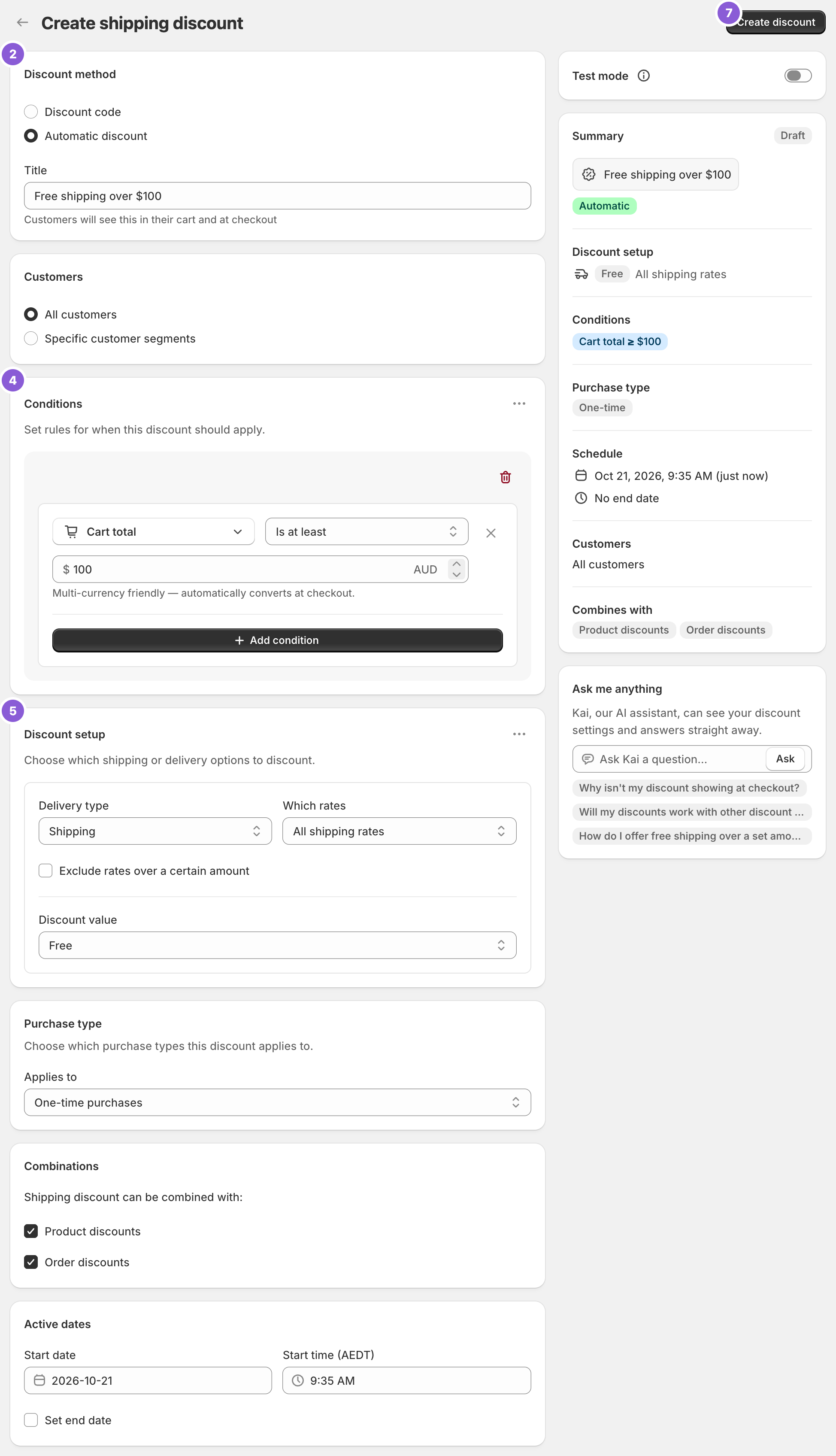
In this example the discount is “Free shipping over $100” on Standard only, with Test mode on. Standard is $8.90.
- $99 cart, first name ABC123. Under the threshold, so Standard stays $8.90. You pay $99 + $8.90 = $107.90.
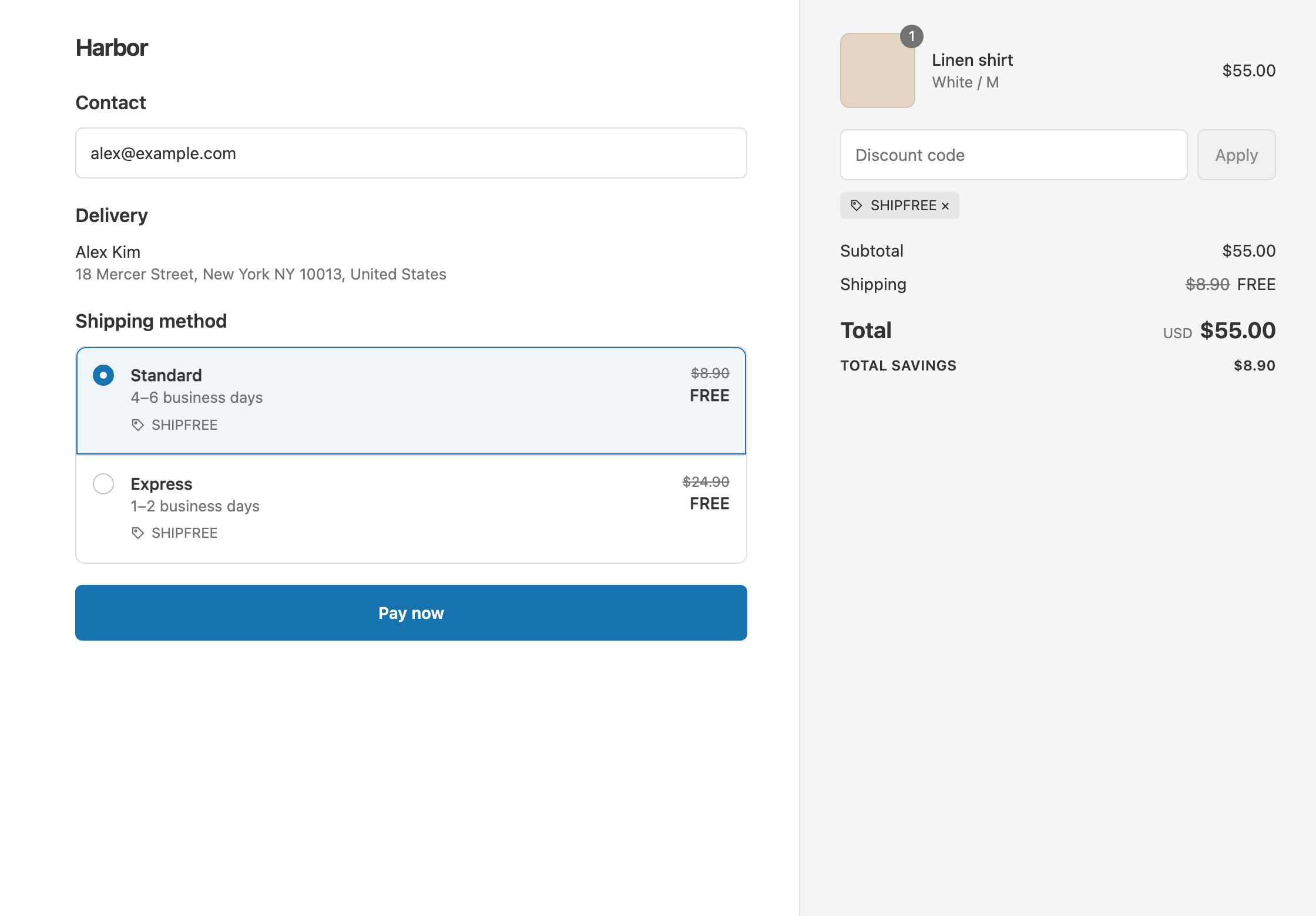
- $100 cart, first name ABC123. Standard shows $8.90 crossed out and free. You pay $100.
- $100 cart, any other first name. Test mode hides the discount, so a real customer still pays $100 + $8.90 = $108.90 until you go live.
Set it up
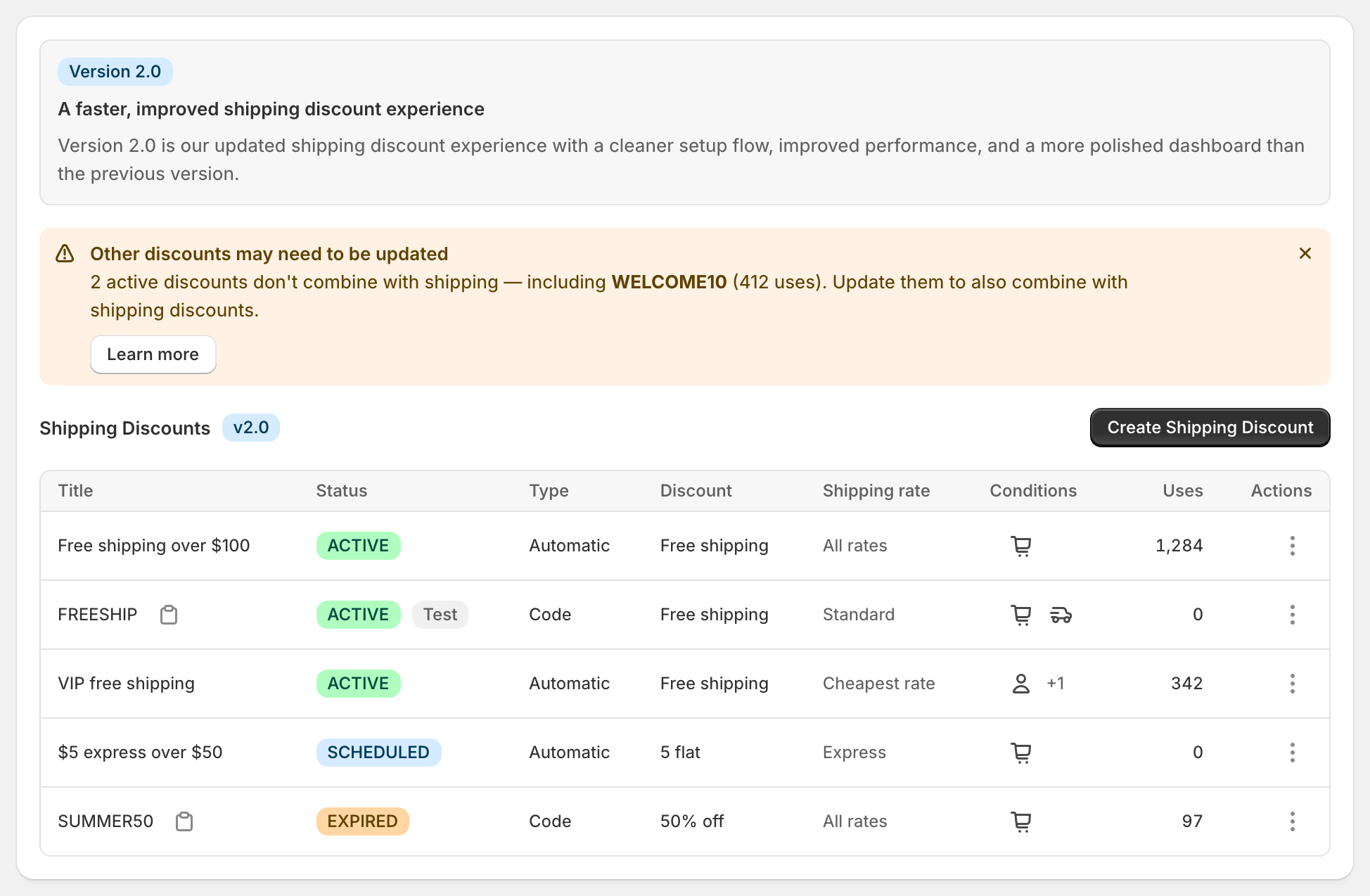
- In the app, open the discount, or click Create Shipping Discount to make one.
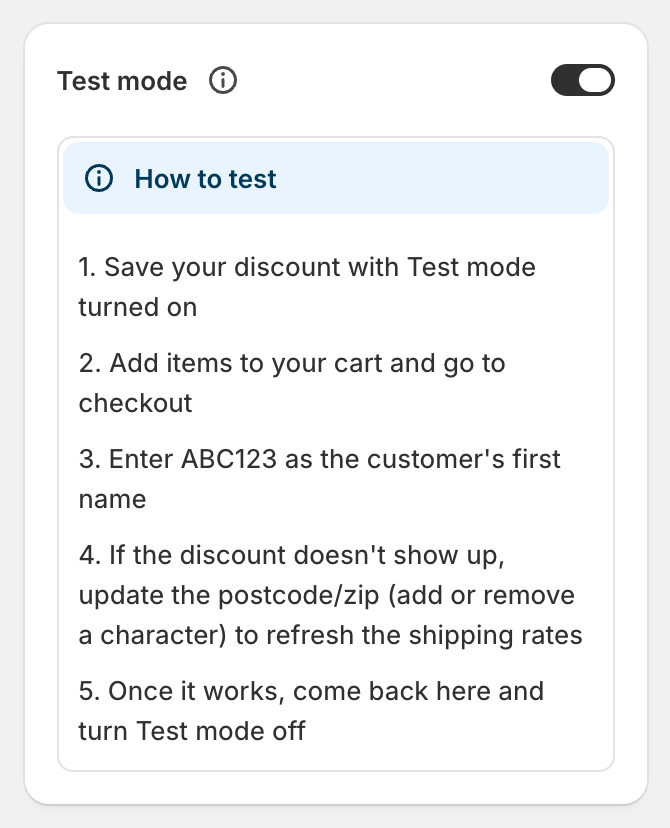
- Switch on Test mode in the right-hand column, and save.
- On your storefront, add items to the cart and go to checkout.
- Enter ABC123 as the first name in the shipping address, and fill in the rest of the address.
- Check the shipping rates. The discounted rate shows the original price crossed out, with the title or code underneath.
- If the discount doesn’t show, change the postcode by one character and change it back. That makes Shopify refresh the rates.
- When it works, open the discount, switch Test mode off and save. It applies to customers straight away.
What to check
- Just below and just above the threshold. For Cart total Is at least 100, try $99 and $100.
- With a discount code applied, if your threshold should count after discounts. See threshold before or after discounts.
- Each rule group on its own, if you have more than one.
- Addresses inside and outside any country, state or ZIP conditions.
- Each rate you target. Pick Standard, then Express, and check only the right one changes.
Variations
- Testing a code: enter the code as well as ABC123. Code discounts still need the code in Test mode.
- Testing a customer tag or first-order offer: sign in to a test customer account at checkout. Tag and order count conditions only match signed-in customers.
- Testing a future promotion: Shopify doesn’t run a discount before its start date. Create it with Test mode on and the start set to now, test it, then change the dates to your promotion and switch Test mode off. See schedule free shipping.
- Pausing a live discount: switch Test mode on. Customers stop seeing it, and nothing is deleted.
Good to know
- To see what a real customer sees, leave your other discounts on. They still apply during your test.
- To place a full test order, see Shopify’s guide to placing a test order.
- To stay under Shopify’s limit, remember a test-mode automatic discount still counts toward the 25 active automatic discounts.
- To spot a rate name mismatch, compare the rate name at checkout with the one you selected. If they differ, type a keyword and choose the (wildcard match) option. See discount specific shipping rates.
- To check combinations, look for Other discounts may need to be updated on the app’s dashboard. It lists active discounts that don’t combine with shipping. See Shopify’s guide to combining discounts.
Related
- Free shipping code or automatic discount
- Schedule free shipping
- Free shipping over $100
- Discount specific shipping rates
Install RM: Advanced Free Shipping from the Shopify App Store.