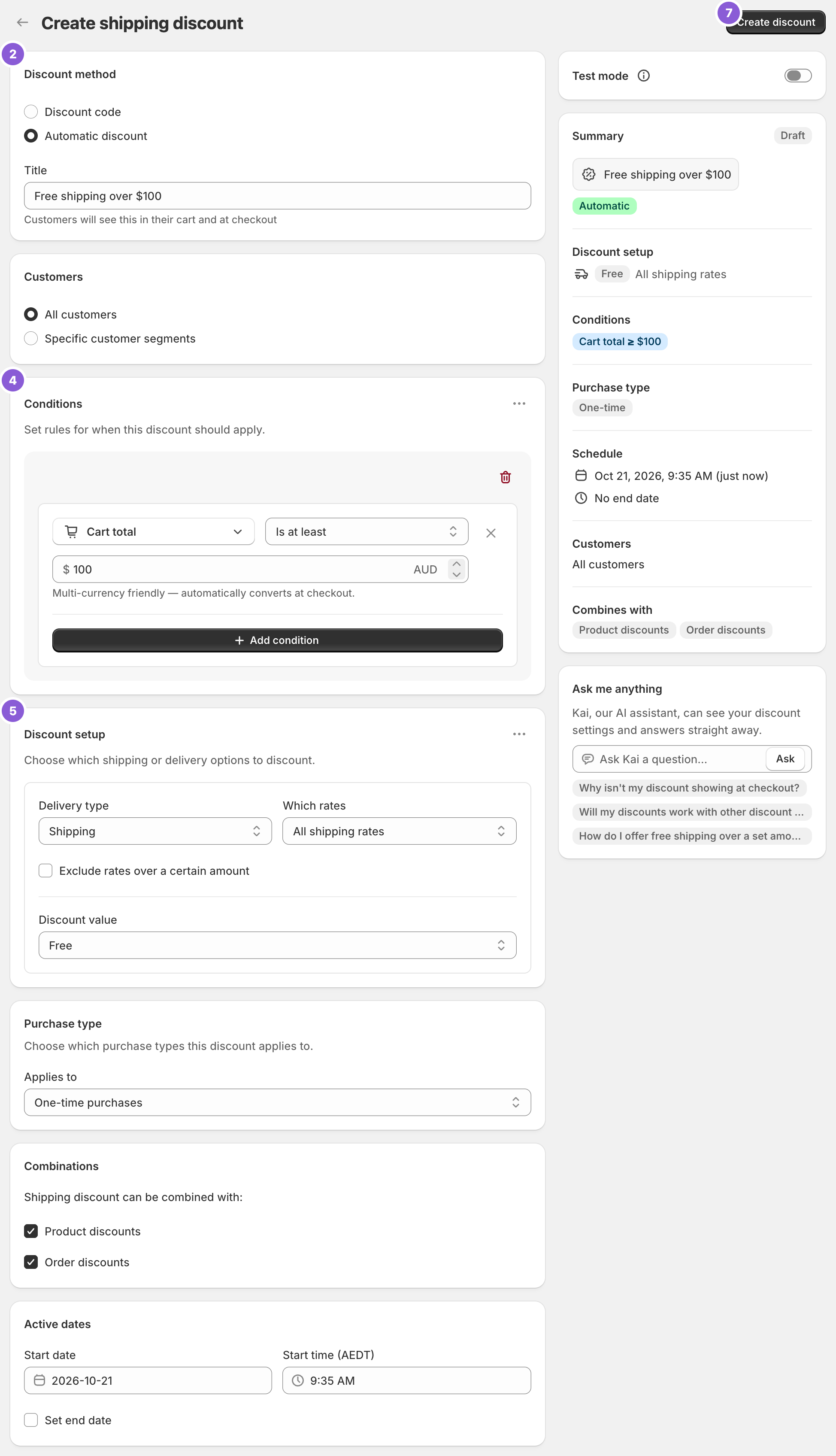
To schedule free shipping, set the Start date and Start time under Active dates, tick Set end date, and enter the End date and End time. The discount starts and stops on its own, in your store’s timezone. Shopify’s own free shipping discount can be scheduled too, but it always makes every eligible rate free. RM: Advanced Free Shipping schedules any shipping discount it makes, such as free Standard only, 50% off Express, or free shipping over $50 to one country. The app is $9.90 USD every 30 days, with a 7-day free trial, billed by Shopify.
What the customer gets
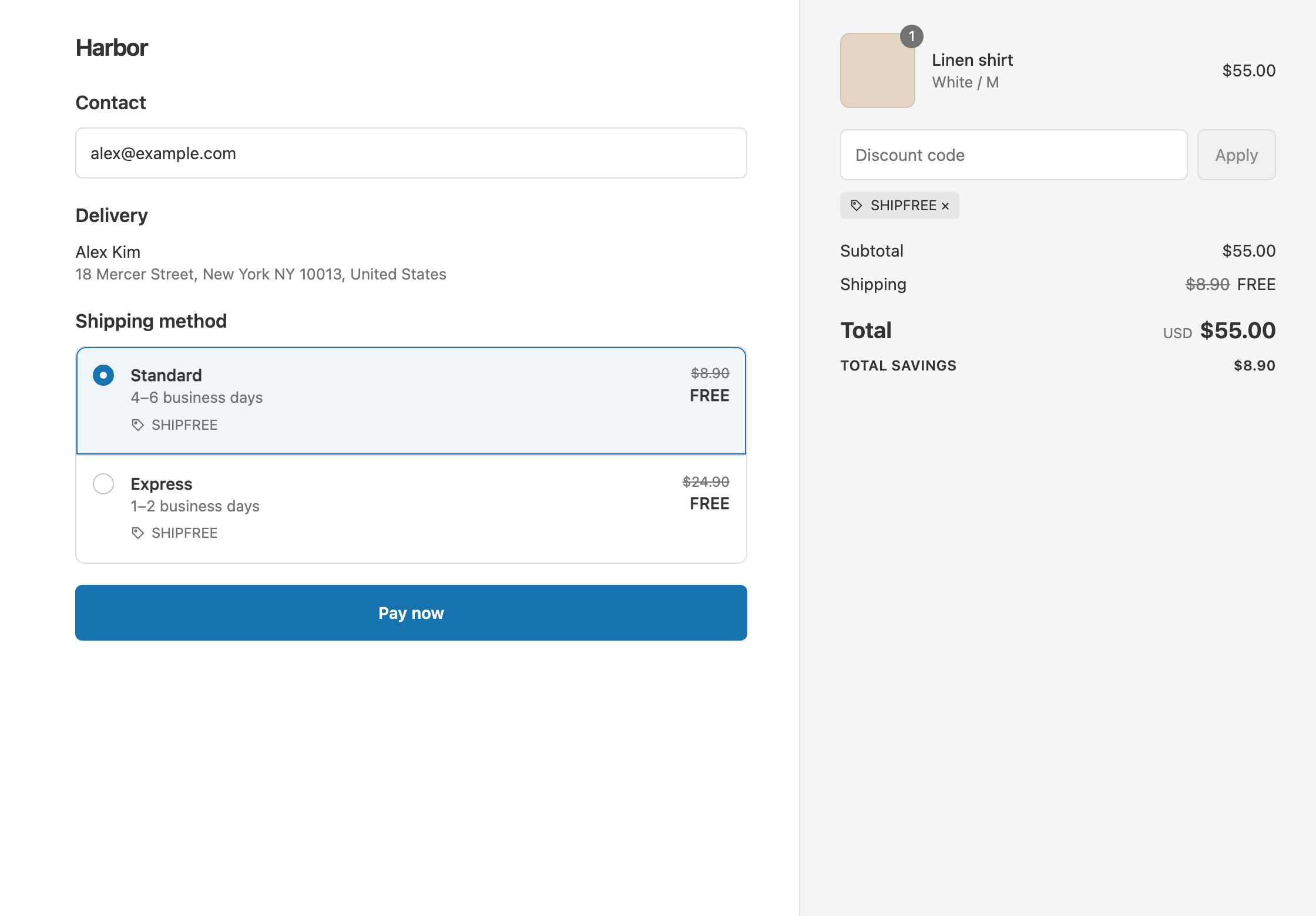
In this example the offer is a free shipping weekend on Standard, from Friday 12:00 AM to Sunday 11:59 PM. Standard is $8.90 and Express is $24.90.
- Qualifies. A $60 cart on Saturday. Standard shows $8.90 crossed out and free. The customer pays $60.
- Doesn’t qualify. The same $60 cart on Monday, after the end time. The customer pays $60 + $8.90 = $68.90.
- Not included. On Saturday, a customer who picks Express pays $60 + $24.90 = $84.90, because only Standard is free.
Set it up
- In the app, click Create Shipping Discount.
- Under Discount method, choose Automatic discount. New discounts start on Discount code, and the method can’t be changed later. Enter a Title such as “Free shipping weekend”.
- Leave Conditions empty so every order qualifies, or add a threshold such as Cart total Is at least 50.
- In Discount setup, set Delivery type to Shipping, Which rates to Choose specific rates, select Standard, and set Discount value to Free.
- Under Active dates, set the Start date and Start time. Times use your store’s timezone, shown next to the time fields.
- Tick Set end date and enter the End date and End time. The end must be after the start.
- Click Create discount.
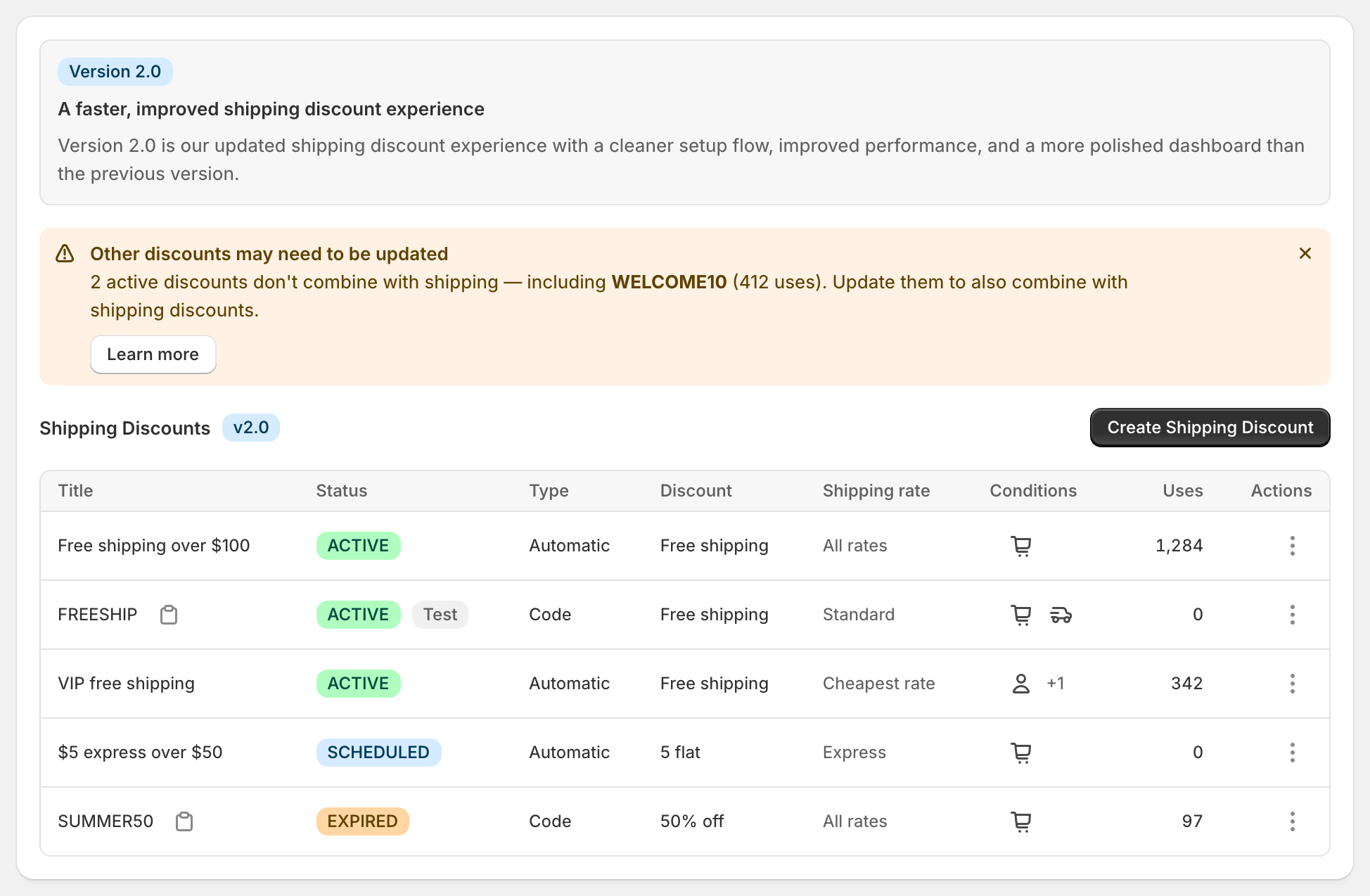
On the dashboard, the discount shows Scheduled until it starts, Active while it runs, and Expired after it ends.
Variations
- Black Friday to Cyber Monday: start Friday at 12:00 AM and end Monday at 11:59 PM, with All shipping rates and Free.
- A holiday code: choose Discount code, such as
SHIPFREE, and set the same dates. The code stops working at the end time. - Half-price shipping for a week: set Discount value to Percentage and enter 50. Standard becomes $4.45.
- A threshold that drops for the sale: keep your everyday “free over $100” discount, and schedule a second one for “free over $50”. During the sale, a $60 cart ships free. After it, the $50 discount expires.
- Runs until you stop it: leave Set end date unticked.
Good to know
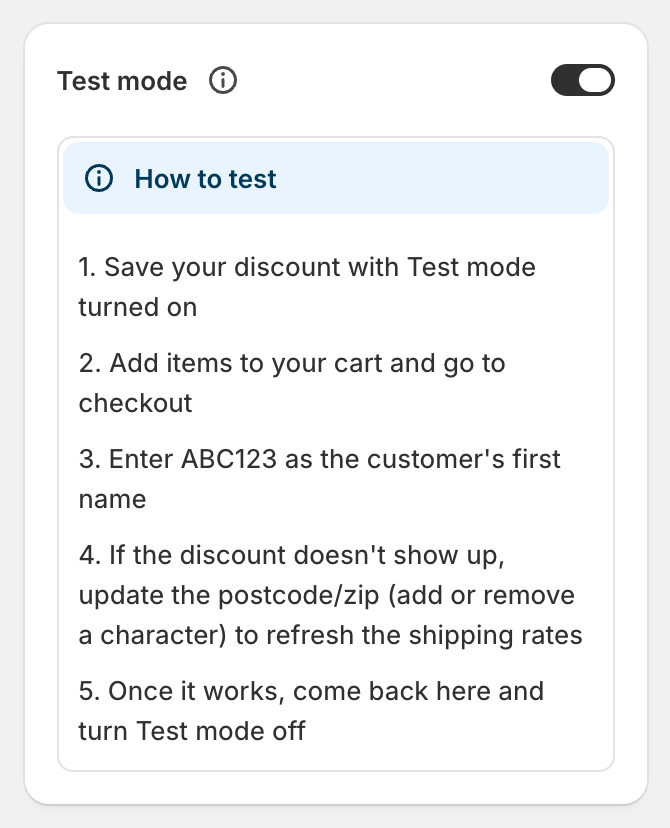
- To test a promotion before it starts, create it with Test mode on and the start set to now. Test it with
ABC123as the shipping first name, then change the dates to your promotion and switch Test mode off. Shopify doesn’t run a discount before its start date. See test a shipping discount. - To stay under Shopify’s limit, remember scheduled automatic discounts count toward the 25 active automatic discounts. Set end dates on old promotions or delete ones you no longer use.
- To match a free shipping banner, set your theme or bar app to the same dates and threshold. The app applies the discount at checkout. It doesn’t show a banner.
- To stop a sale early, switch on Test mode. Customers stop seeing it, and the discount stays saved.
Related
- Free shipping code or automatic discount
- Test a shipping discount
- Tiered shipping discounts
- Conditional free shipping on Shopify
Install RM: Advanced Free Shipping from the Shopify App Store.