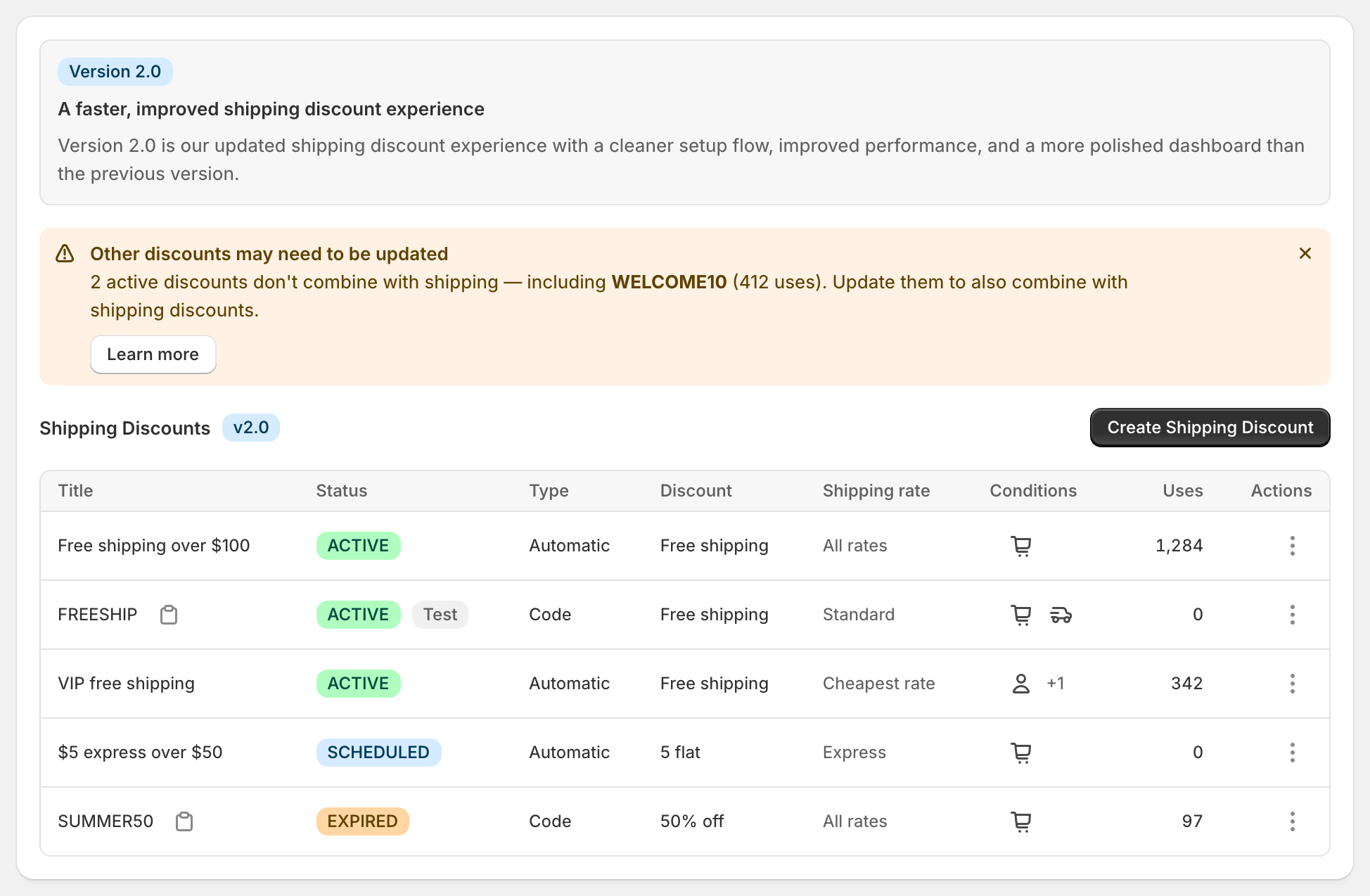
Make free shipping automatic when every eligible customer should get it, such as “free shipping over $100”. Make it a discount code when only some people should, such as newsletter signups or an influencer audience. You choose under Discount method when you create the discount, and it can’t be changed later. Shopify’s own free shipping discount also comes in both forms, but either way it makes every eligible rate free. In RM: Advanced Free Shipping, both methods can target the rates you choose, take a percentage or amount off, and use cart, product, location and customer conditions. The app is $9.90 USD every 30 days, with a 7-day free trial, billed by Shopify.
What the customer gets
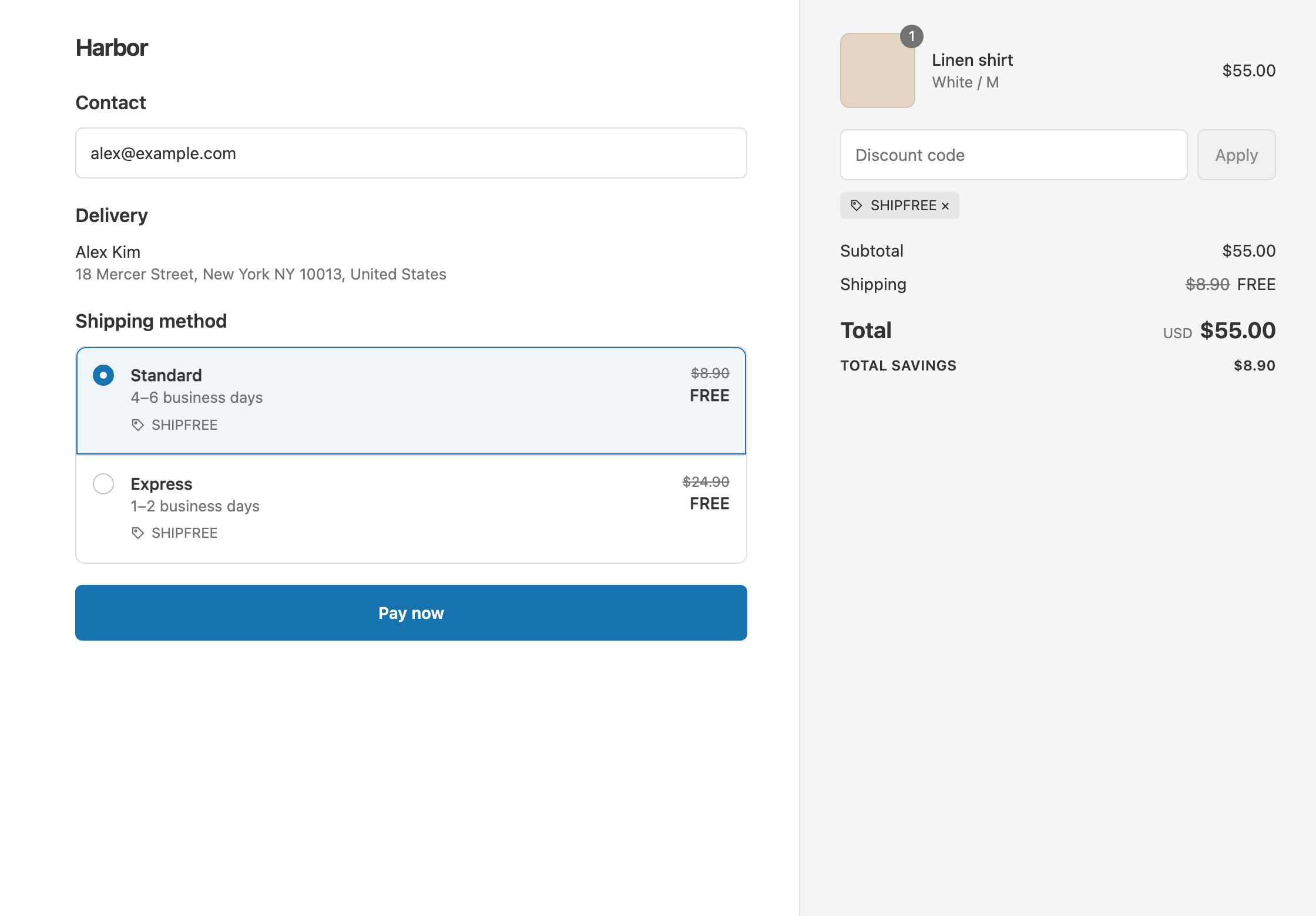
In this example the store has two rates: Standard $8.90 and Express $24.90.
- Automatic, “Free shipping over $100”. A $120 cart gets free shipping with nothing to type. The customer pays $120. An $85 cart pays $85 + $8.90 = $93.90.
- Code
FREESHIP, no threshold. A $60 cart with the code entered gets free shipping and pays $60. The same cart without the code pays $60 + $8.90 = $68.90.
With an automatic discount, the Title shows under the crossed-out rate. With a code, the code shows instead.
Set it up
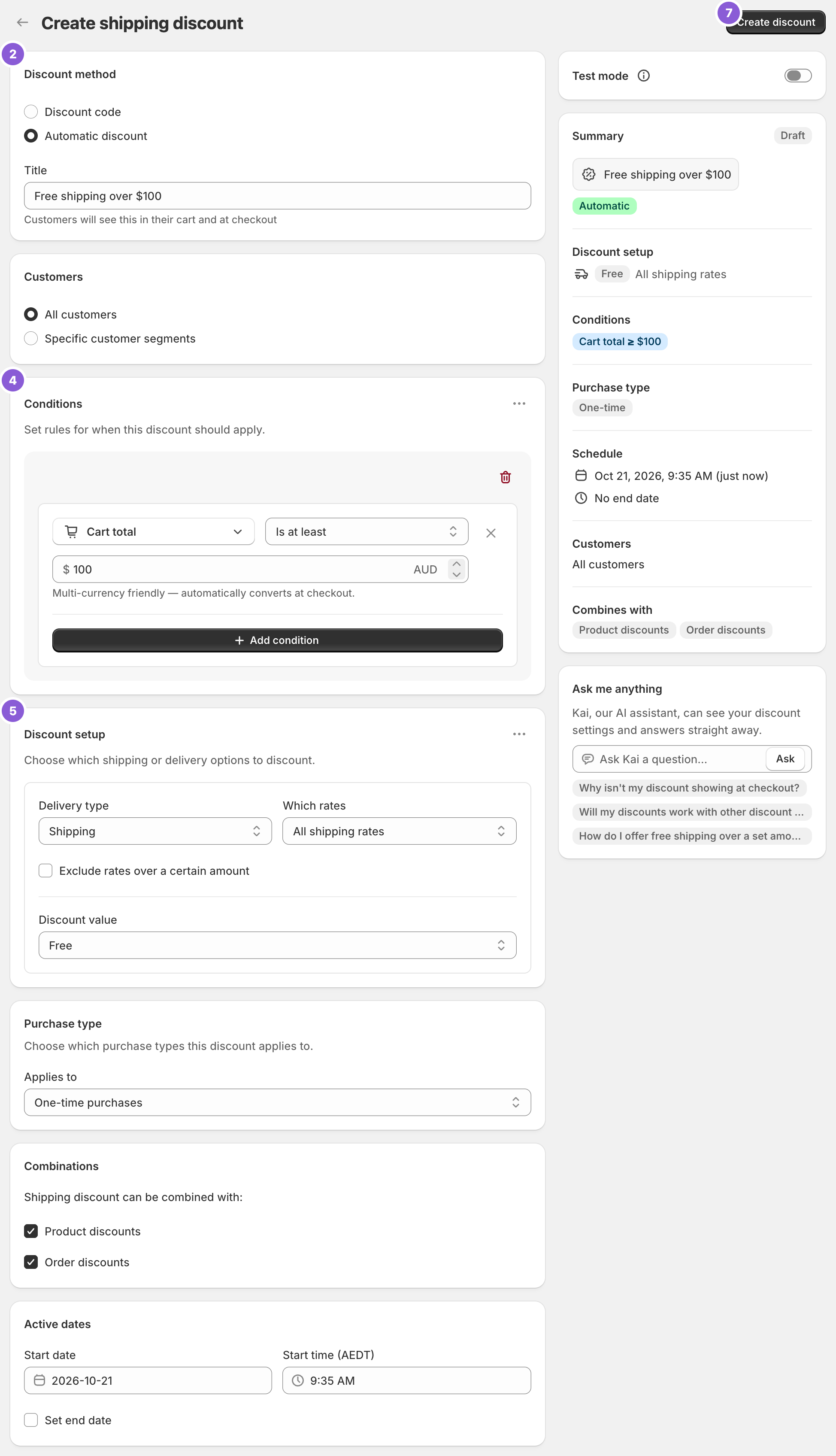
- In the app, click Create Shipping Discount.
- Under Discount method, choose Automatic discount or Discount code. New discounts start on Discount code, so switch if you want automatic.
- For automatic, enter a Title customers will read, such as “Free shipping over $100”. For a code, enter the code, such as
FREESHIP. - Add your Conditions, such as Cart total Is at least 100. Leave them empty for every order.
- In Discount setup, set Delivery type to Shipping, Which rates to All shipping rates and Discount value to Free.
- For a code, set limits under Maximum discount uses if you need them: Limit number of times this discount can be used in total and Limit to one use per customer.
- Click Create discount.
Which to choose
Automatic discount
- Applies by itself when the conditions are met.
- Best for thresholds and offers every eligible customer should get.
- Shopify allows up to 25 active automatic discounts at a time across all apps, including scheduled and test-mode ones.
Discount code
- Applies only when the customer enters the code at checkout.
- Best for exclusive offers: welcome emails, influencers, customer service gestures.
- The only method with usage limits.
Variations
- A code that still needs a threshold: choose Discount code and add Cart total Is at least 50. A $40 cart with the code pays $40 + $8.90 = $48.90.
- A code for free Standard only: set Which rates to Choose specific rates and select Standard.
- A shareable link: send
https://your-store.com/discount/FREESHIP. The code applies when the customer opens it. Add?redirect=/collections/saleto land them on a page. - Both at once: run an automatic “free over $100” and a
FREESHIPcode for your list. Only one shipping discount applies per rate, and Shopify gives the customer the one that saves the most.
Good to know
- To switch methods, create a new discount with the other method and delete the old one. The method is fixed once created.
- To stay under Shopify’s 25 automatic discounts, set end dates on old promotions, delete unused ones, or use codes. See Shopify’s guide to automatic discounts.
- To limit uses, use a discount code. Shopify doesn’t support usage limits on automatic discounts.
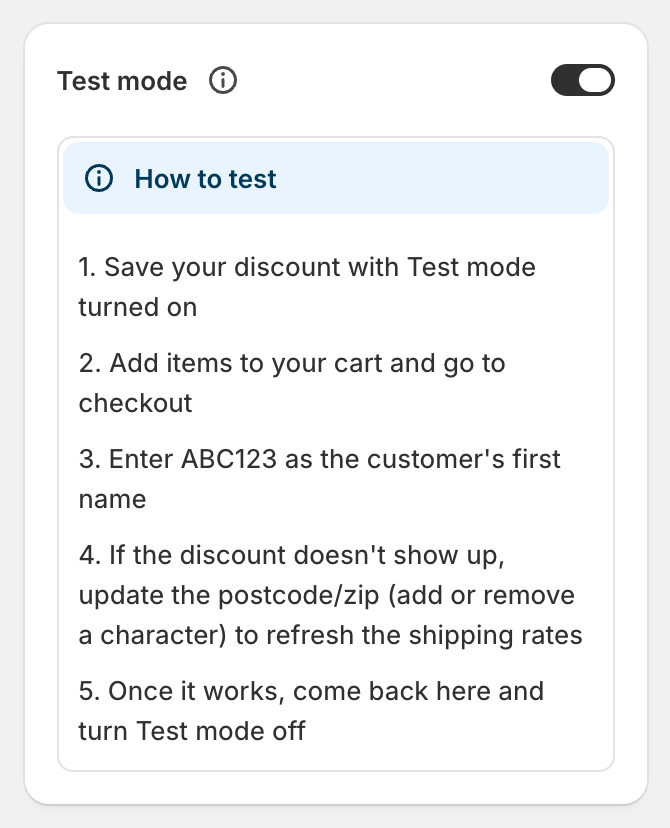
- To test either one, switch on Test mode and use
ABC123as the shipping first name. A code still needs the code entered. See test a shipping discount.
Related
- Test a shipping discount
- Schedule free shipping
- Keep free shipping with discount codes
- Conditional free shipping on Shopify
Install RM: Advanced Free Shipping from the Shopify App Store.