
Conditional free shipping on Shopify, with the rules you choose
RM: Advanced Free Shipping makes Shopify shipping discounts that apply only when your conditions are met, on all rates, the cheapest rate or the rates you name.
RM: Advanced Free Shipping
Make Standard shipping free while Express stays full price. RM: Advanced Free Shipping discounts all rates, the cheapest rate, or rates you name by exact name or keyword.
★★★★★ Rated 5.0 on the Shopify App Store
To make Standard shipping free while Express stays full price, you need a discount that picks rates by name. Shopify’s own free shipping discount makes every eligible rate free, and its only rate setting excludes rates over a set price. RM: Advanced Free Shipping lets each discount target all shipping rates, the cheapest rate, or specific rates by exact name or keyword, and can also skip rates over a price you set. It costs $9.90 USD every 30 days after a 7-day free trial, billed by Shopify.
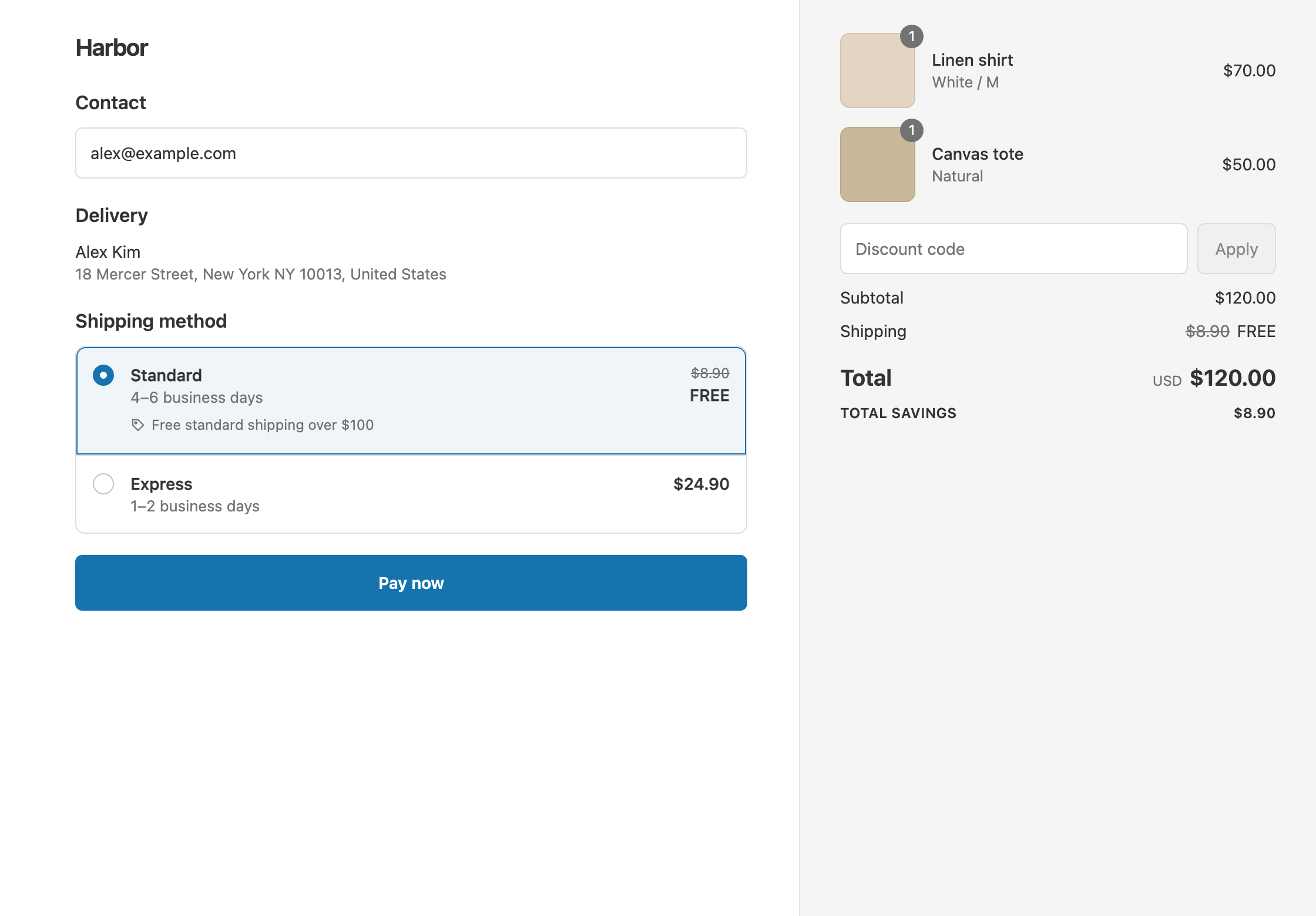
A store’s checkout shows three rates: Standard $7.95, Express $19.95 and Overnight $34.95. The offer is free Standard shipping on orders of $75 or more.
On an $85 cart:
The same discount can also take $10 off Express, so Express drops to $9.95 while Standard is free. That is two delivery discounts in one discount, with one set of conditions.
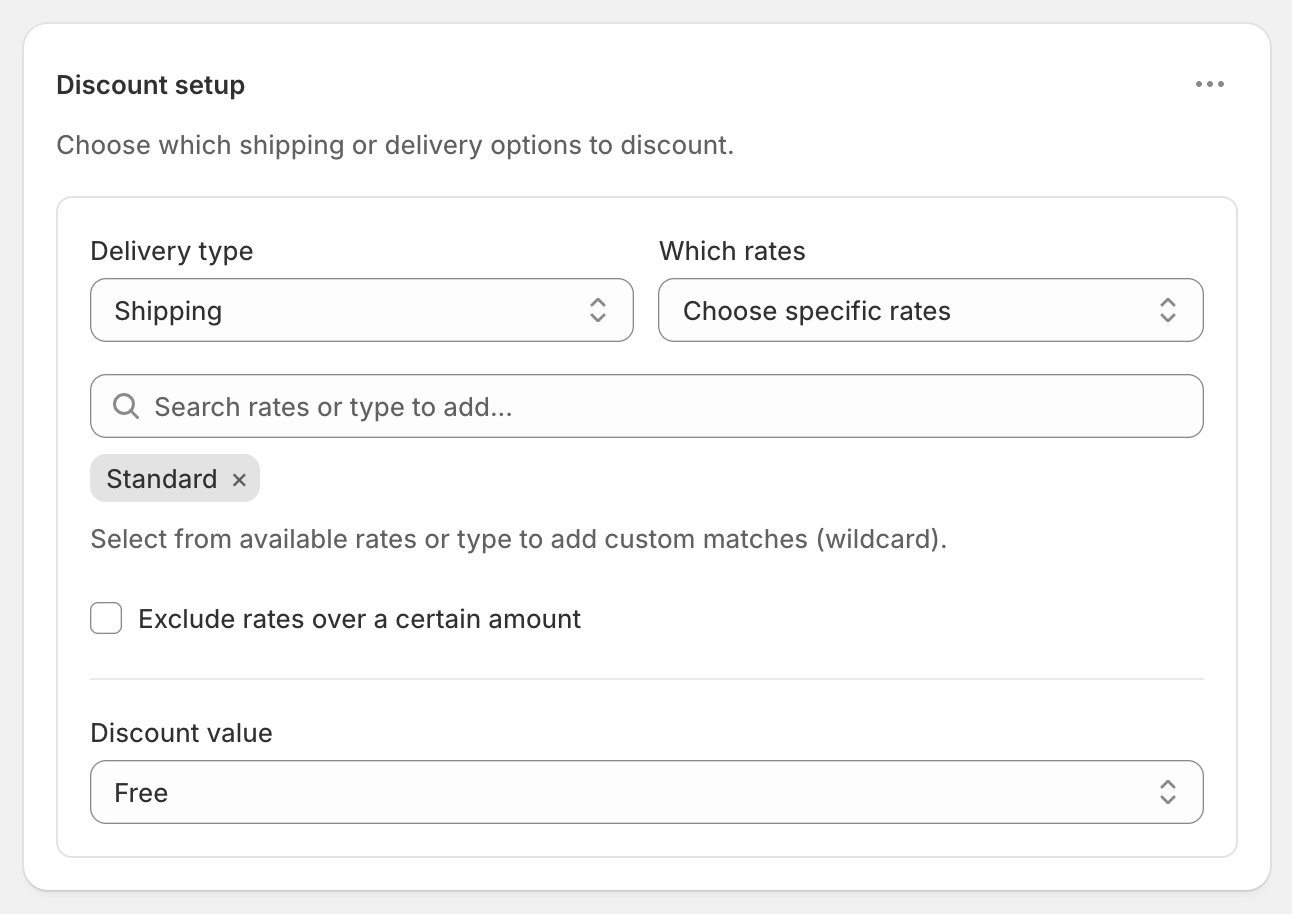
In Discount setup, set Delivery type to Shipping, then choose Which rates:
| Which rates | What gets the discount | Use it for |
|---|---|---|
| All shipping rates | Every shipping rate | “Free shipping over $100” on everything |
| Cheapest shipping rate | The lowest-priced rate, worked out at checkout, for each shipment | Free economy shipping with live carrier rates whose names and prices change |
| Choose specific rates | Only the rates you list, by exact name or by keyword | Free Standard, full-price Express |
| Exclude rates over a certain amount (a tick box) | Skips any rate above the Maximum eligible rate you set | Free shipping, but never on a $40 overnight rate |
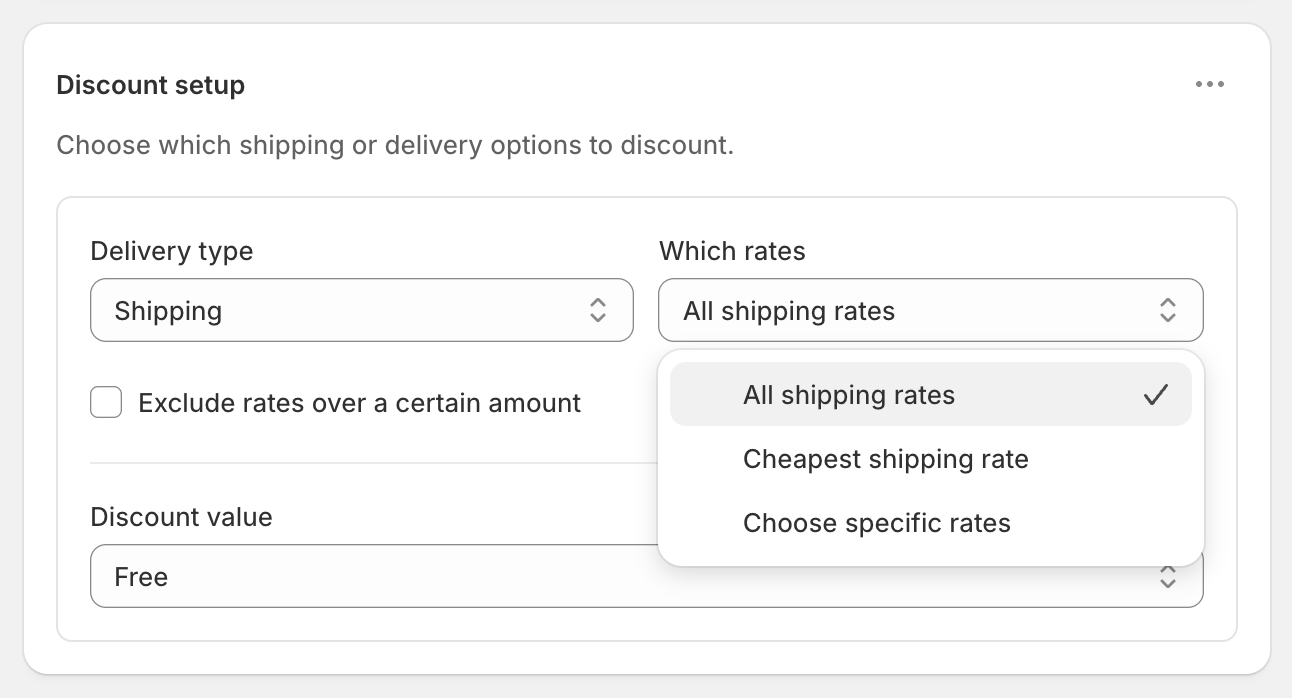
Cheapest shipping rate means cheapest by price, not speed. If a cart ships in two shipments, each one gets its own cheapest rate. If your store already shows a $0 rate, that rate counts as the cheapest, so remove it in Settings → Shipping and delivery first. See make the cheapest rate free.
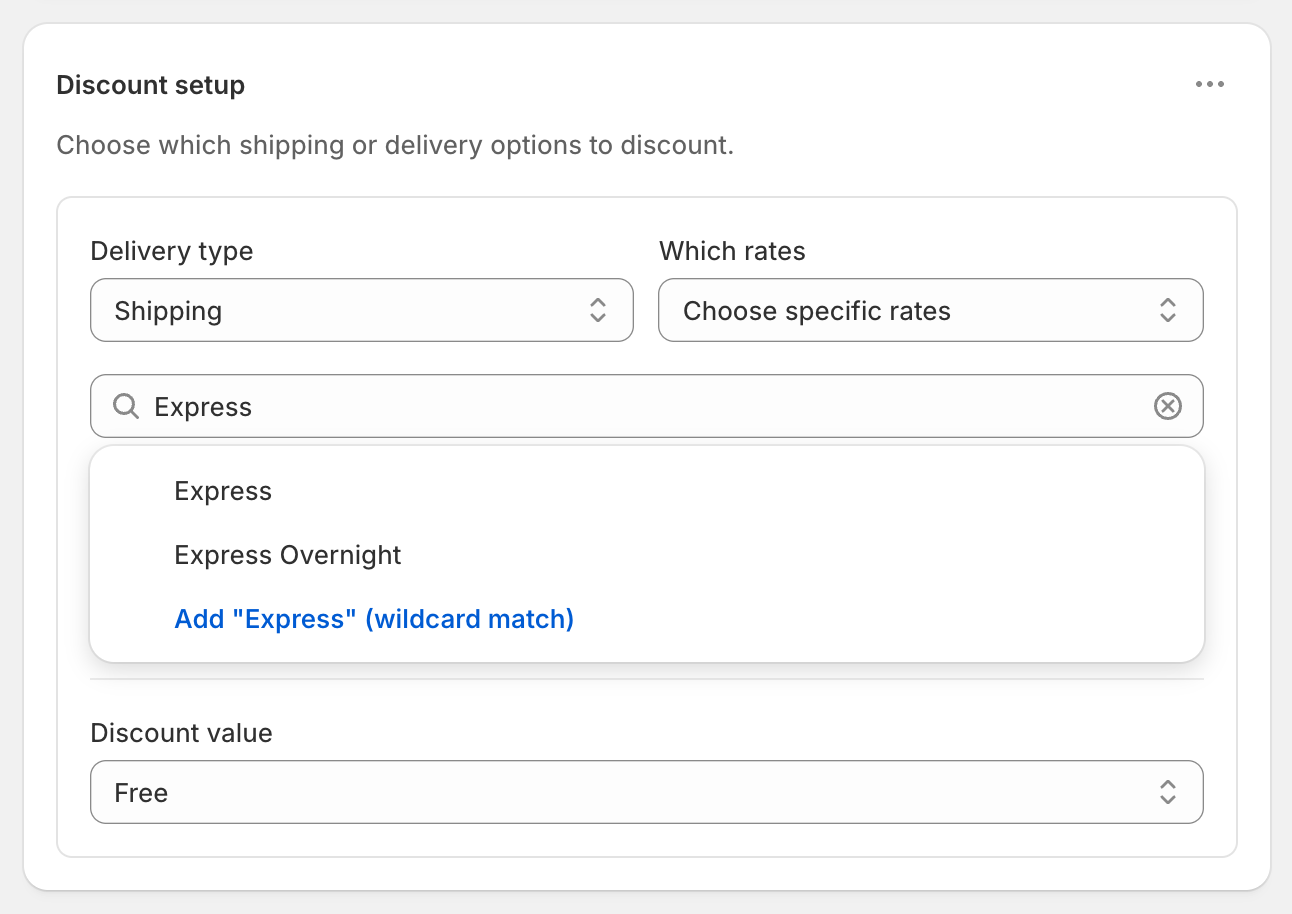
There are two ways to add a rate under Choose specific rates:
Both ignore upper and lower case. Use a keyword when a carrier’s rate name changes at checkout, such as “Standard (3–5 business days)”.
Shopify’s free shipping discount can exclude rates over a set amount, a setting Shopify’s Help Center says “applies to shipping rates only, and is unrelated to order amounts.” That works only while Express always costs more than Standard. Live carrier rates change with weight and distance. A heavy order’s Standard rate can be $26.40, while a light order’s Express rate is $18.50. With a $20 cap, the heavy order’s Standard rate isn’t free and the light order’s Express rate is.
Targeting by name ignores price. Standard stays free and Express stays full price, whatever each one costs. If you also want a ceiling, tick Exclude rates over a certain amount on top of the names you picked.
“This app is allowing us to offer a free shipping threshold for standard shipping rates, but without discounting premium shipping options. Recommended for any seller who wants to offer this option that Shopify does not natively support.” — The Little Catholic Box (US)
Don’t point two delivery discounts at the same rate. Only one discount can apply to a rate.
Set Delivery type to Local delivery to discount your local delivery options. This covers every local delivery option at once. Add a Postcode / ZIP condition to limit it to nearby areas. See free local delivery.
“10/10. We have been looking for a method to discount specific shipping methods specifically (in our case, discount UPS Ground only) and the support team was fantastic with helping us set this up…” — Barbank (US)
The rate choice works with every condition in the app. See conditional free shipping and what Shopify’s free shipping discount can’t do.
RM: Advanced Free Shipping is Built for Shopify and rated 5.0 on the Shopify App Store. It costs $9.90 USD every 30 days after a 7-day free trial, billed by Shopify. Install it from the Shopify App Store.
I finally have the option to select which shipping rate to discount! The discount options are fantastic and the support is excellent.
Keep reading
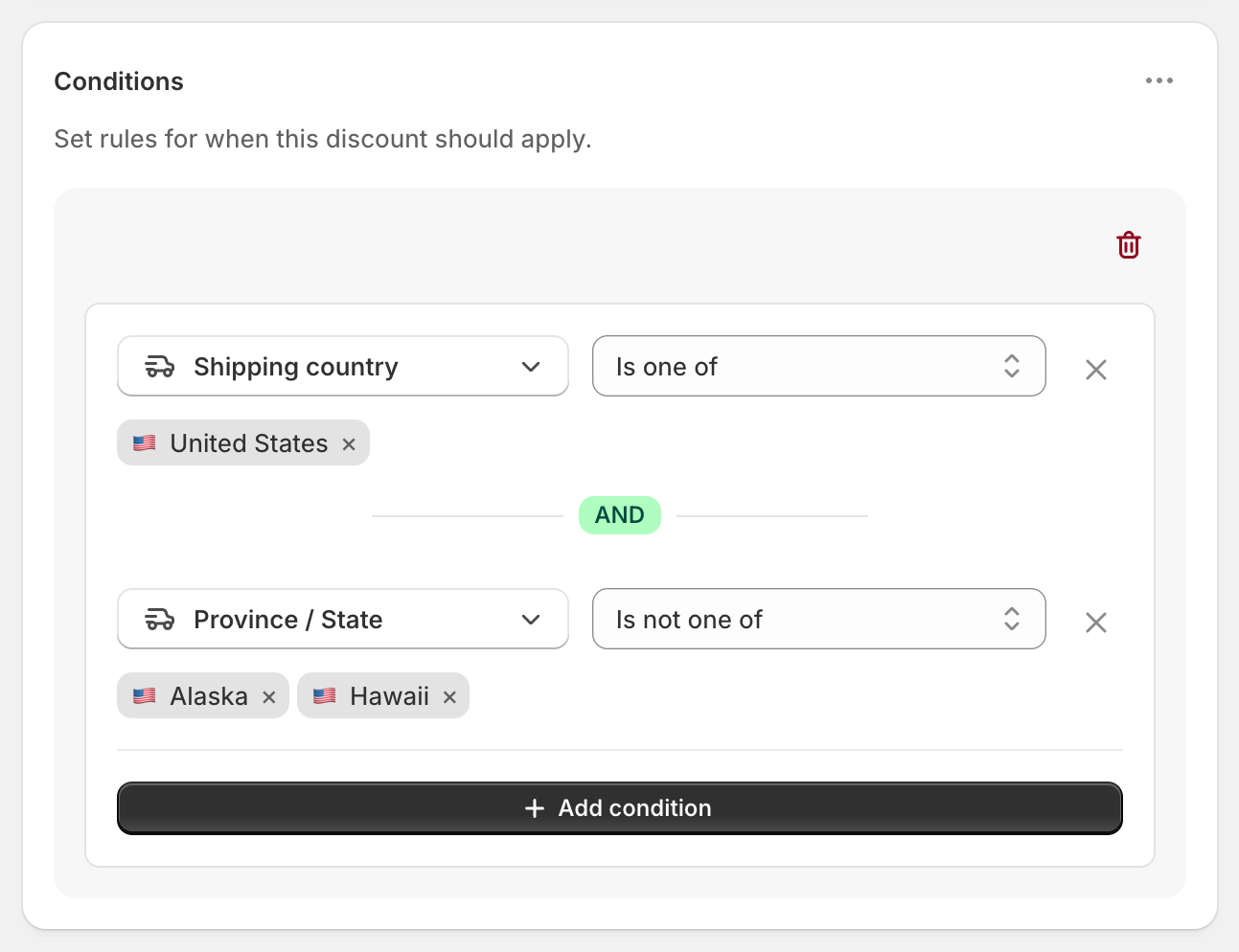
RM: Advanced Free Shipping makes Shopify shipping discounts that apply only when your conditions are met, on all rates, the cheapest rate or the rates you name.
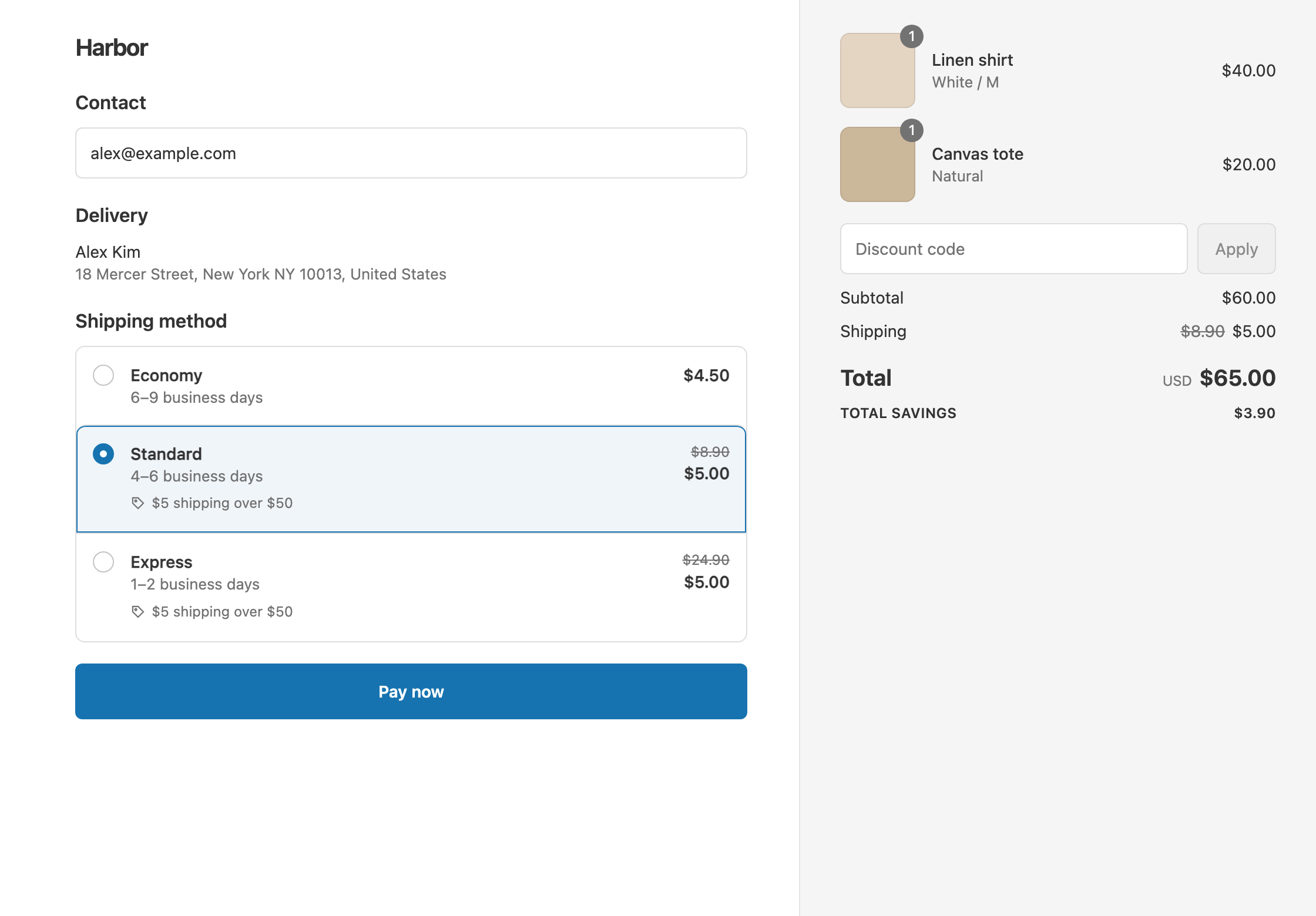
The four shipping discount types in RM: Advanced Free Shipping, with dollar examples: Free, Percentage, Fixed Amount Off and Fixed Price.
Shopify's built-in free shipping discount makes every eligible rate free. Here is what it offers, what it doesn't, and how RM: Advanced Free Shipping builds each missing offer.
7-day free trial, then $9.90 USD every 30 days.
Built for Shopify · Rated 5.0 on the Shopify App Store