A free shipping bar and a shipping discount do two different jobs. The bar shows a message such as “You’re $20 away from free shipping”. The discount makes the rate free, or cheaper, at checkout. RM: Advanced Free Shipping is the discount side: it discounts all rates, the cheapest rate or the rates you name, when your conditions are met, which Shopify’s own free shipping discount can’t do by rate name. It costs $9.90 USD every 30 days after a 7-day free trial, billed by Shopify. Pair it with a bar app, or your theme’s bar, when you want customers to see the threshold.
| Job | Free shipping bar app | RM: Advanced Free Shipping |
|---|---|---|
| Show “$20 away from free shipping” on the storefront | Yes; that is its main job | Pairs with your bar app or theme |
| Target the message by location, page or device | Yes, on bar apps that list it | Pairs with your bar app |
| Make a shipping rate free at checkout | The bar shows the message; the reward comes from a discount or rate you set up | Yes |
| Free Standard, full-price Express | Set up the discount separately | Yes, by rate name or keyword |
| Percentage off, an amount off or a fixed price on shipping | Set up the discount separately | Yes |
| Threshold by state, ZIP code, weight, collection or customer tag | Set up the discount separately | Yes, 17 condition types |
| Runs in checkout as a Shopify discount | No; it’s a storefront message | Yes, as a Shopify Function |
How the two work together on one cart
The offer: free Standard shipping on orders of $75 or more. Standard costs $7.95 and Express costs $19.95.
- A customer adds $55 of products. The bar says they’re $20 away from free shipping.
- They add a $25 item, so the cart is $80. The bar says they’ve unlocked free shipping.
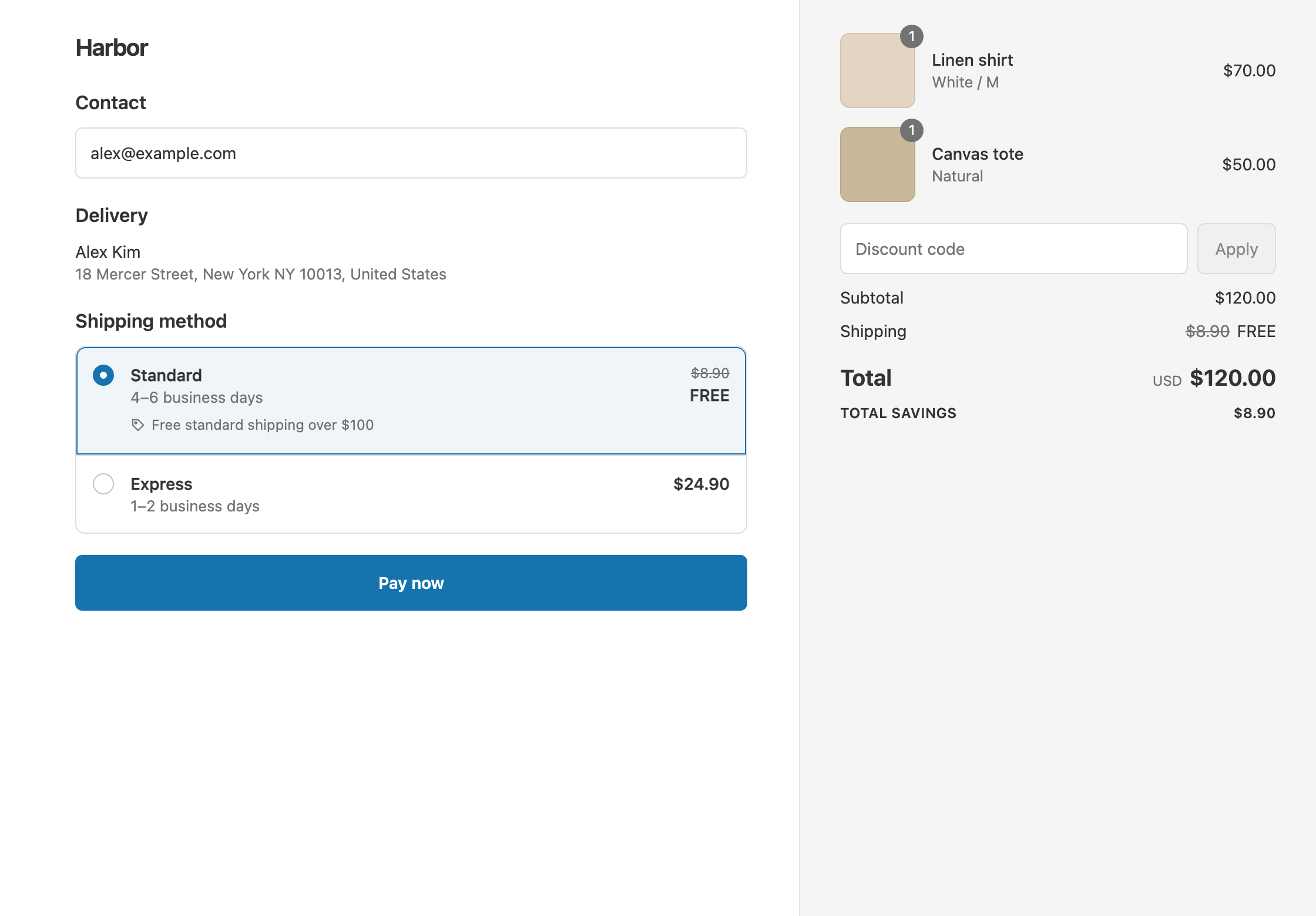
- At checkout, RM: Advanced Free Shipping makes Standard
$7.95Free. Express stays $19.95. The customer pays $80 with Standard.
The bar sets the expectation, and the discount makes it true at checkout.
Keep the bar and the discount in step
- Use the same threshold. If the bar says $75, set Cart total or Cart subtotal Is at least 75 in the discount.
- Decide whether discount codes count. Cart total checks the cart after product and order discounts. Cart subtotal checks it before. If a 10% code takes an $80 cart to $72, a Cart subtotal condition keeps free shipping and a Cart total condition removes it. See threshold before or after discounts.
- Match the offer’s wording to the rate. If only Standard is free, say “free Standard shipping” in the bar, so Express at full price isn’t a surprise.
- Match the conditions. If free shipping is US-only or VIP-only in the discount, target the bar the same way, if your bar app supports it.
- Test one cart that just crosses the line. Turn on Test mode in the discount, and use the shipping first name ABC123 at checkout. See test a shipping discount.
Set up the discount side
- Click Create Shipping Discount and choose Automatic discount under Discount method, so nobody needs a code.
- Under Conditions, add Cart total Is at least 75.
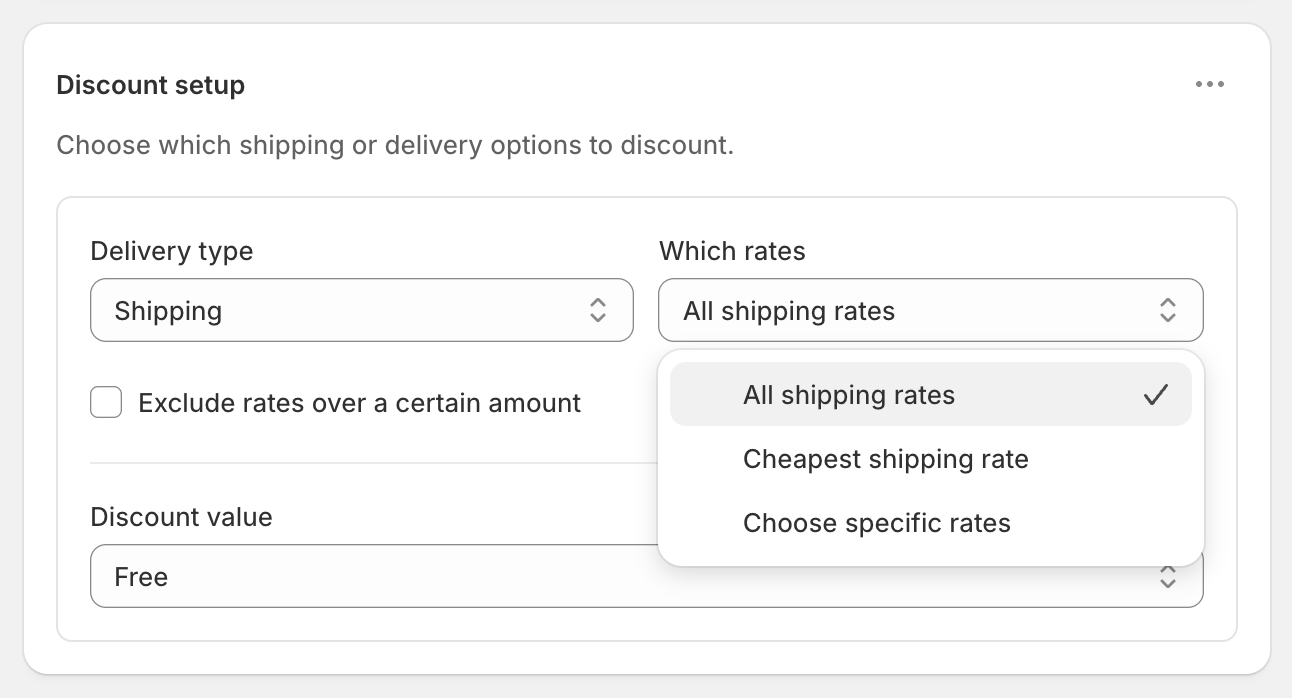
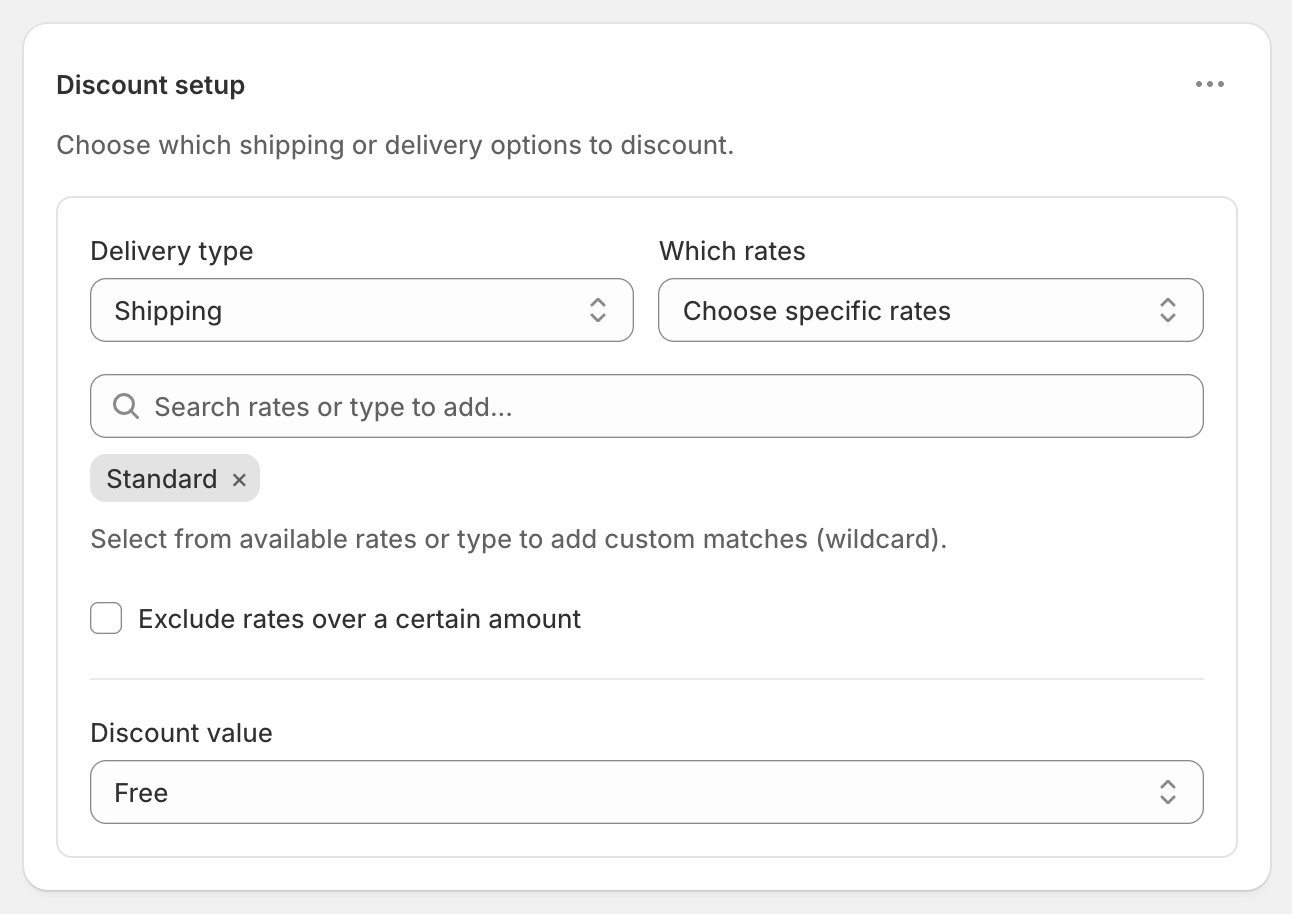
- Under Discount setup, choose Shipping, then All shipping rates or Choose specific rates.
- Under Discount value, choose Free, then click Create discount.
Related
- Free shipping over $100
- Tiered shipping discounts
- Free shipping thresholds in multiple currencies
- Conditional free shipping
- Discount only the rates you choose
RM: Advanced Free Shipping is Built for Shopify and rated 5.0 on the Shopify App Store. It costs $9.90 USD every 30 days after a 7-day free trial, billed by Shopify. Install it from the Shopify App Store.