A discount code removes free shipping for one of two reasons: the code isn’t set to combine with shipping discounts, or it takes the cart under your threshold. Fix the first by ticking Shipping discounts under Combinations on the code. Fix the second by counting the threshold before discounts. Shopify’s own free shipping discount counts its minimum after any discounts it combines with, and there’s no setting to change that. RM: Advanced Free Shipping has a Cart subtotal condition that counts the cart before any code. It costs $9.90 USD every 30 days, with a 7-day free trial, billed by Shopify.
What the customer gets
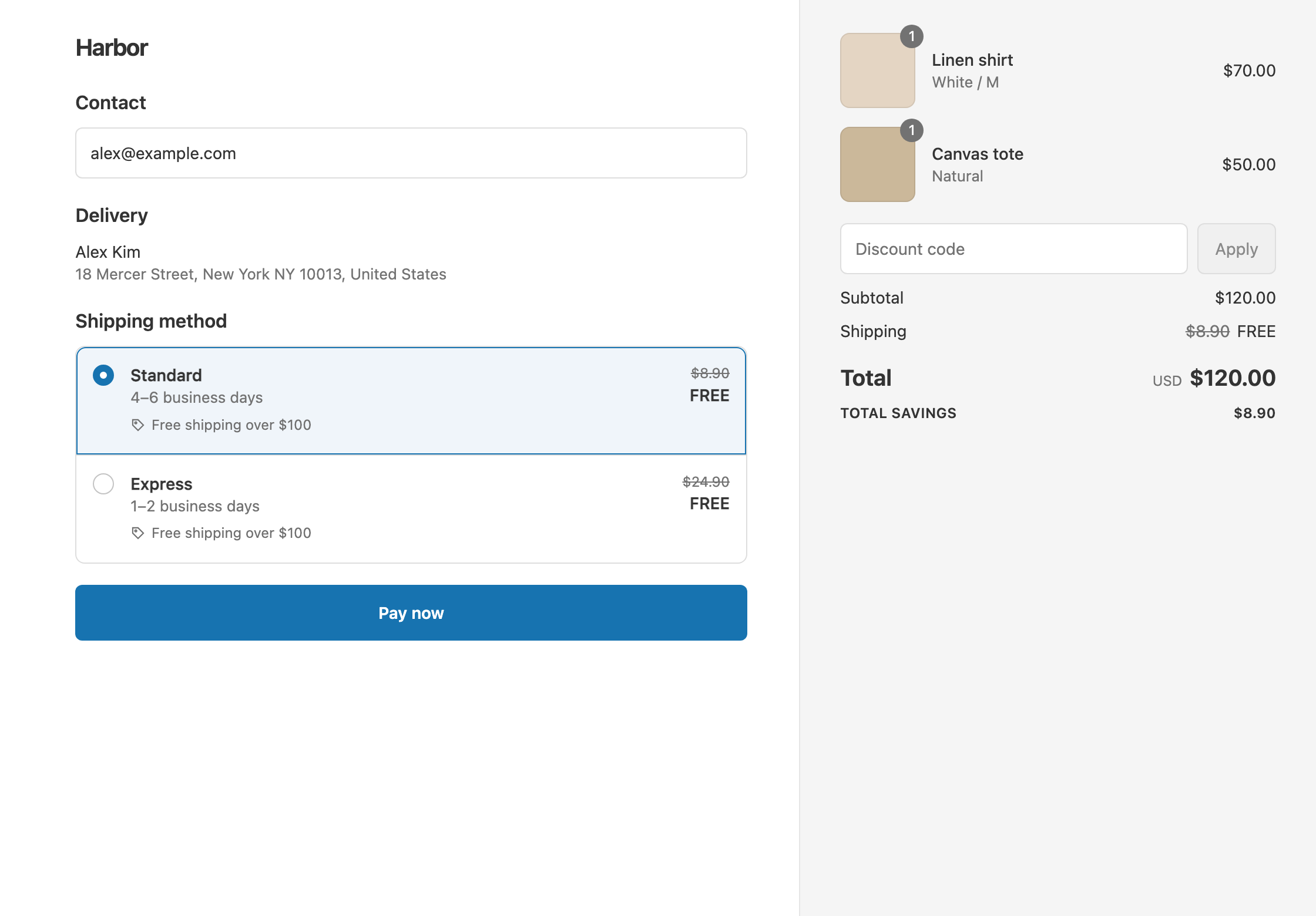
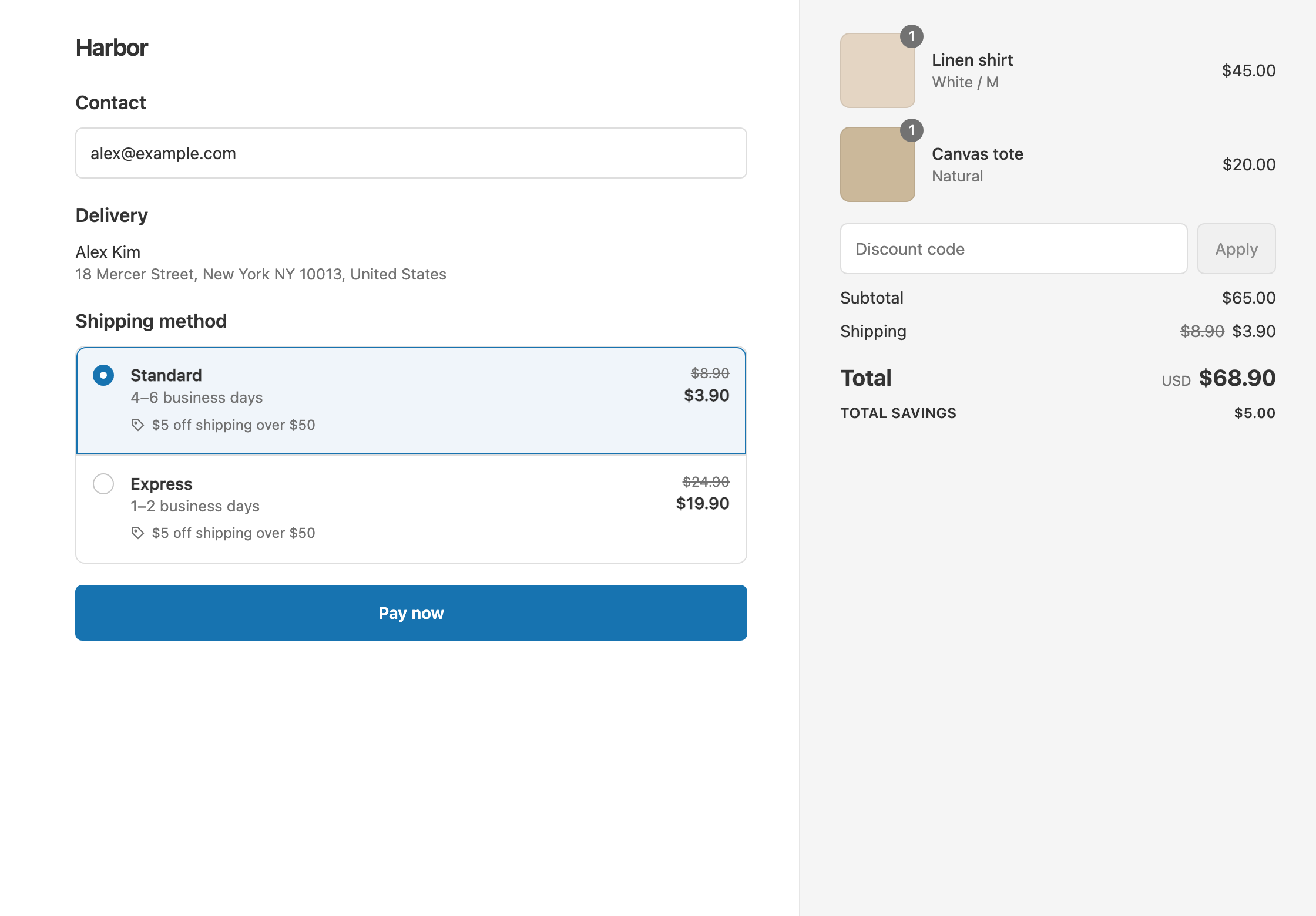
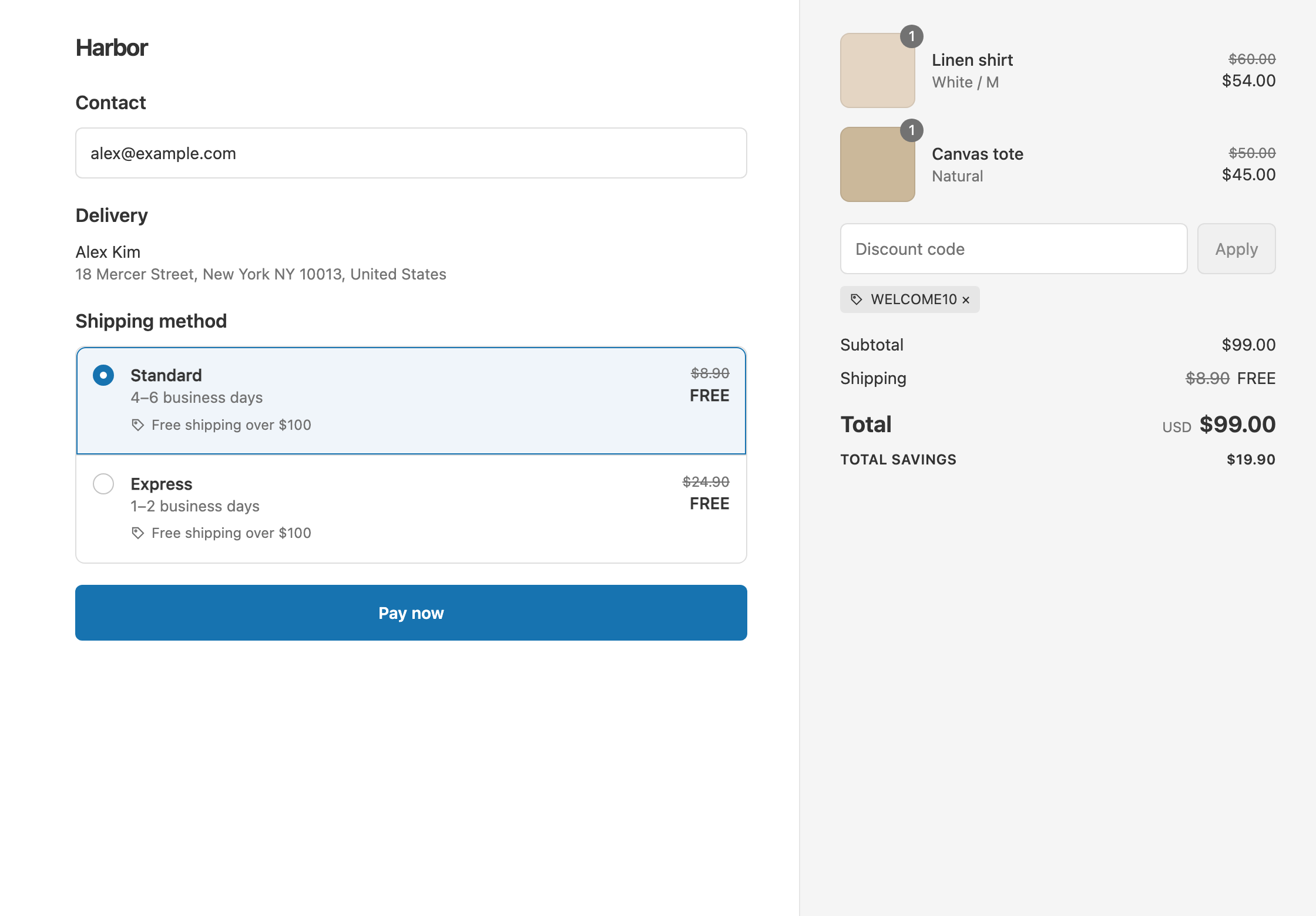
In this example, shipping is free over $100. Standard costs $8.90. A customer has $110 of items in the cart and enters WELCOME10 for 10% off, so the items now cost $99.
Before the fix:
- If the code doesn’t combine with shipping discounts, Shopify applies only one of them. The customer pays $99 + $8.90 = $107.90.
- If the code combines, but the threshold counts after discounts, $99 is under $100. The customer still pays $107.90.
After the fix (both sides combine, and the condition is Cart subtotal Is at least 100):
- The app counts the cart at $110, before the code. Standard is free.
- The customer pays $99.
A $90 cart with the same code still doesn’t qualify, because $90 is under $100 before the code. The customer pays $81 + $8.90 = $89.90.
Set it up
1. Let the code combine with shipping discounts
- In Shopify admin, go to Discounts and open the code, such as
WELCOME10. - Under Combinations, tick Shipping discounts, then save.
2. Let your shipping discount combine with the code
- In the app, open your free shipping discount, or click Create Shipping Discount to make one.
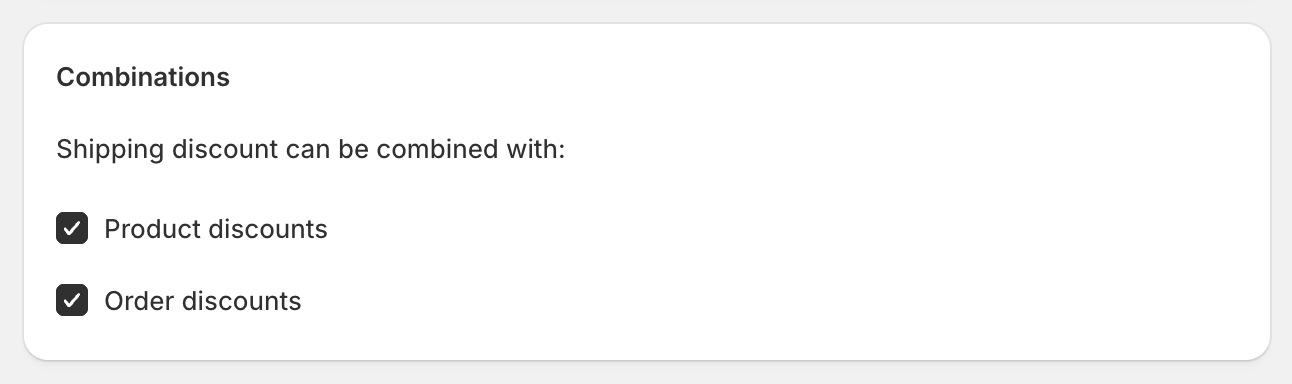
- Under Combinations, keep Product discounts and Order discounts ticked. Both are ticked by default.
3. Count the threshold before discounts
- In Conditions, change Cart total to Cart subtotal.
- Keep Is at least and
100. - In Discount setup, keep Shipping, All shipping rates and Free. Save.
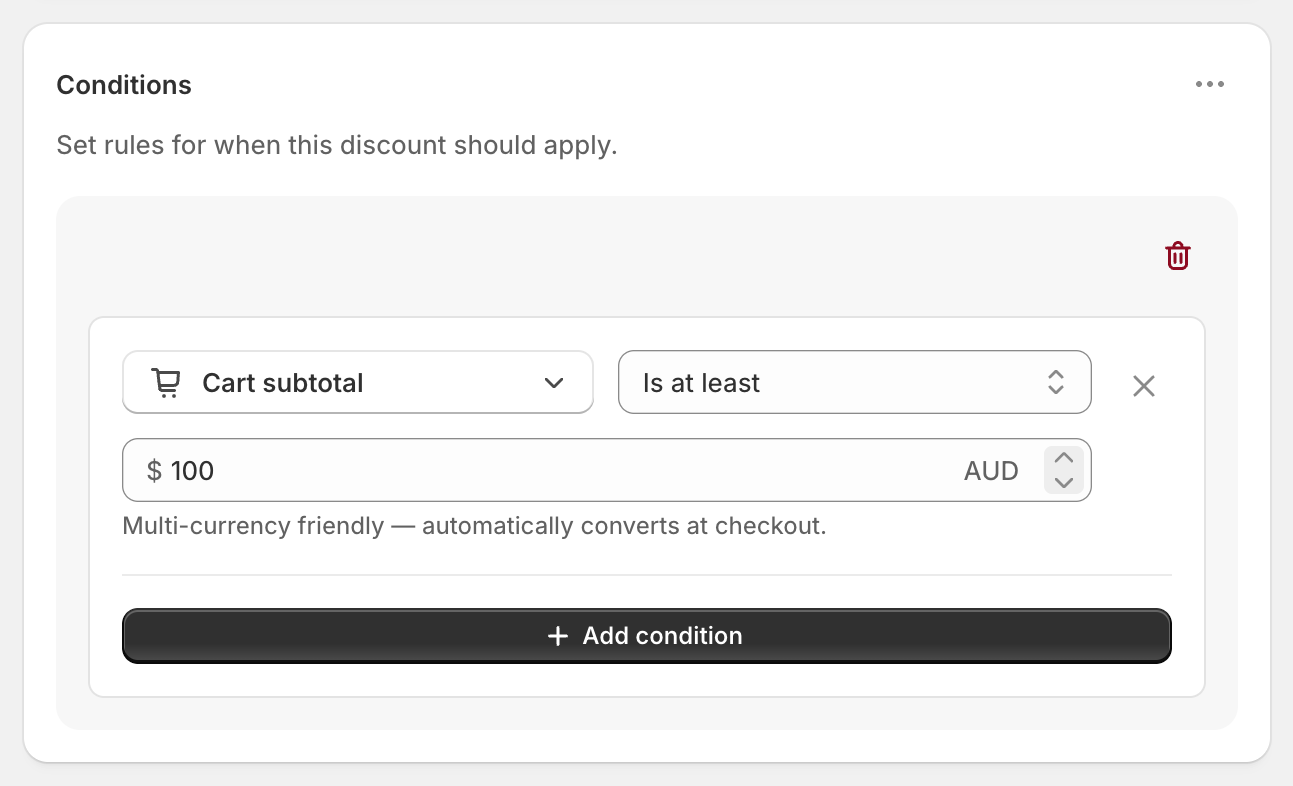
Both sides must allow combining. If either one is unticked, Shopify applies only one of the two discounts. See Shopify’s guide to combining discounts.
Variations
- Keep free shipping only if they still spend $100 after the code: keep both sides combining, and leave the condition on Cart total. A $130 cart with 20% off ($104) keeps free shipping, and a $110 cart ($88) doesn’t.
- No free shipping when any other discount is used: untick Product discounts and Order discounts under Combinations in your shipping discount. Customers using another discount pay normal shipping.
- Only some products count toward $100: use Cost of items from collection (subtotal) with a collection of those products.
- One code that gives 10% off and free shipping: that is a product discount and a shipping discount in one code. Our sibling app OneCode: Stackable Discounts does that.
Good to know
- To find codes that don’t combine, check the app’s dashboard. The warning “Other discounts may need to be updated” lists active product and order discounts that don’t combine with shipping.
- To fix codes made by other apps (email, loyalty, wholesale), tick the “combine with shipping discounts” option in that app’s settings, or in Shopify admin. For older Klaviyo and Facebook codes with no combine option, our Discount Bridge app turns shipping combinations on for them.
- To make the discount control free shipping, remove any free rate from Settings → Shipping and delivery. A free rate there always shows, whatever codes are used.
- To check it before customers see it, turn on Test mode, check out with the shipping first name
ABC123, and apply your code.
Related
- Count the threshold before or after discounts
- Free shipping over $100
- What Shopify’s free shipping discount can’t do
- Free shipping with a code or automatically
Install RM: Advanced Free Shipping from the Shopify App Store.