To build tiered shipping, create one shipping discount per tier: for example $5 off shipping over $50, and free shipping over $100. When a cart qualifies for both, Shopify applies only one shipping discount per rate and gives the customer the one that saves the most, so the higher tier wins on its own. Shopify’s own free shipping discount can only make shipping free, so the “$5 off” step isn’t possible with it. RM: Advanced Free Shipping adds money off, percentage off and fixed price shipping, each with its own threshold. It costs $9.90 USD every 30 days, with a 7-day free trial, billed by Shopify.
What the customer gets
In this example the store has two rates: Standard $8.90 and Express $24.90.
| Cart | Tier | Standard | Express | Customer pays with Standard |
|---|---|---|---|---|
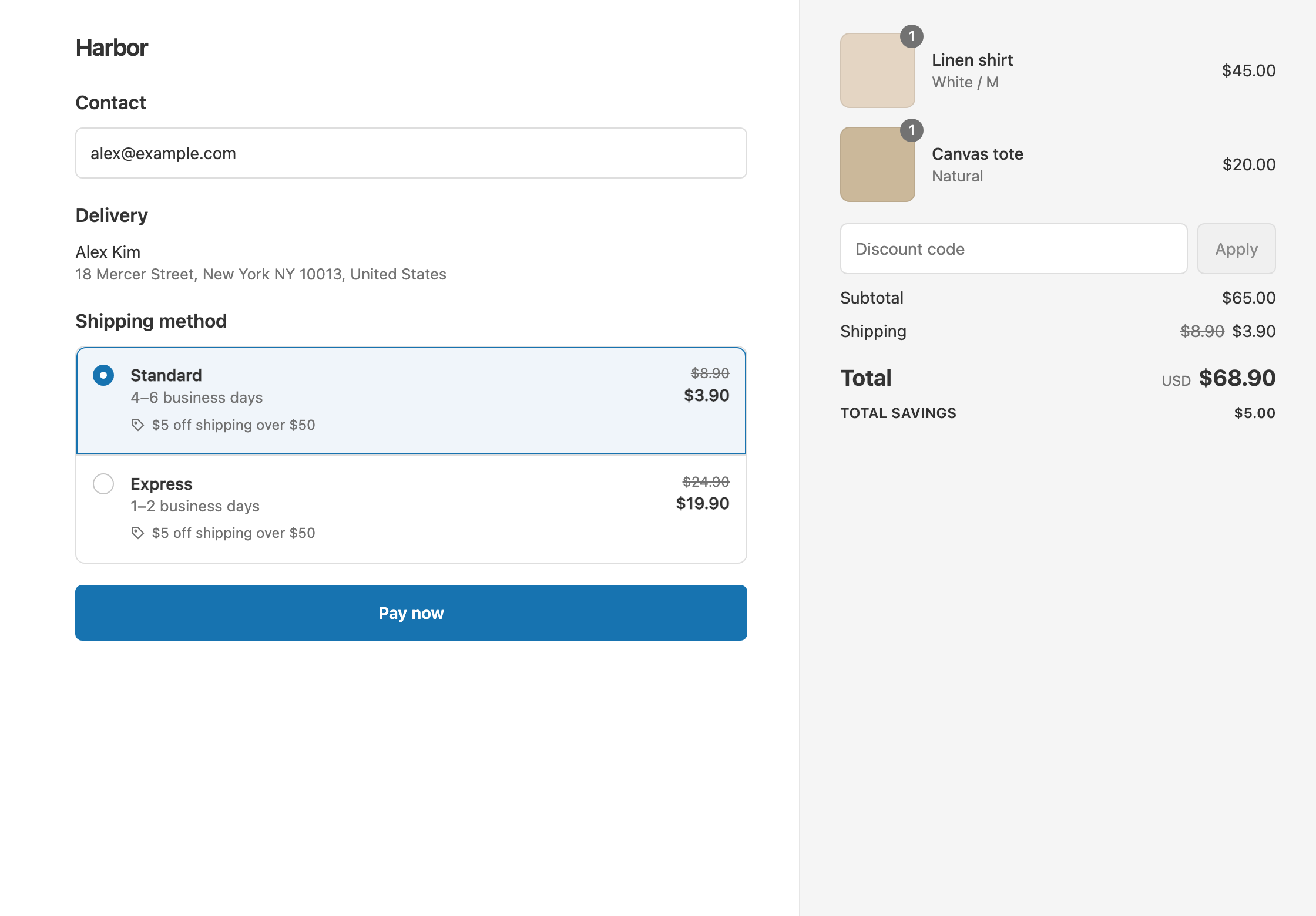
| $40 | none | $8.90 | $24.90 | $40 + $8.90 = $48.90 |
| $65 | $5 off over $50 | $3.90 | $19.90 | $65 + $3.90 = $68.90 |
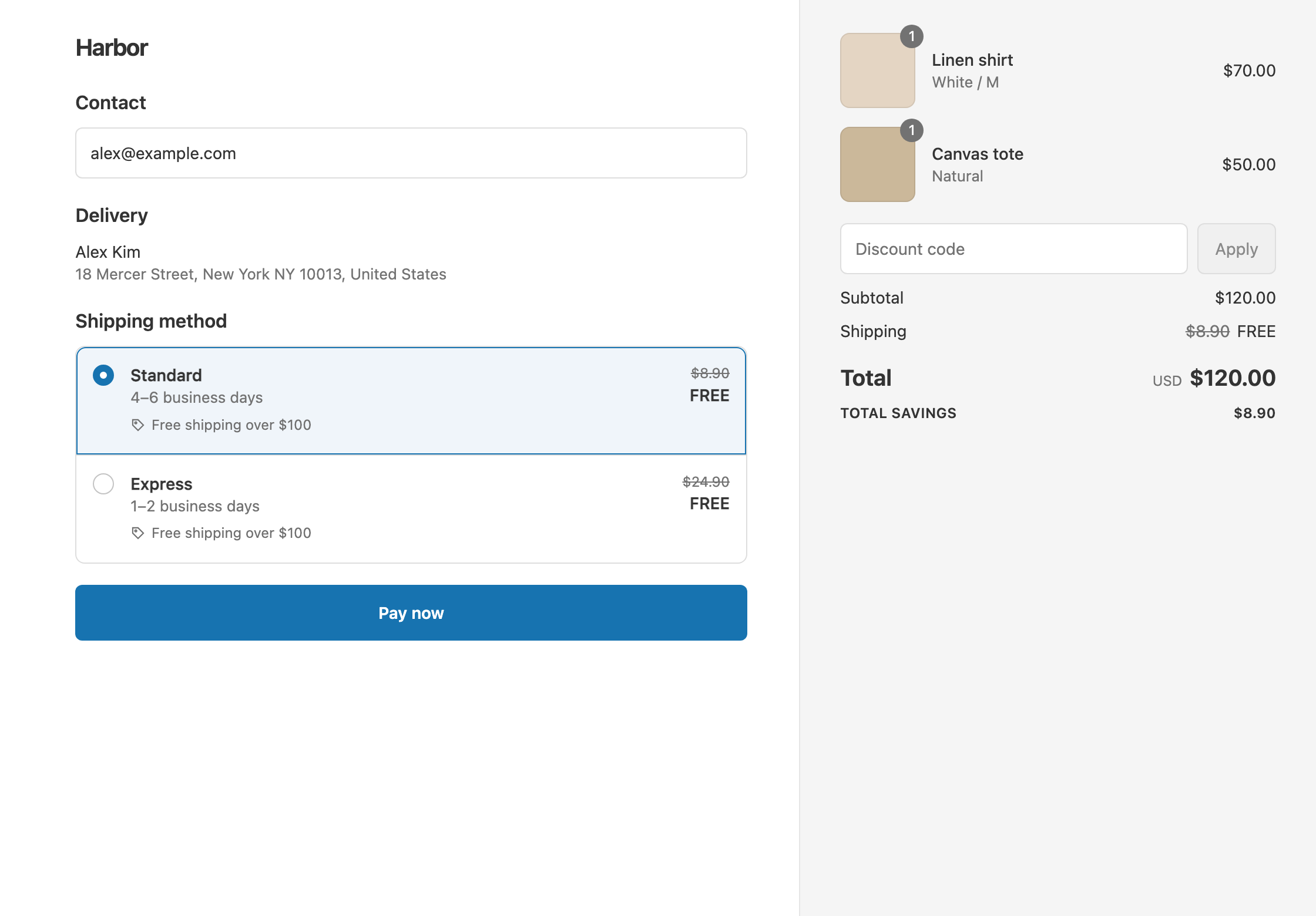
| $120 | Free over $100 | $0 | $0 | $120 |
The $120 cart qualifies for both tiers. On Standard, $5 off saves $5 and Free saves $8.90, so Shopify applies Free. On Express, $5 off saves $5 and Free saves $24.90, so Free wins again.
Set it up
Create two discounts.
Tier 1: $5 off shipping over $50
- In the app, click Create Shipping Discount. Under Discount method, choose Automatic discount, and enter the Title “$5 off shipping over $50”.
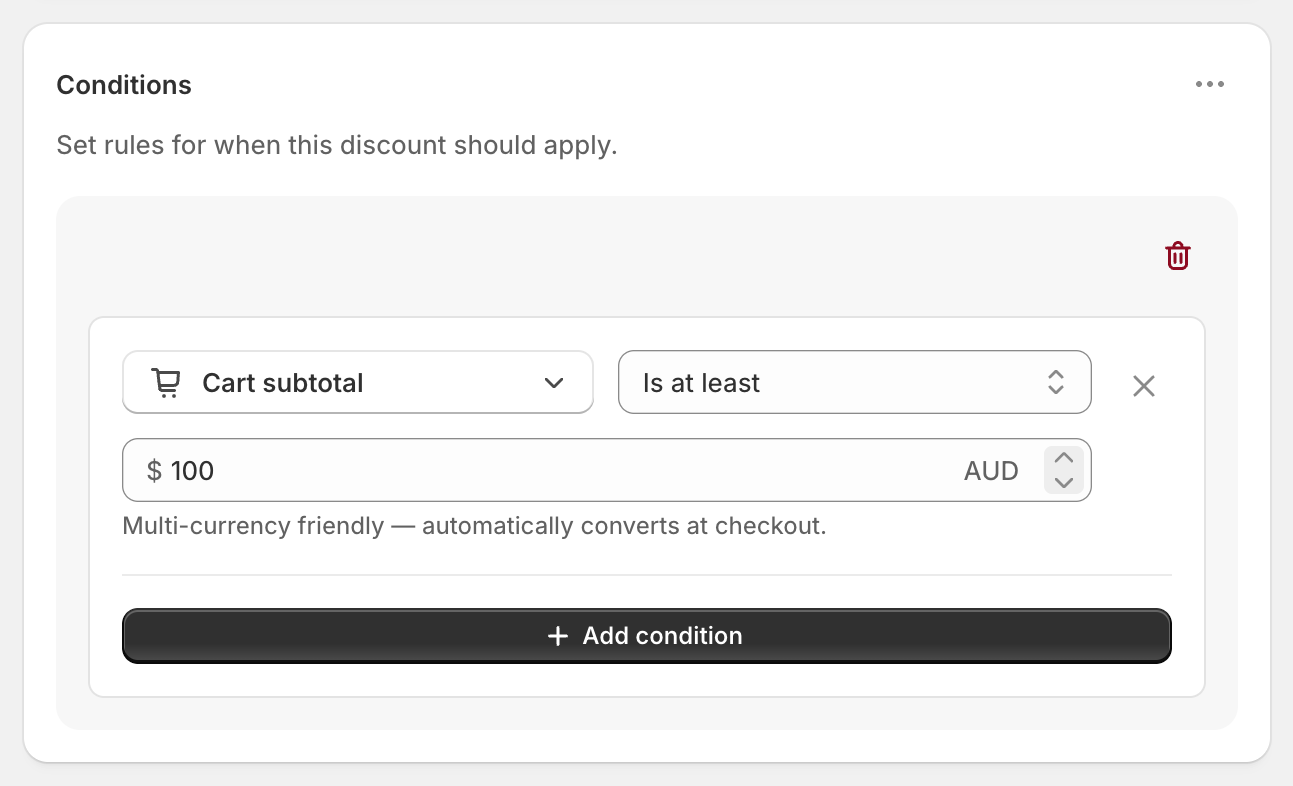
- In Conditions, click Add condition. Keep Cart total, set Is at least and enter
50. - In Discount setup, set Delivery type to Shipping and Which rates to All shipping rates.
- Set Discount value to Fixed Amount Off and enter
5. - Click Create discount.
Tier 2: free shipping over $100
- Click Create Shipping Discount again. Choose Automatic discount, and enter the Title “Free shipping over $100”.
- Add the condition Cart total Is at least
100. - In Discount setup, keep Shipping and All shipping rates, and set Discount value to Free.
- Click Create discount.
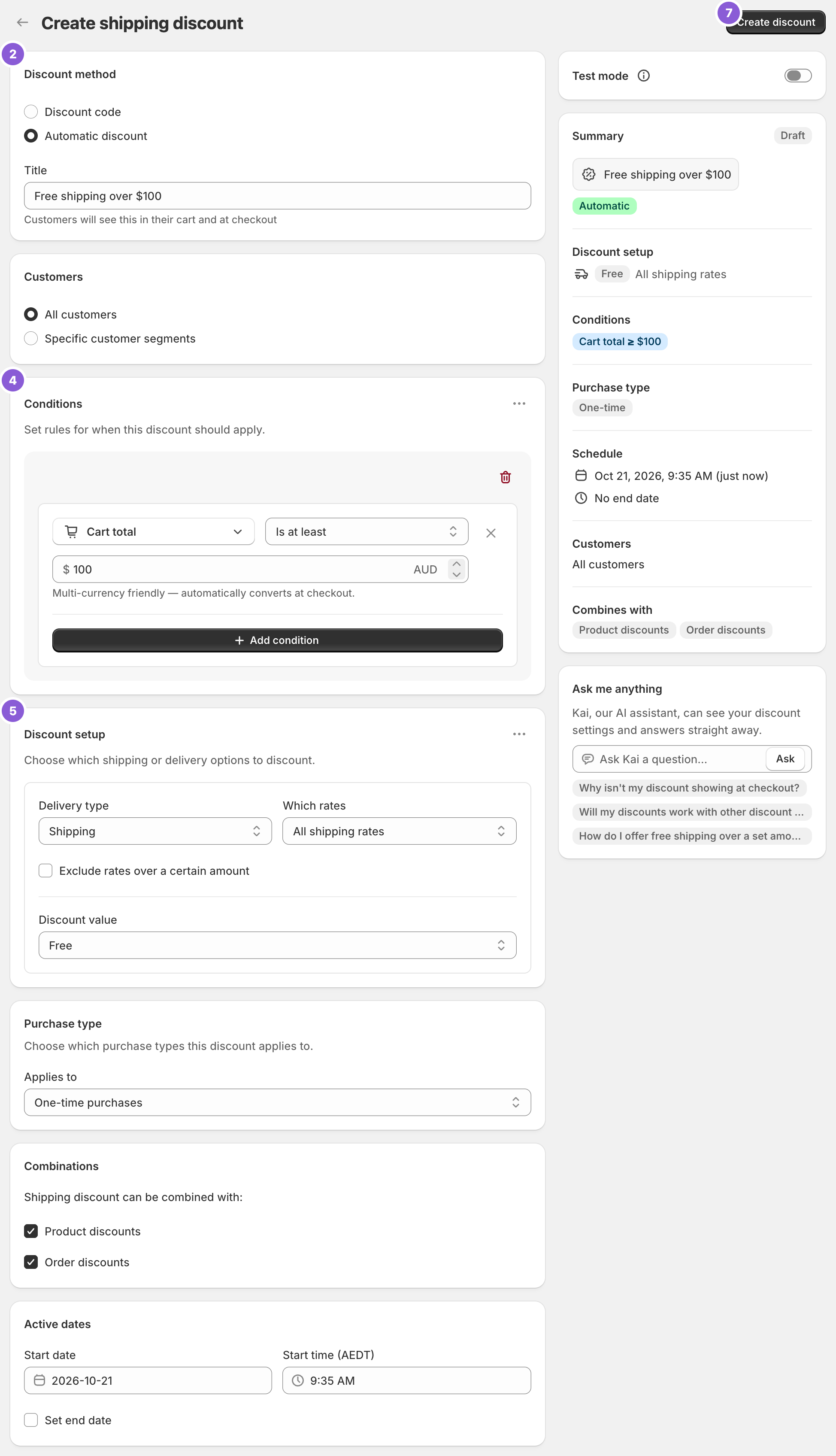
The titles matter. Customers see the title of whichever tier applies under the rate at checkout.
Variations
- Three tiers: add a third discount, such as Percentage 50 over $75. Make sure it saves more than the tier below on every rate (see Good to know).
- Free Standard at the top tier, money off Express: in the tier 2 discount, set Which rates to Choose specific rates and select Standard. Then open the ⋯ menu on Discount setup, choose Add delivery discount, select Express and set Fixed Amount Off
10. A $120 cart then pays $0 for Standard or $14.90 for Express. - Tiers by quantity or weight: use Cart quantity or Cart weight as the condition instead. See free shipping by quantity.
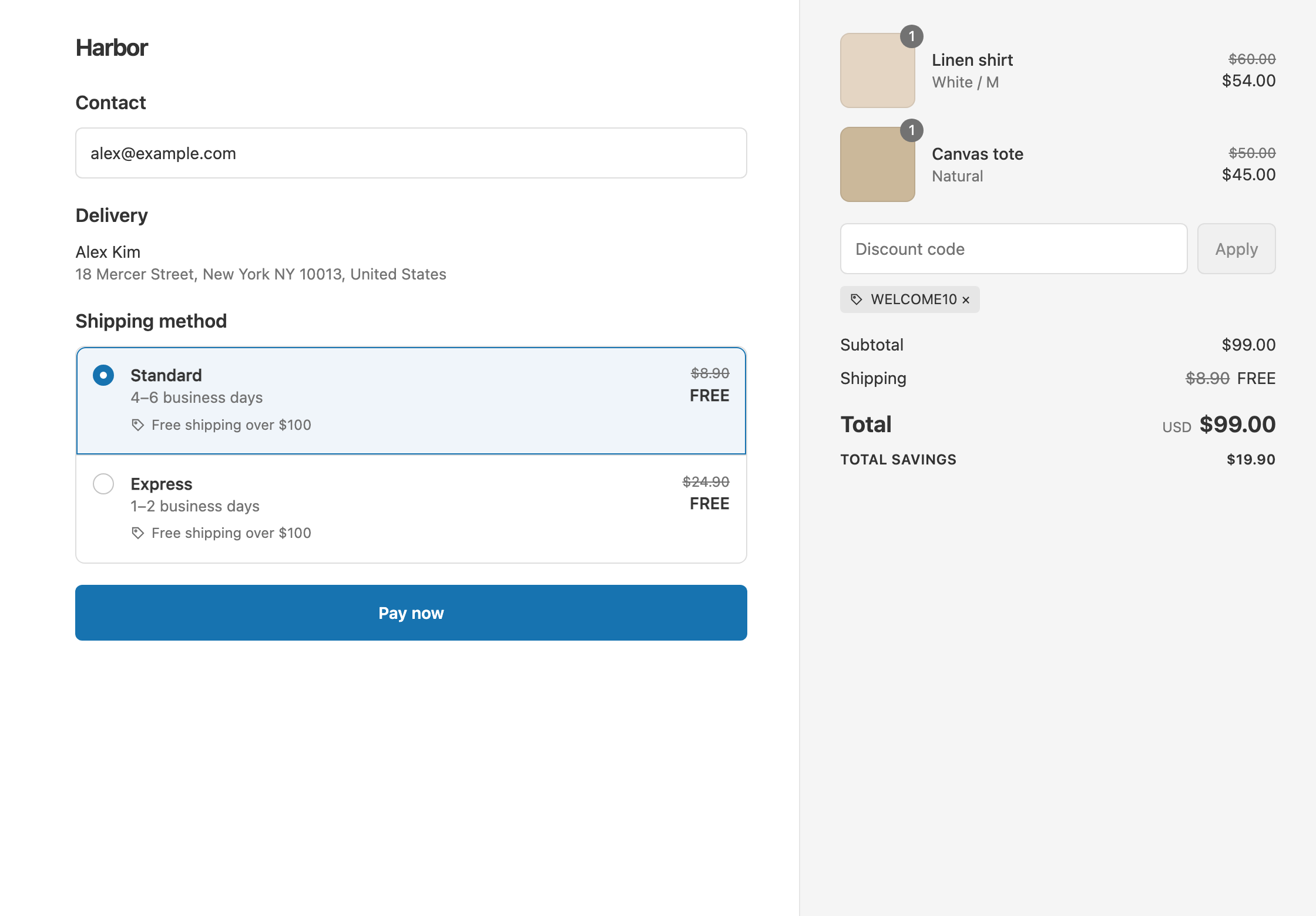
- Tiers that ignore discount codes: use Cart subtotal in every tier, so a code can’t drop a customer to a lower tier.
Good to know
- To make the higher tier always win, make it save more on every rate. Shopify compares the saving per rate. A tier of 50% off over $75 saves only $4.45 on an $8.90 Standard rate, which is less than the $5 off tier, so the $5 off would still apply. Use a bigger percentage, or Fixed Price, for that middle tier.
- To give a different reward at each tier, create a separate discount for each. Rule groups inside one discount all share the same Discount setup.
- Fixed Amount Off never goes below $0. $5 off a $3.50 rate makes it free.
- To stay under Shopify’s limit, count your tiers. Shopify allows 25 active automatic discounts at a time across all apps. A three-tier setup uses three.
- To test both tiers before launch, turn on Test mode in each discount and check out with the shipping first name
ABC123. Try carts at $49, $50, $99 and $100.
Related
- Free shipping over $100
- Percentage off shipping
- Shipping discount types: free, percentage, money off and fixed price
- Conditional free shipping on Shopify
Install RM: Advanced Free Shipping from the Shopify App Store.