To make only your standard Royal Mail service free, use a shipping discount that targets the rate by name: choose Choose specific rates, type the service name, such as Tracked 48, add it as a wildcard match and set it to Free. Shopify’s own free shipping discount makes every eligible rate free, Special Delivery included. Its only rate control is “Exclude shipping rates over a certain amount”, which filters by the rate’s price, not by service. Shopify notes that this setting is unrelated to order amounts. RM: Advanced Free Shipping discounts any rate Shopify shows at checkout, including live Royal Mail rates from third-party carrier-calculated shipping, so your standard service is free and the faster ones keep their price. It costs $9.90 USD every 30 days, with a 7-day free trial, billed by Shopify.
What the customer gets
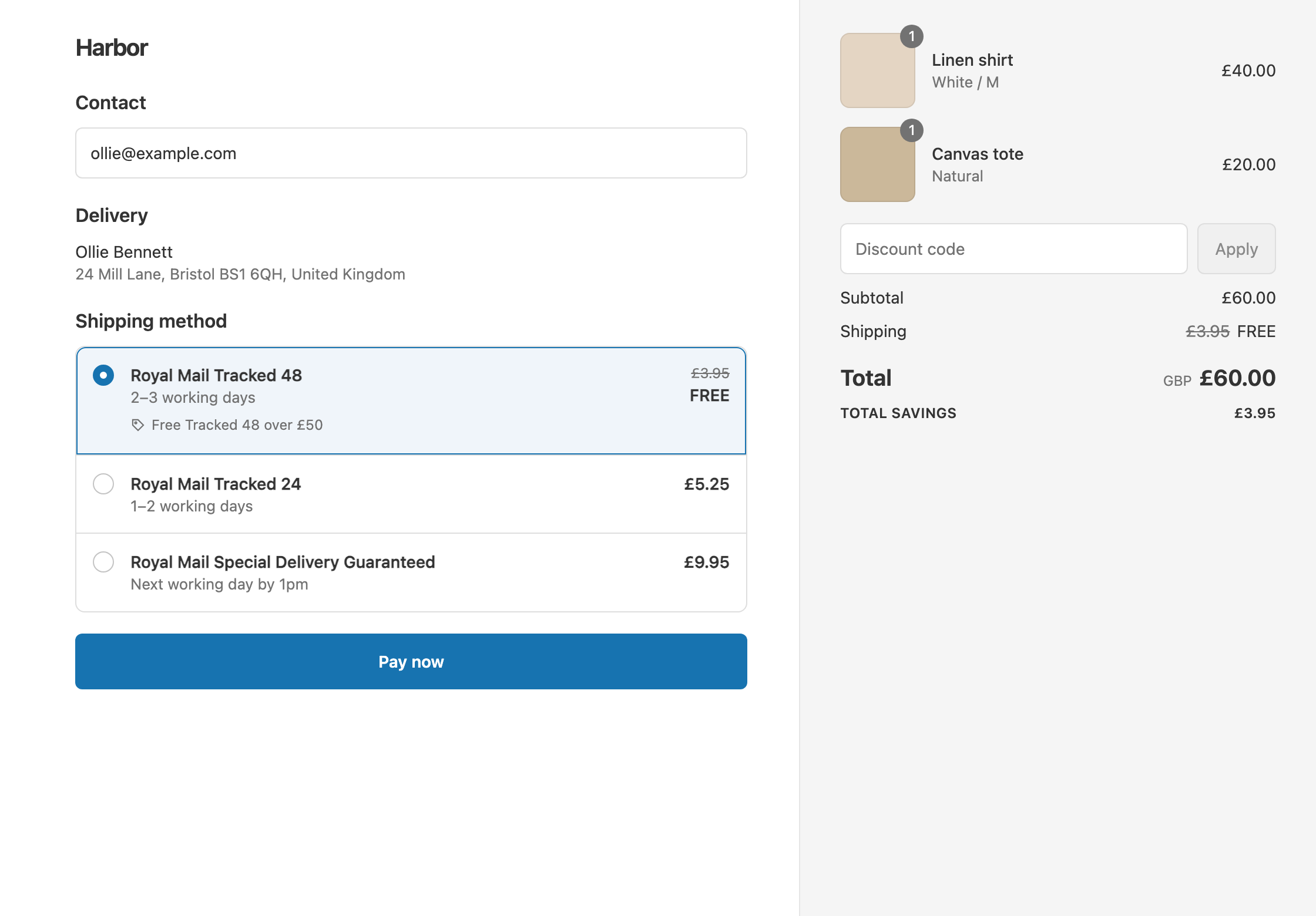
In this example, a UK store sells in GBP, and Royal Mail Tracked 48 is free over £50. The rate names and prices are illustrative. Your checkout may show different Royal Mail service names, and live rates change with the parcel.
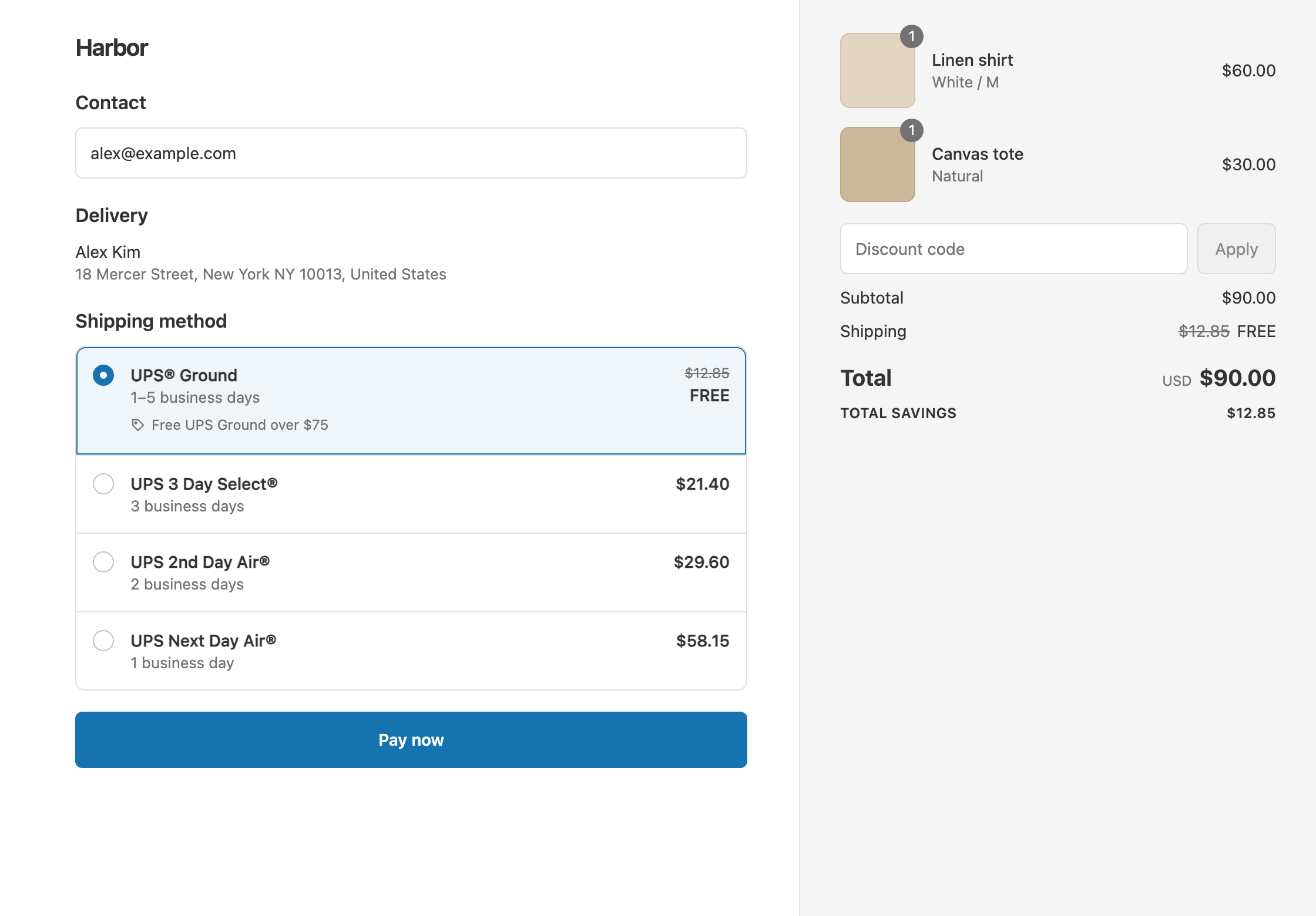
- A £60 cart: the rates are Royal Mail Tracked 48 £3.95, Royal Mail Tracked 24 £5.25 and Royal Mail Special Delivery Guaranteed £9.95. Tracked 48 drops from £3.95 to £0. The other two stay full price. The customer pays £60 with Tracked 48, or £60 + £5.25 = £65.25 with Tracked 24.
- A £40 cart with the same rates: it’s under £50, so nothing changes. The customer pays £40 + £3.95 = £43.95 with Tracked 48.
- A heavier £85 cart: Tracked 48 is £6.80, Tracked 24 is £8.10 and Special Delivery is £14.50. Tracked 48 drops to £0. The customer pays £85 with Tracked 48, or £85 + £8.10 = £93.10 with Tracked 24.
The heavier cart’s Tracked 48 costs more than the first cart’s Tracked 24. A price filter such as “exclude rates over £6” would leave that Tracked 48 rate full price and make the lighter cart’s Tracked 24 free. Matching by name keeps your standard service free at any price.
Set it up
- In the app, click Create Shipping Discount. Under Discount method, choose Automatic discount, and enter a Title such as “Free Tracked 48 over £50”.
- In Conditions, click Add condition. Keep Cart total, set Is at least and enter
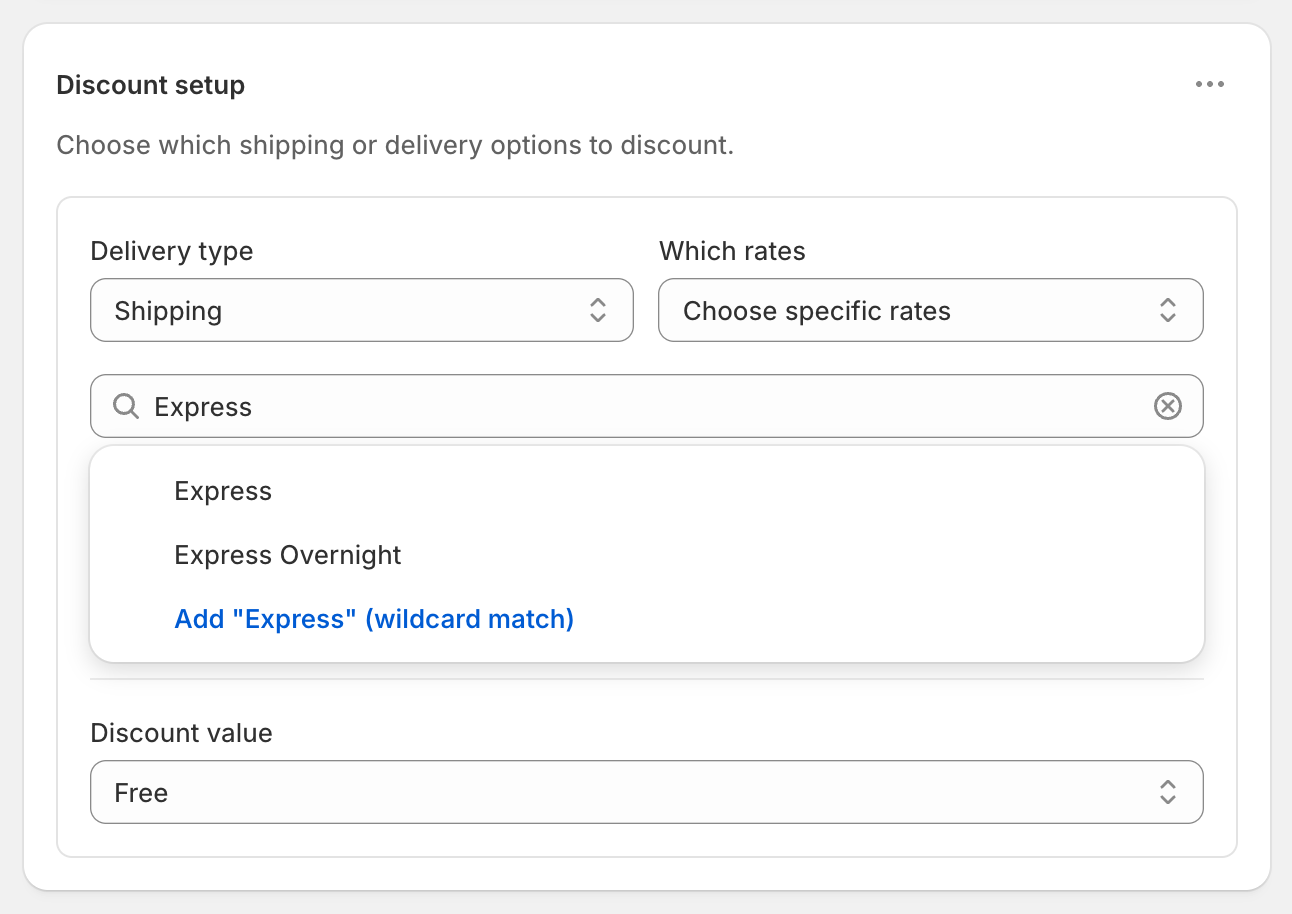
50. Amounts are in your store’s currency, GBP here. - In Discount setup, set Delivery type to Shipping and Which rates to Choose specific rates.
- In the rate search, type
Tracked 48and choose Add “Tracked 48” (wildcard match). - Set Discount value to Free.
- Click Create discount.
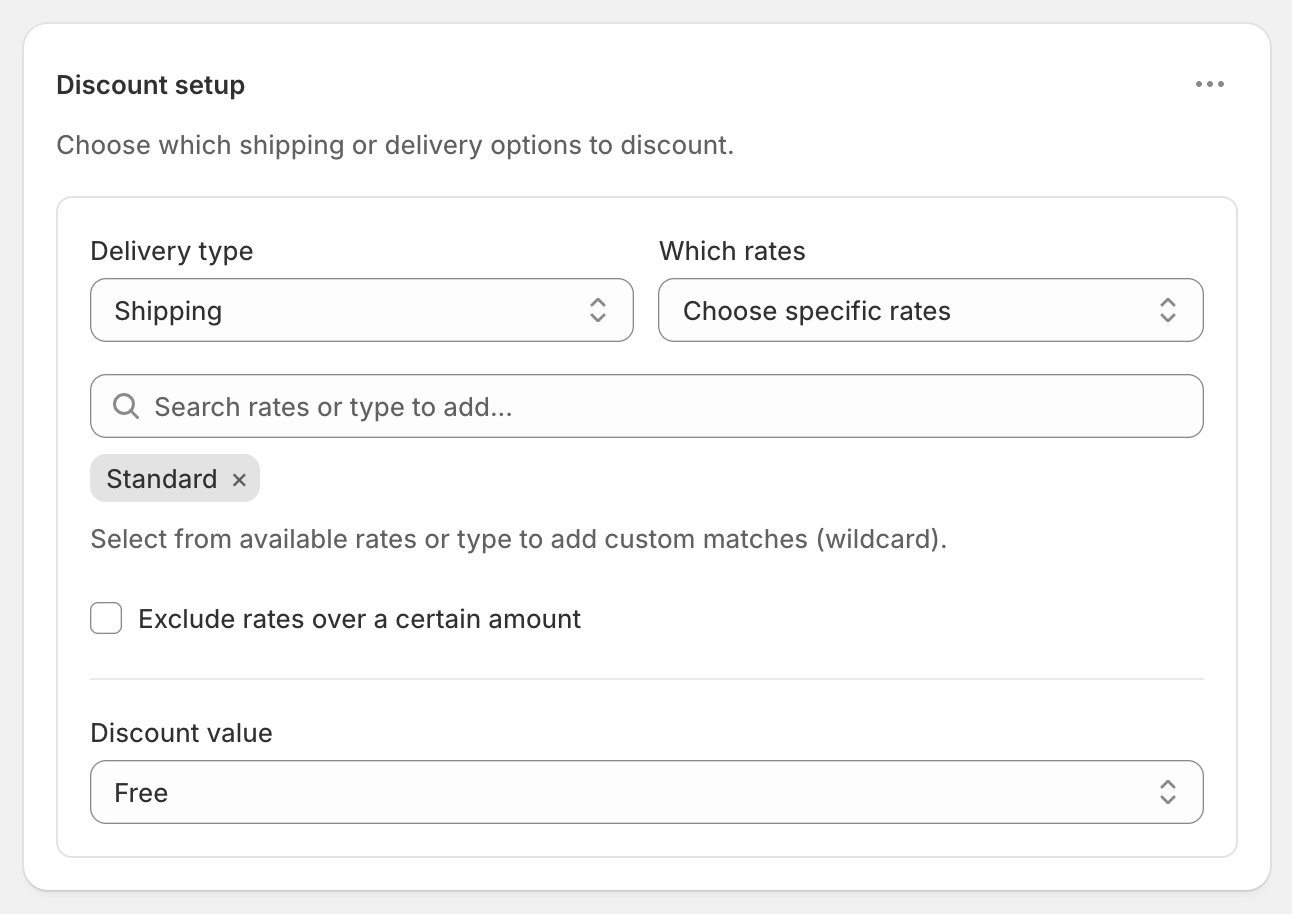
The screenshot shows a rate called Standard. For this offer, add Tracked 48 as a wildcard instead.
Pick the right keyword
A wildcard matches any rate whose name contains your text, ignoring upper and lower case. Run a test checkout first and copy the exact service name you see. Then choose a keyword that matches only that service:
Tracked 48matches only that service.Trackedalso matches Tracked 24.Royal Mailmatches every Royal Mail service, Special Delivery included.
If your checkout shows a service such as “2nd Class” instead, type that.
Variations
- Free Tracked 48 and £2 off Tracked 24: open the ⋯ menu on Discount setup, choose Add delivery discount, add a
Tracked 24wildcard and set Fixed Amount Off2. On the £60 cart, Tracked 24 drops from £5.25 to £3.25. - Special Delivery for £7: choose Add delivery discount again, add a
Special Deliverywildcard and set Fixed Price7. On the £60 cart it drops from £9.95 to £7.00, and on the £85 cart from £14.50 to £7.00. - Free on two standard services: add both keywords, such as
Tracked 48and2nd Class, in step 4. Each one becomes free. - Free within the UK only: add Shipping country Is one of United Kingdom in the same rule group, so international orders pay full price.
Good to know
- To fix a rate that isn’t discounted, check its name at checkout and use a wildcard keyword. A picked name that differs from the checkout name won’t match.
- To match UK postcodes, use wildcards, such as
SW1*. Postcode ranges work only for numeric codes. See free shipping by ZIP code or postcode. - Customers paying in another currency are covered. The £50 threshold converts at Shopify’s exchange rate. See a free shipping threshold in each currency.
- The app’s price is in USD. Shopify bills $9.90 USD every 30 days, whatever your store’s currency.
- To test it, turn on Test mode and check out with the shipping first name
ABC123. Try carts at £49 and £50.
Related
- Discount specific shipping rates
- Free standard shipping, not express
- A free shipping threshold in each currency
- Make only the cheapest shipping rate free
Install RM: Advanced Free Shipping from the Shopify App Store.