To make only the cheapest rate free, set Which rates to Cheapest shipping rate and Discount value to Free. The app works out which rate is cheapest at checkout, so it works with live carrier-calculated rates whose prices change with weight and distance. Shopify’s own free shipping discount makes every eligible rate free, and its only rate control is a price cap, so it can’t pick the cheapest rate on each cart. RM: Advanced Free Shipping discounts just the lowest-priced rate and leaves the rest at full price. It costs $9.90 USD every 30 days, with a 7-day free trial, billed by Shopify.
What the customer gets
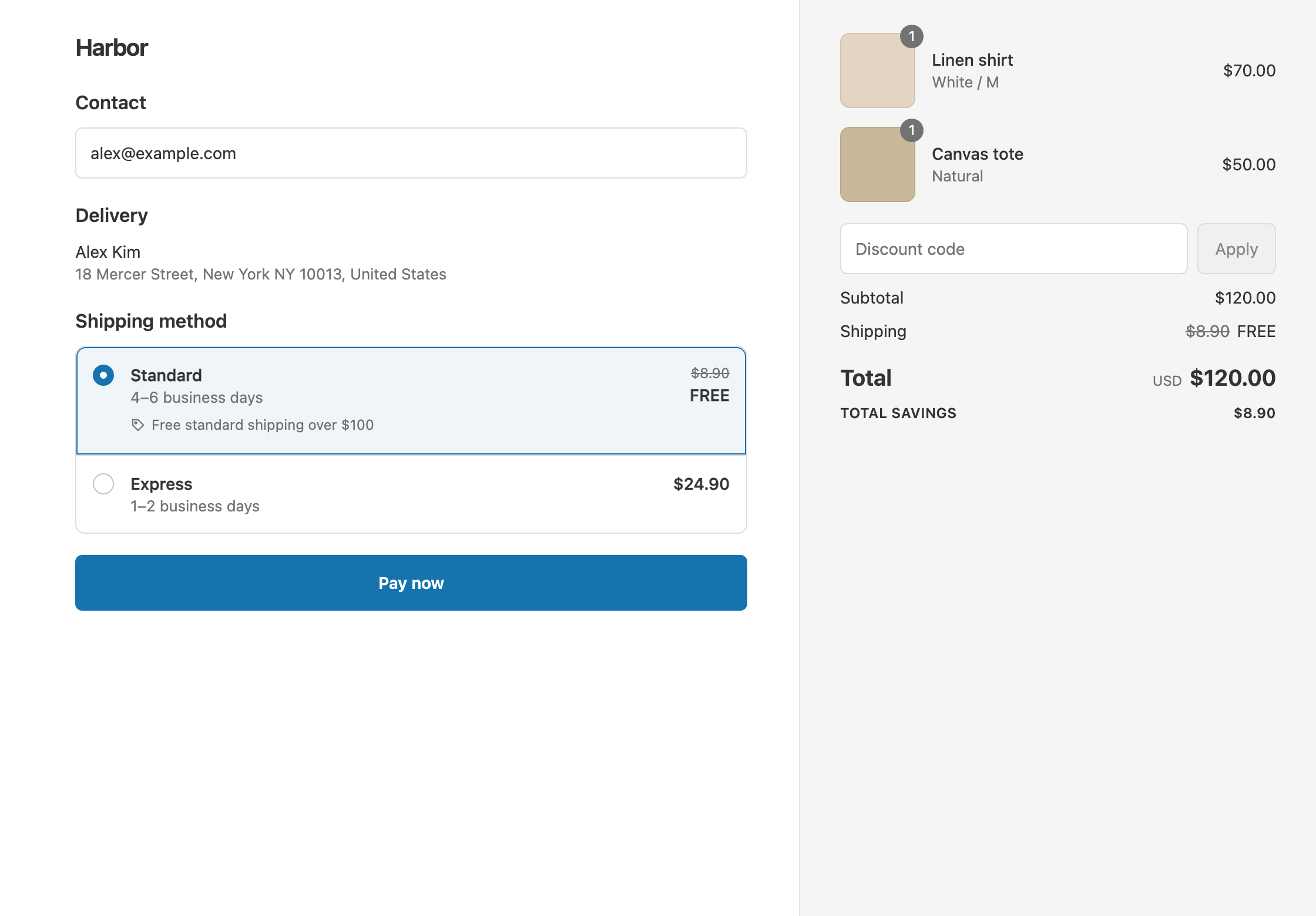
In this example, the cheapest rate is free over $100.
A store with flat rates, Standard $8.90 and Express $24.90:
- A $120 cart: Standard is the cheapest, so it drops from $8.90 to $0. Express stays $24.90. The customer pays $120 with Standard.
- An $80 cart: it’s under $100, so nothing changes. The customer pays $80 + $8.90 = $88.90.
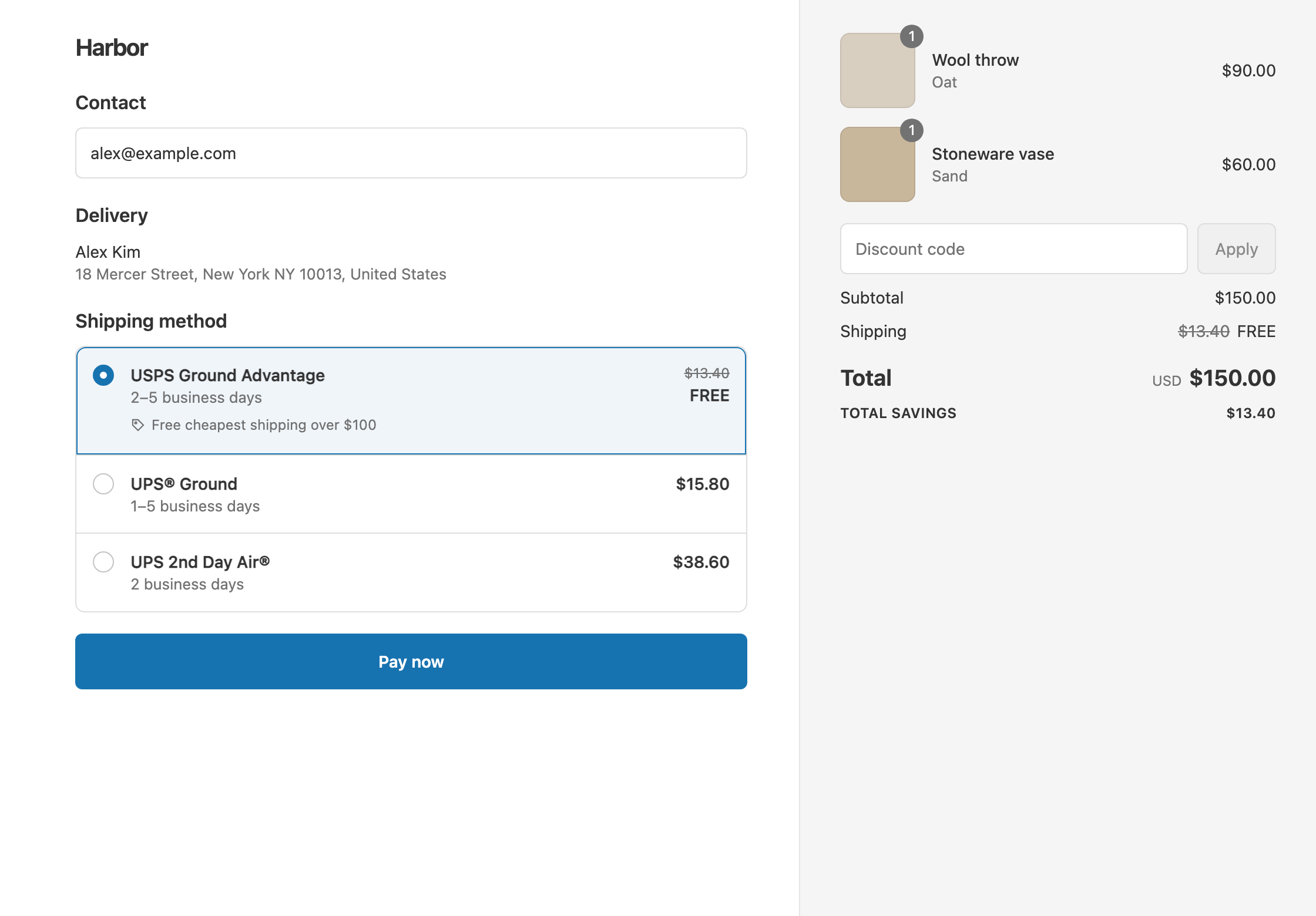
A store with live carrier rates, on a heavier $150 cart:
- The rates are USPS Ground Advantage $13.40, UPS Ground $15.80 and UPS 2nd Day Air $38.60.
- USPS Ground Advantage is the cheapest this time, so it drops to $0. The UPS rates stay full price.
- The customer pays $150 with the free rate.
On another cart, UPS Ground might be the cheapest. The app checks every time, so you never have to name the carrier.
“Cheapest” means price only, not speed.
Set it up
- In the app, click Create Shipping Discount. Under Discount method, choose Automatic discount, and enter a Title such as “Free shipping over $100”.
- In Conditions, click Add condition. Keep Cart total, set Is at least and enter
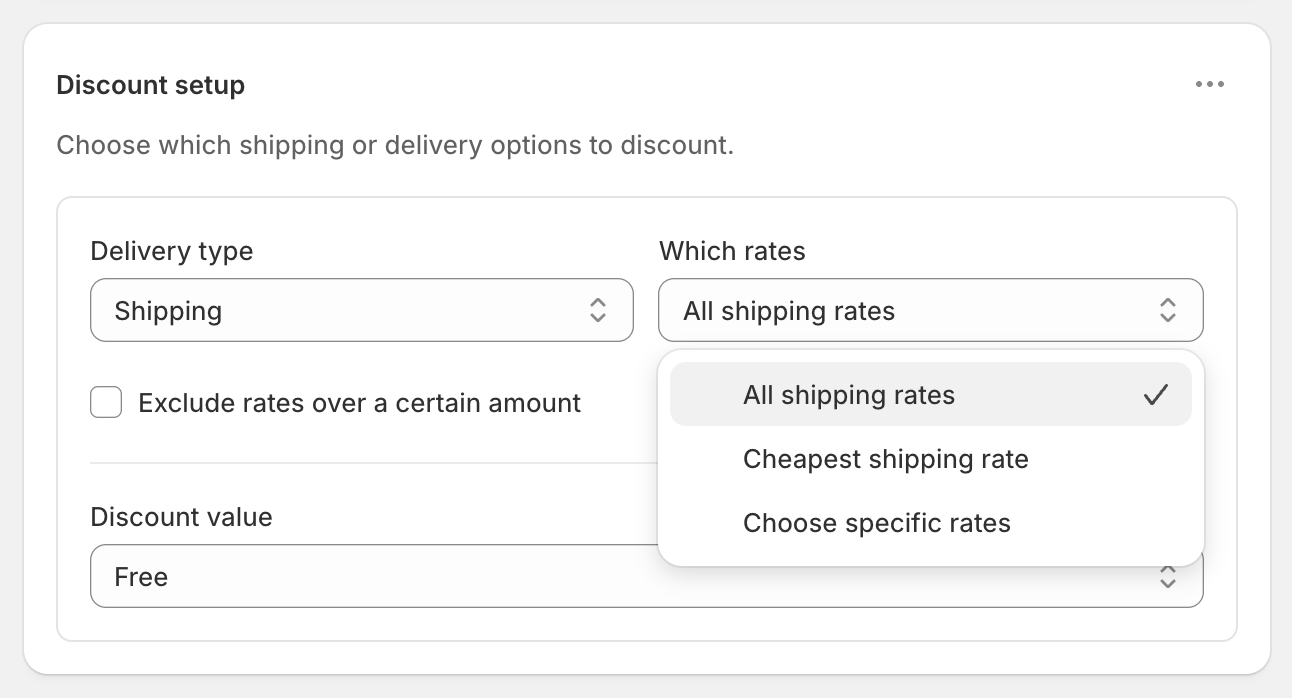
100. - In Discount setup, set Delivery type to Shipping.
- Open Which rates and choose Cheapest shipping rate.
- Set Discount value to Free.
- Click Create discount.
Variations
- A shipping credit on the cheapest rate: set Discount value to Fixed Amount Off
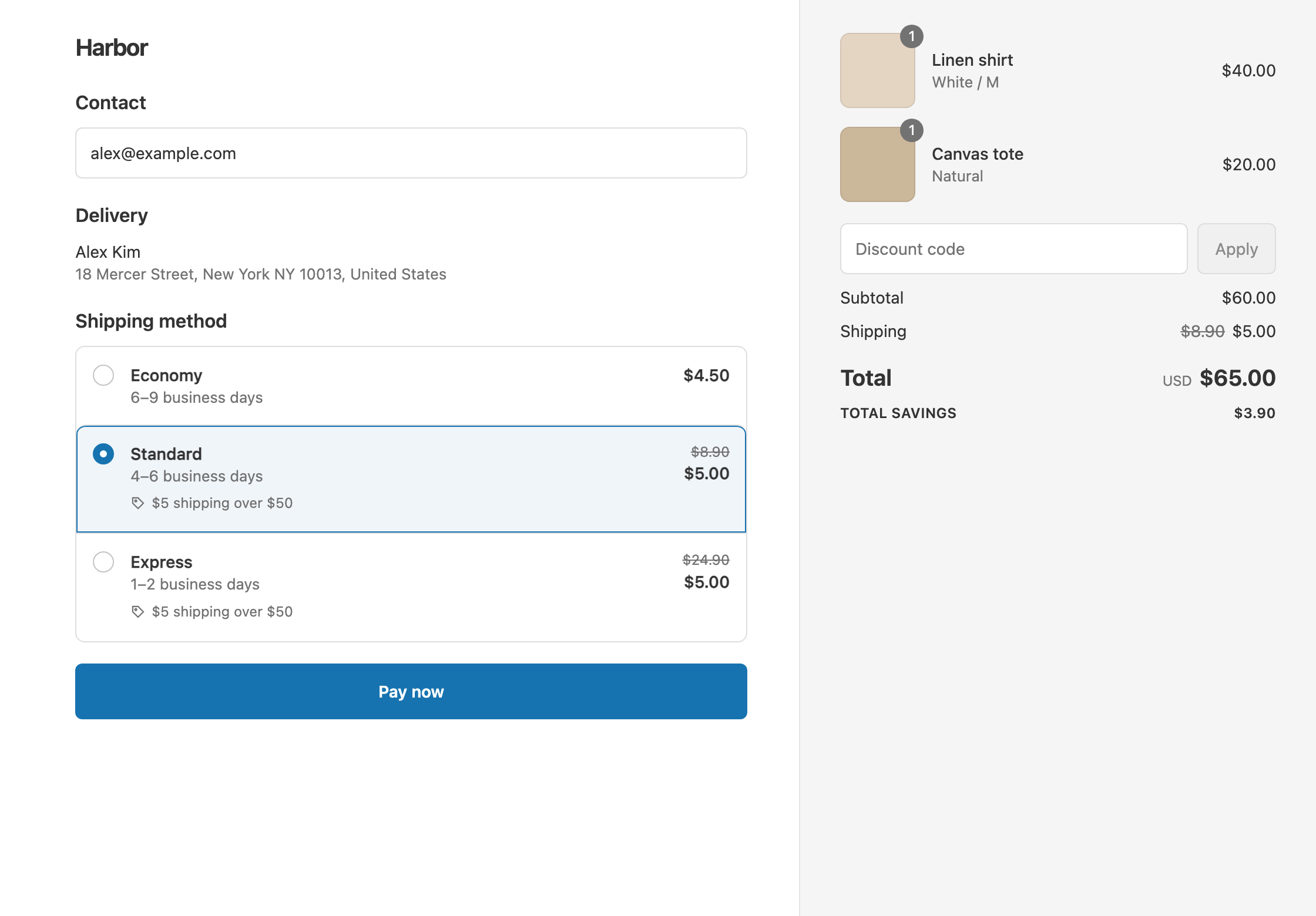
25. A $13.40 rate becomes free, and a $31.40 rate becomes $6.40. See give a shipping credit. - Half off the cheapest rate: choose Percentage
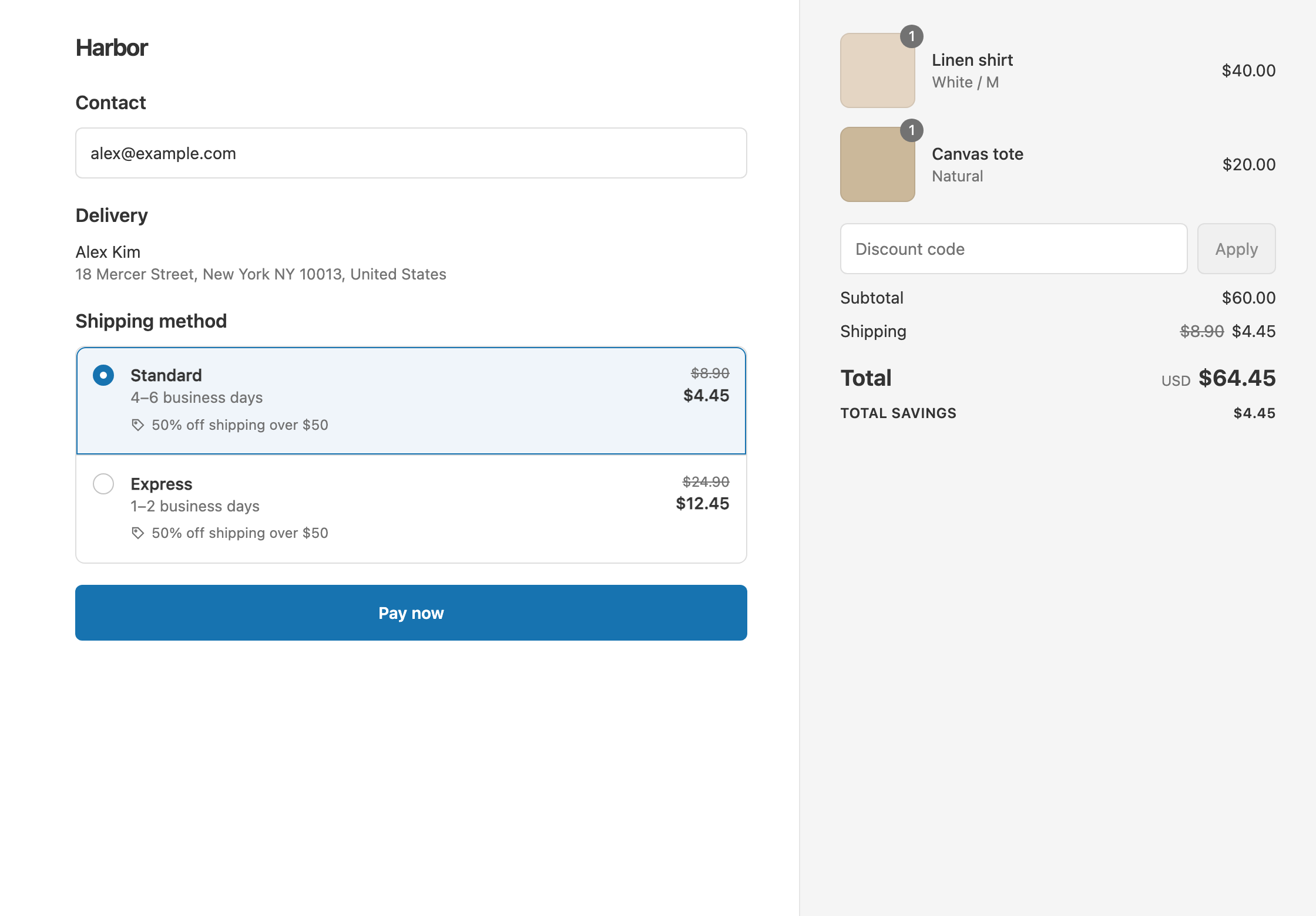
50. Standard $8.90 becomes $4.45. - Free cheapest, but never on a costly rate: tick Exclude rates over a certain amount and set the Maximum eligible rate, such as
20. - Free cheapest shipping and free local delivery in one discount: open the ⋯ menu on Discount setup, choose Add delivery discount, and set Delivery type to Local delivery with Free. See free local delivery.
Good to know
- To make Cheapest work, remove any native $0 rate from Settings → Shipping and delivery. A $0 rate, such as Shopify’s own “free over $X” rate, counts as the cheapest, and nothing else gets discounted.
- To use a price cap with Cheapest, set the cap above your usual cheapest rate. If the cheapest rate costs more than the Maximum eligible rate, nothing is discounted.
- Split shipments are handled for you. If a cart ships from two locations, the cheapest rate is chosen separately for each shipment.
- Cheapest picks from shipping rates only, not local delivery. Add a local delivery discount if you want both.
- To target one named rate instead, use Choose specific rates. See free standard shipping, not express.
- To test it, turn on Test mode and check out with the shipping first name
ABC123.
Related
- Discount specific shipping rates
- Free standard shipping, not express
- Give a shipping credit
- What Shopify’s free shipping discount can’t do
Install RM: Advanced Free Shipping from the Shopify App Store.