Set a free shipping weekend as one scheduled discount: start Friday at 12:00 AM, end Sunday at 11:59 PM, and it switches on and off by itself. Shopify’s own free shipping discount can be scheduled too, but it makes every eligible rate free. If you want the weekend offer on Standard only, as a percentage off, or tied to a collection or customer tag, use RM: Advanced Free Shipping. It costs $9.90 USD every 30 days, with a 7-day free trial, billed by Shopify.
The offer
- Free Standard shipping on orders of $40 or more.
- Express stays full price.
- Friday 12:00 AM to Sunday 11:59 PM, store time.
What customers pay
The store’s rates are Standard at $7.25 and Express at $21.00.
- Saturday, $48 cart: Standard shows
$7.25Free. Express stays $21.00. With Standard, the customer pays $48.00. - Saturday, $32 cart: under $40, so Standard costs $7.25 and the customer pays $39.25.
- Monday, $48 cart: the weekend has ended. Standard costs $7.25 and the customer pays $55.25.
Set it up
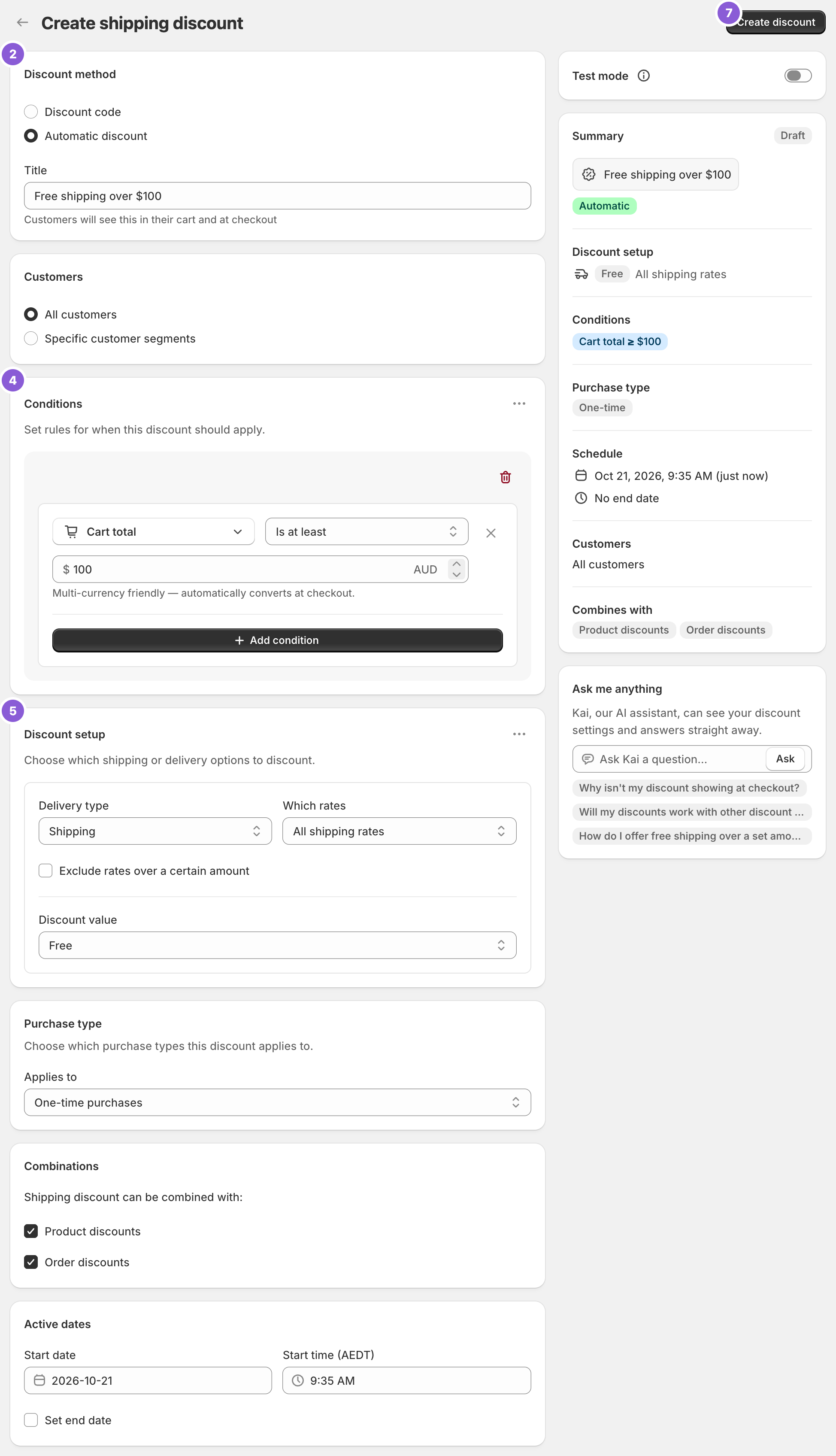
- Click Create Shipping Discount. Under Discount method, choose Automatic discount so every eligible cart gets it, or Discount code to send it to your email list only.
- Give it a Title (automatic) or a code such as SHIPWEEKEND. Customers see it under the discounted rate.
- Under Conditions, add Cart total Is at least 40.
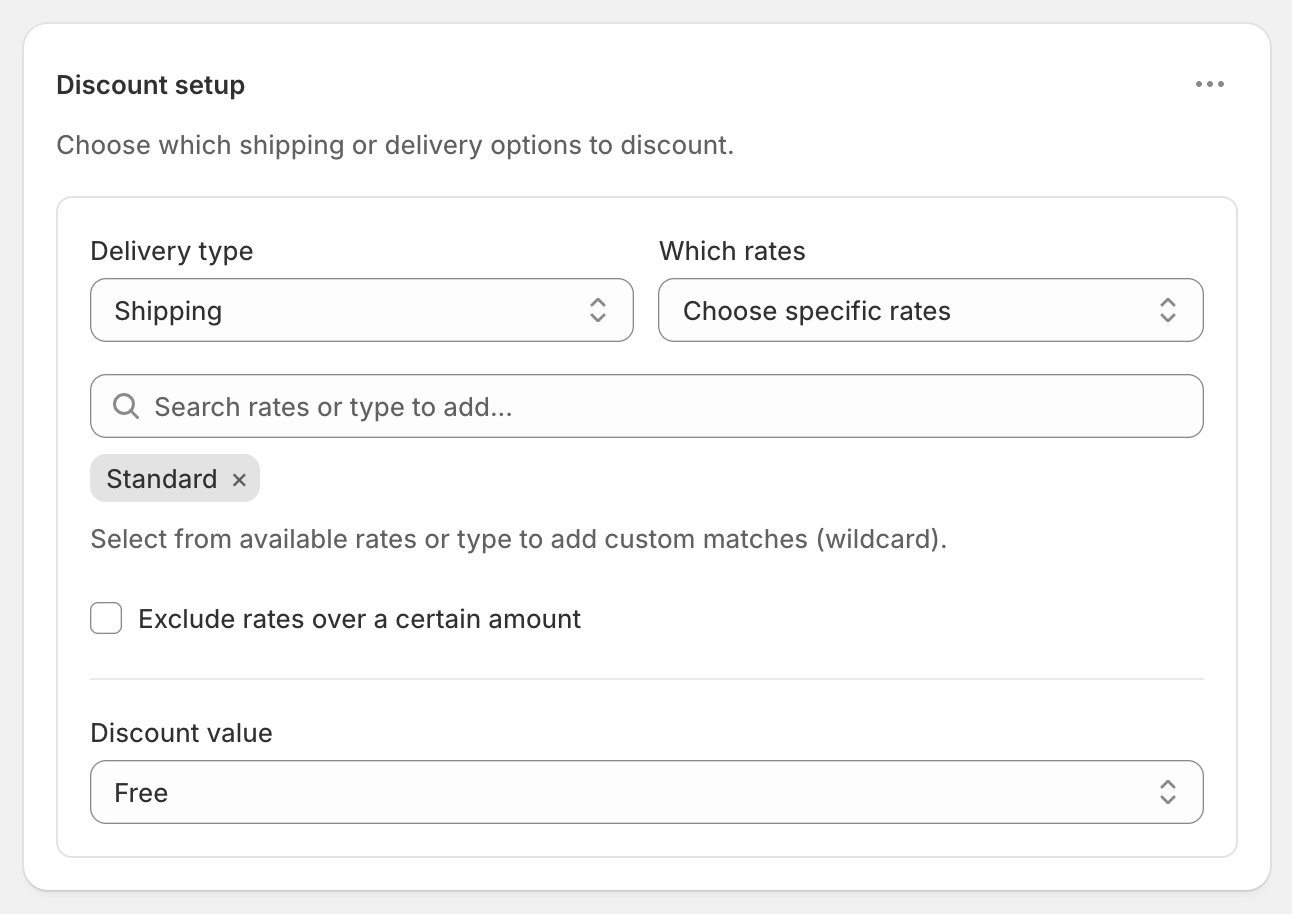
- Under Discount setup, choose Shipping, Choose specific rates, pick Standard, and set Discount value to Free.
- Under Active dates, set the Start date to Friday and the Start time to 12:00 AM. Tick Set end date and choose Sunday at 11:59 PM. The time fields show your store’s timezone.
- Click Create discount.
Code or automatic?
- Automatic applies by itself to every eligible cart. Good for a sitewide weekend you promote in banners.
- A code applies only when entered. Good for a list-only weekend. Codes can have usage limits, such as one use per customer, under Maximum discount uses.
New discounts start as Discount code, and the method can’t be changed after saving, so choose before you click Create discount. See free shipping code or automatic.
Test it before Friday
Shopify doesn’t run a discount before its start date. To check it first:
- Create it with Test mode on and the start date set to now.
- At checkout, use ABC123 as the shipping first name. Try a $39 cart and a $40 cart. If it’s a code, enter the code too.
- Change the dates to the weekend, turn off Test mode, and save.
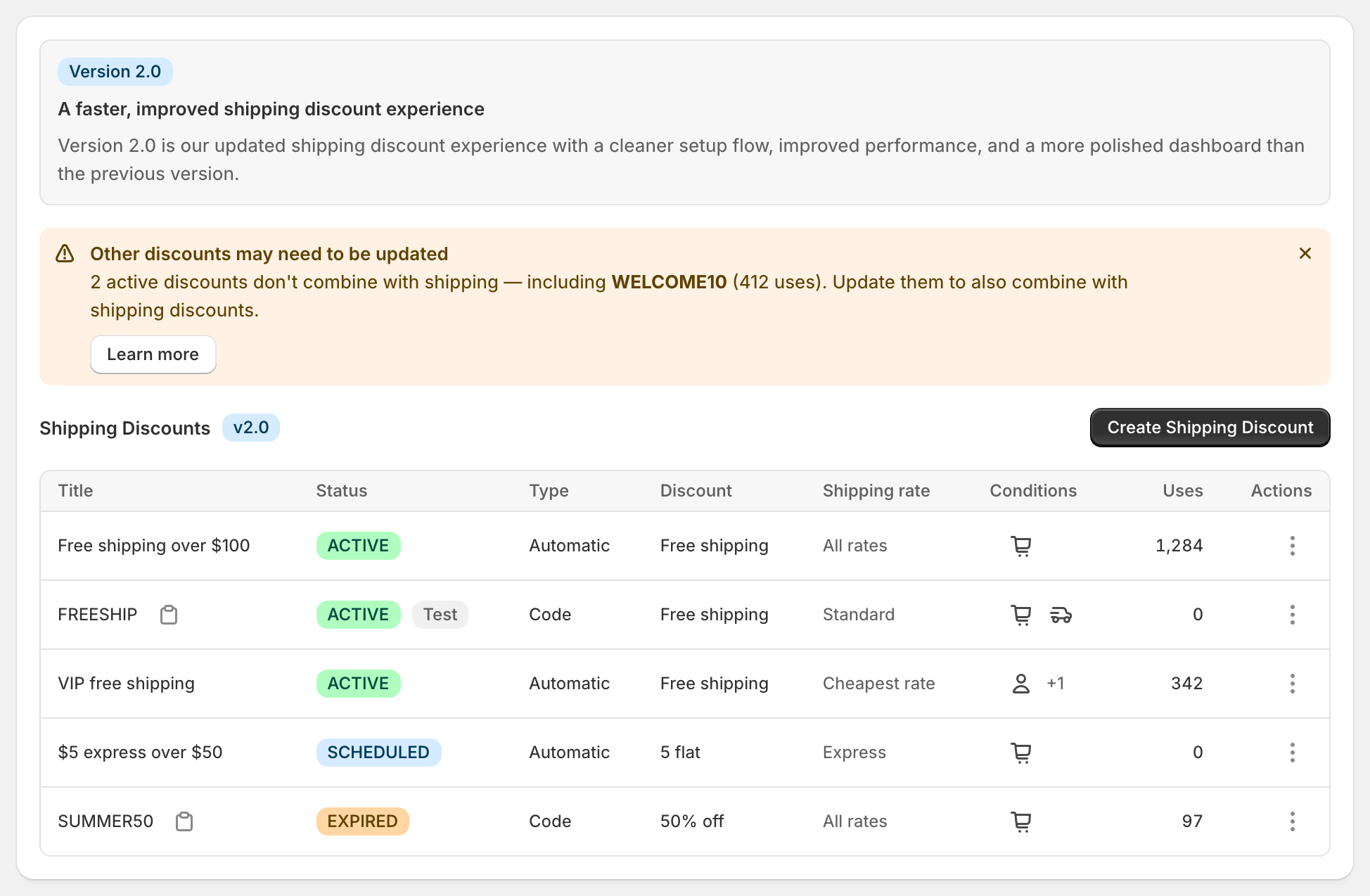
The dashboard shows Scheduled until Friday and Expired after Sunday. See schedule free shipping.
Weekend variations
- All rates free: All shipping rates, Free.
- Half-price shipping: All shipping rates, Percentage 50. Every rate shows its old price crossed out and the half price beside it.
- Free shipping on one collection: add Product collection Contains (any) and pick the collection. See free shipping on a collection.
- Domestic only: add Shipping country Is one of your country.
- Members only: add Customer tag Contains VIP. Customers must be signed in. To include guests, use Specific customer segments under Customers.
- Higher threshold on Sunday: create a second discount for Sunday with its own dates and amount.
Before the weekend
- Sale codes. If you’re also running a product or order discount, tick Shipping discounts under its Combinations. Use Cart subtotal if a code shouldn’t push carts under $40. See keep free shipping with discount codes.
- Your free shipping bar. Set it to $40 for the weekend. The app discounts the rate. It doesn’t change your theme.
- The 25-discount limit. Shopify allows 25 active automatic discounts across all apps, including scheduled and test-mode ones.
Planning a bigger weekend? See Black Friday free shipping. For one-day events, see Free Shipping Day. For targeting a single rate, see free standard shipping, not express.
RM: Advanced Free Shipping is Built for Shopify and rated 5.0 on the Shopify App Store. It costs $9.90 USD every 30 days after a 7-day free trial, billed by Shopify. Install it from the Shopify App Store.