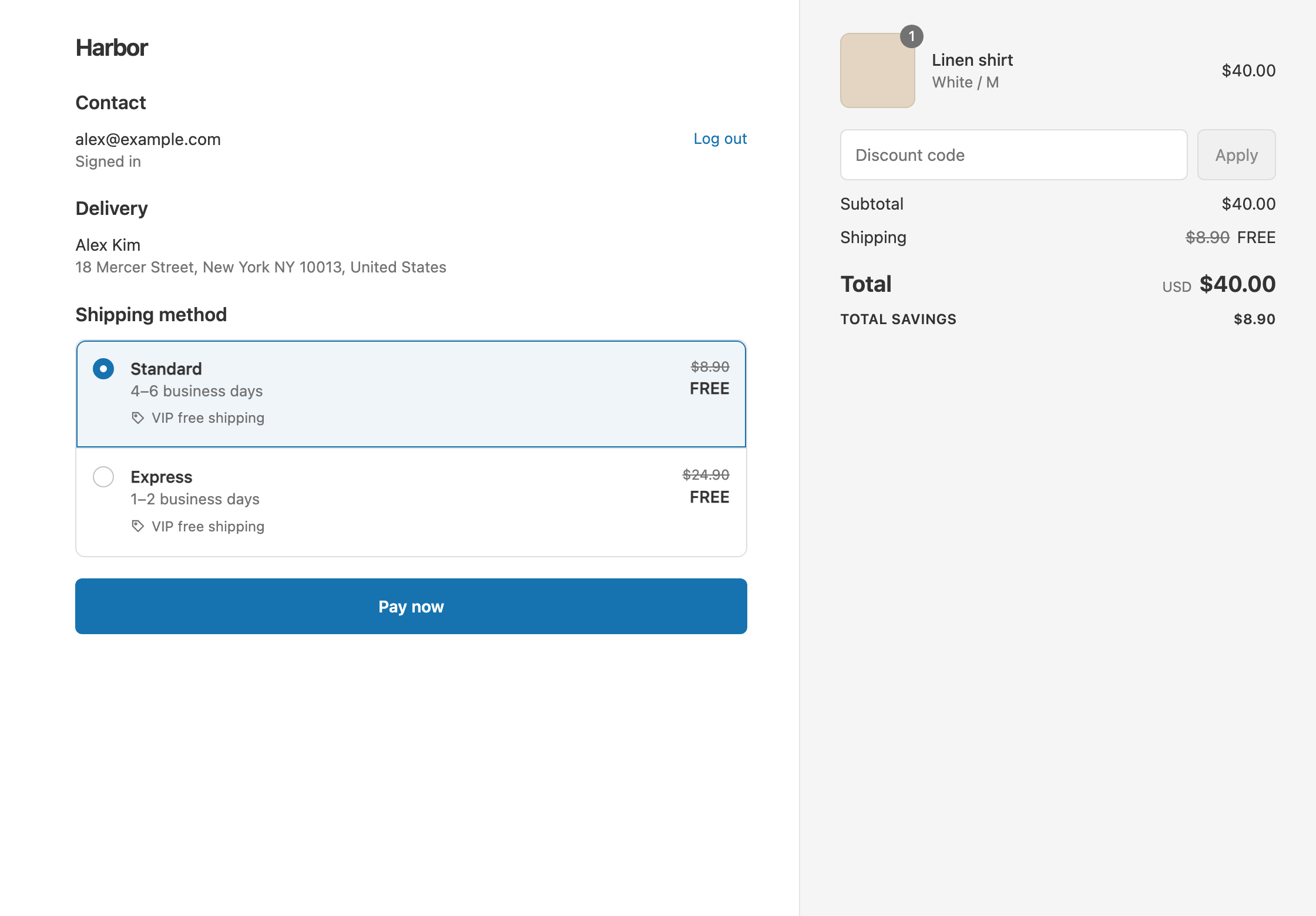
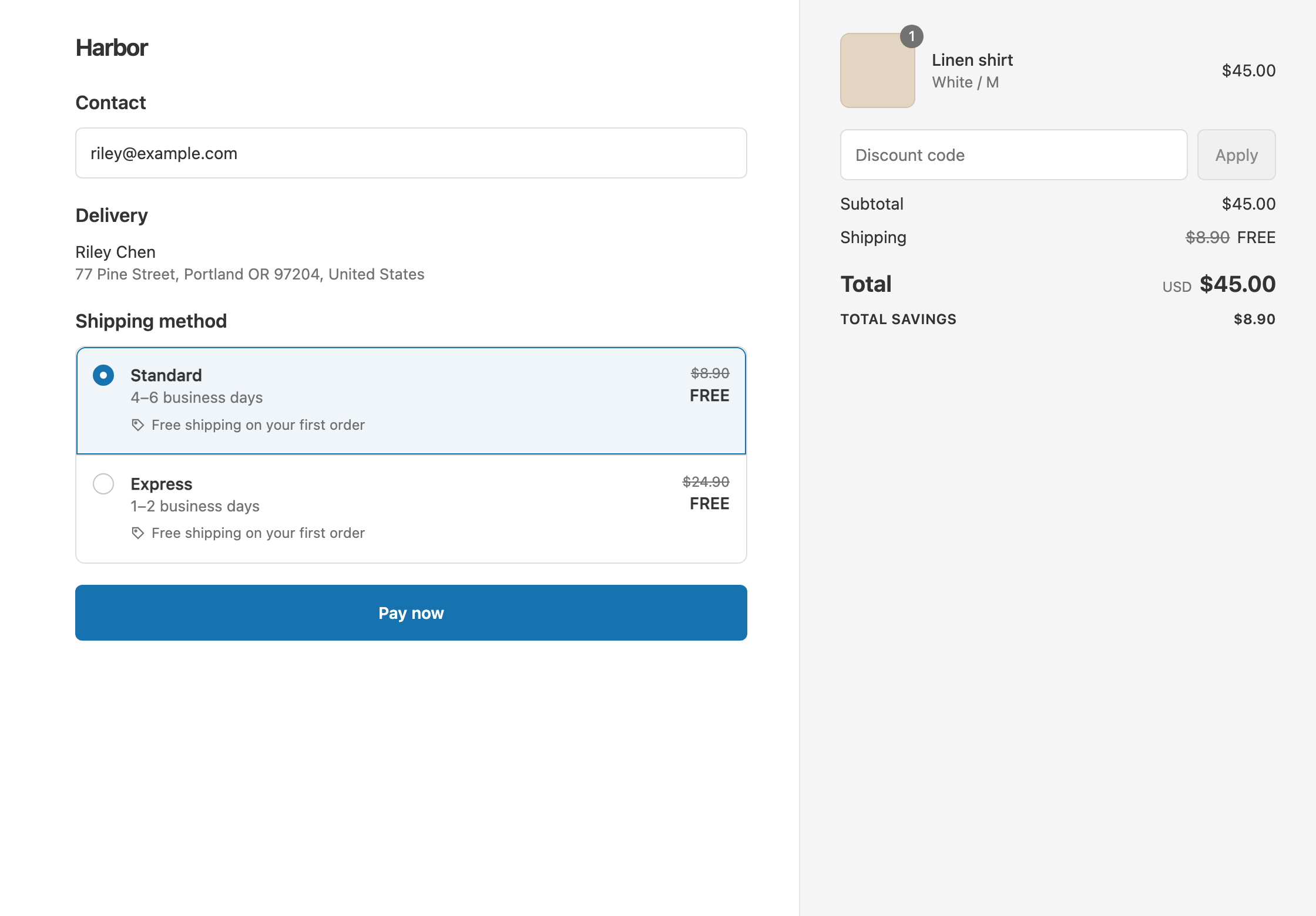
To give military members and first responders free shipping, tag each verified customer in Shopify, for example Military or FirstResponder, then create an automatic shipping discount with Customer tag Contains and both tags in that one condition. Tagged customers who sign in at checkout get free shipping on every order without a code. Shopify’s own free shipping discount can be limited to customer segments, but it has no customer tag condition and makes every eligible rate free. RM: Advanced Free Shipping reads the tag at checkout and lets you choose the rates and the discount, for example free Standard with Express at full price. It costs $9.90 USD every 30 days, with a 7-day free trial, billed by Shopify.
What the customer gets
In this example the store has two rates: Standard $8.90 and Express $24.90.
- Qualifies. A customer tagged
Militarysigns in and checks out a $35 cart. Standard and Express are both free. The customer pays $35. - Doesn’t qualify. The same customer checks out as a guest. A guest has no tags, so with Standard they pay $35 + $8.90 = $43.90.
- Doesn’t qualify. A signed-in customer without either tag pays the same $43.90.
Set it up
- Verify the customer, then tag them in Shopify admin: open the customer under Customers and add the tag
MilitaryorFirstResponder. See Shopify’s guide to using tags. If you already use a verification tool that adds tags to customers in Shopify, its tags work the same way. - In the app, click Create Shipping Discount.
- Under Discount method, choose Automatic discount. New discounts start on Discount code, and the method can’t be changed later. Enter a Title such as “Free shipping for military and first responders”. Customers see it at checkout.
- In Conditions, click Add condition and choose Customer tag. Keep Contains.
- Type
Militaryand press Enter, then typeFirstResponderand press Enter. Contains matches a customer with any of the tags. - In Discount setup, set Delivery type to Shipping, Which rates to All shipping rates and Discount value to Free.
- Click Create discount.
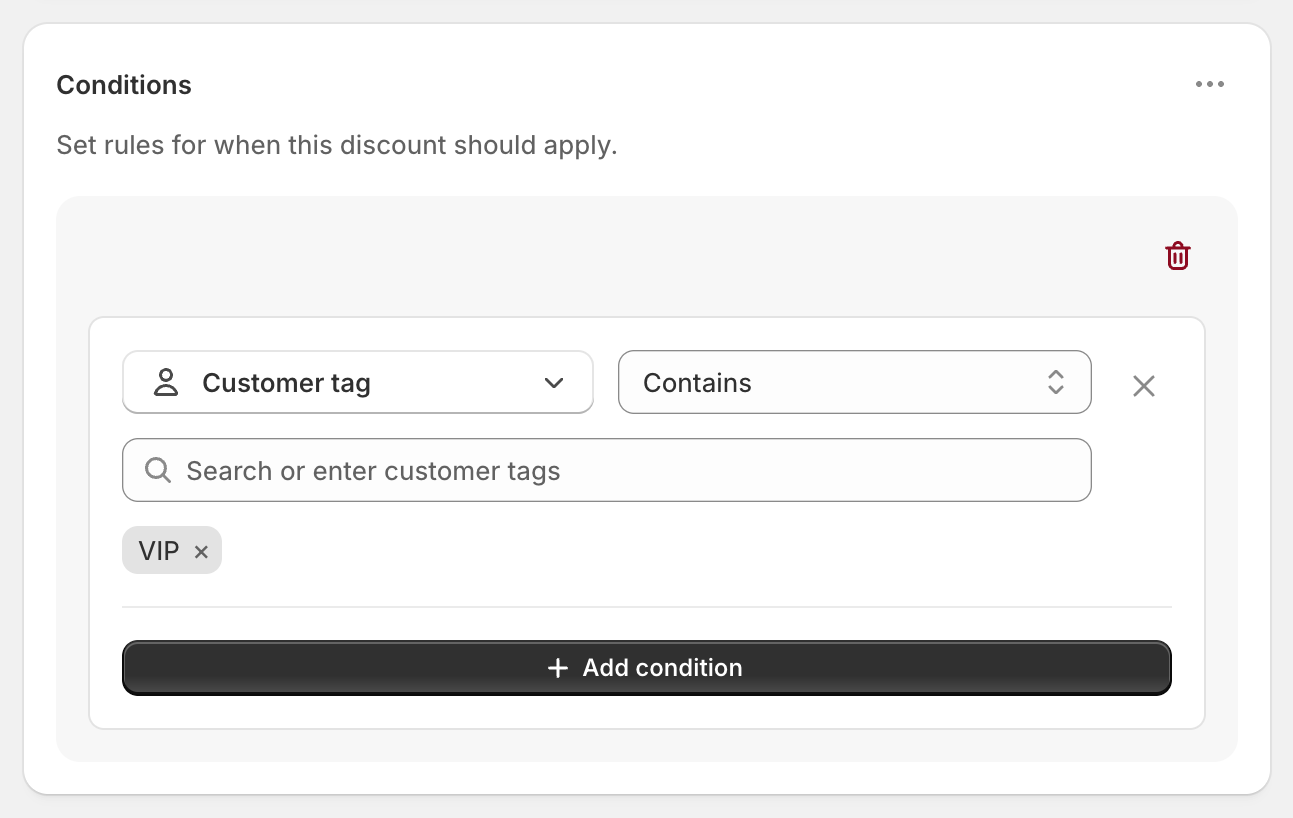
The screenshot shows the tag VIP. Type your own tags in its place.
Include customers who check out as guests
Customer tags only match customers signed in to their account at checkout. Two ways to cover everyone you’ve verified:
- Ask them to sign in. Tell verified customers, in your confirmation email or on your discount page, to sign in at checkout to get free shipping.
- Use a customer segment. In Shopify admin, build a customer segment of customers with your
MilitaryandFirstRespondertags under Customers → Segments. In the discount, go to Customers, choose Specific customer segments and pick it, and leave out the Customer tag condition. Shopify matches segments by the email or phone number entered at checkout, so a verified customer checking out as a guest with the same email qualifies.
Variations
- Free Standard, Express at full price: set Which rates to Choose specific rates and select Standard. A tagged customer who picks Express pays $35 + $24.90 = $59.90.
- Half off shipping: set Discount value to Percentage and enter 50. Standard becomes $4.45.
- Tagged customers over $25: add Cart total Is at least 25 in the same rule group. Both must pass.
- Tagged customers always, everyone else over $100: open the ⋯ menu on Conditions, choose Add rule group, and add Cart total Is at least 100.
- Veterans too: add a
Veterantag to the same Customer tag condition.
Good to know
- To cover several groups, put every tag in one Customer tag condition. Use one Customer tag condition per discount.
- To give different groups different rewards, create a separate discount for each, each with its own single tag condition. If a customer qualifies for both, Shopify gives them the one that saves the most.
- To exclude someone as well, such as a blocked customer, use a Shopify customer segment that leaves them out.
- To remove the benefit, delete the tag from the customer in Shopify admin. Their next checkout pays normal shipping.
- “Is exactly” works the same as Contains for customer tags today, so either is fine.
- To test it, sign in to a test customer account with the tag. In Test mode, also use
ABC123as the shipping first name.
Related
- Free shipping for students and teachers
- Free shipping for staff and ambassadors
- Free shipping for VIP customers
- Conditional free shipping on Shopify
Install RM: Advanced Free Shipping from the Shopify App Store.