To exclude oversized items from free shipping, put them in a collection called “Oversized”, then add two conditions to one shipping discount: Cart total Is at least 100 AND Product collection Does not contain Oversized. Shopify’s own free shipping discount has no product or collection conditions, so it can’t leave bulky items out. RM: Advanced Free Shipping checks the cart at checkout and keeps normal shipping whenever an oversized item is there. The app is $9.90 USD every 30 days, with a 7-day free trial, billed by Shopify.
What the customer gets
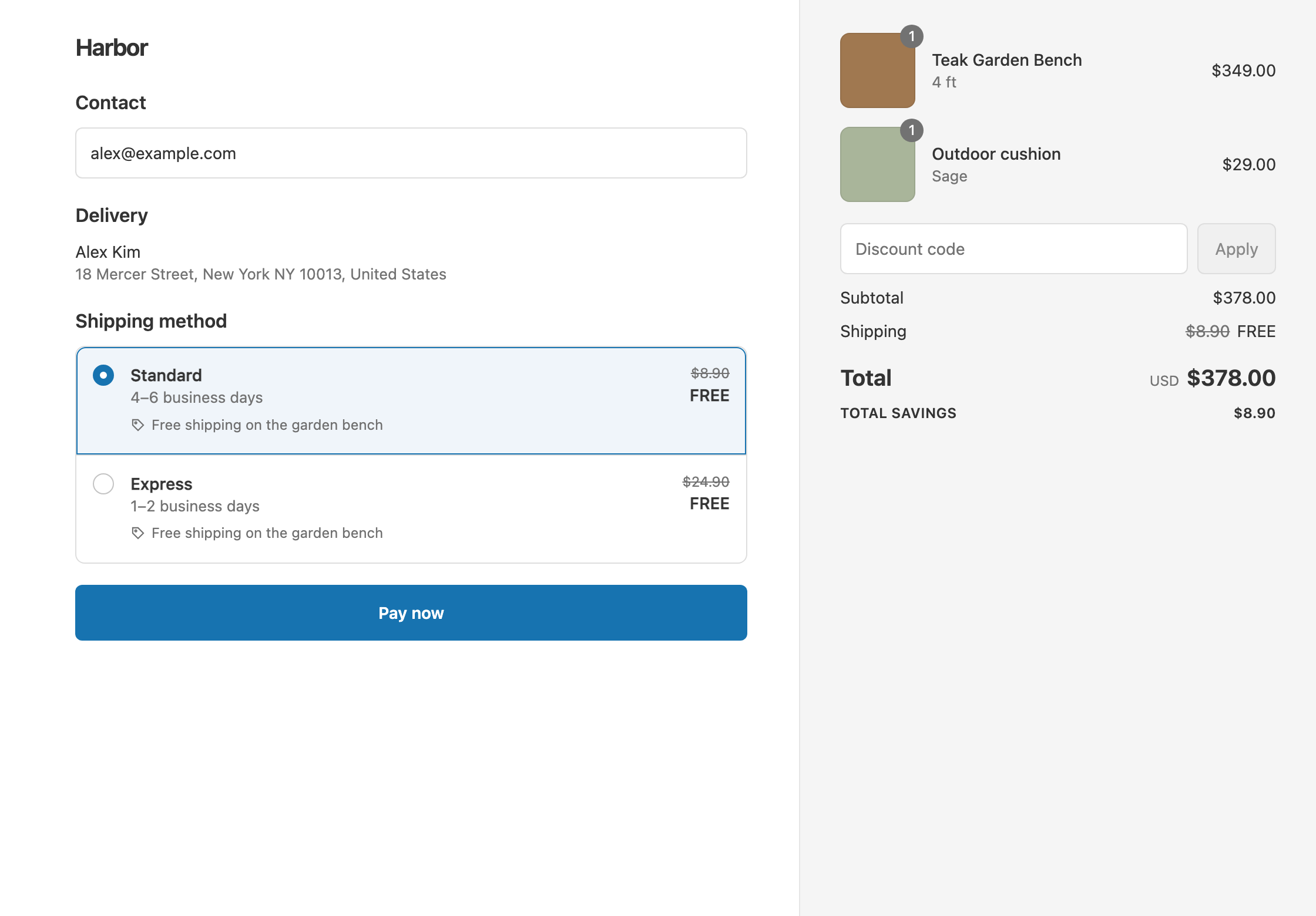
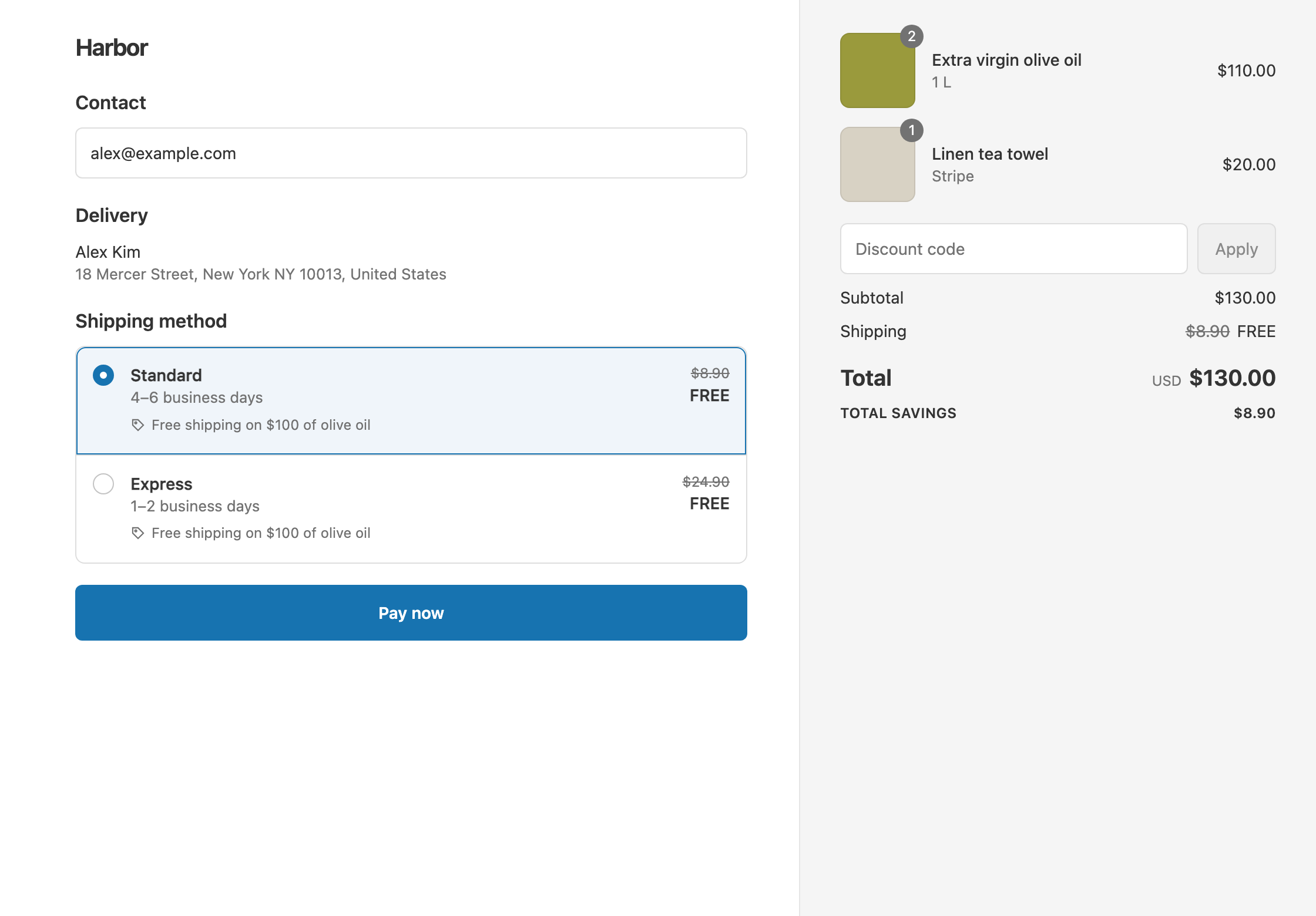
In this example the store has two rates: Standard $8.90 and Express $24.90. A $320 garden bench sits in the Oversized collection.
- Qualifies. A $70 lamp and a $45 cushion make a $115 cart with nothing oversized. Standard and Express both show as free. The customer pays $115.
- Doesn’t qualify. The same $115 plus the $320 bench makes a $435 cart. The bench is oversized, so the rates stay at full price. If the carrier quotes Standard at $34.90 for the heavier cart, the customer pays $435 + $34.90 = $469.90.
- Doesn’t qualify. An $80 cart with nothing oversized is under $100. With Standard at $8.90, the customer pays $88.90.
The app discounts whatever shipping rates Shopify shows for that cart. It doesn’t change how your rates are calculated.
Set it up
- In Shopify admin, create a collection named “Oversized” and add your bulky products. A smart collection on a tag such as “oversized” keeps it up to date.
- In the app, click Create Shipping Discount.
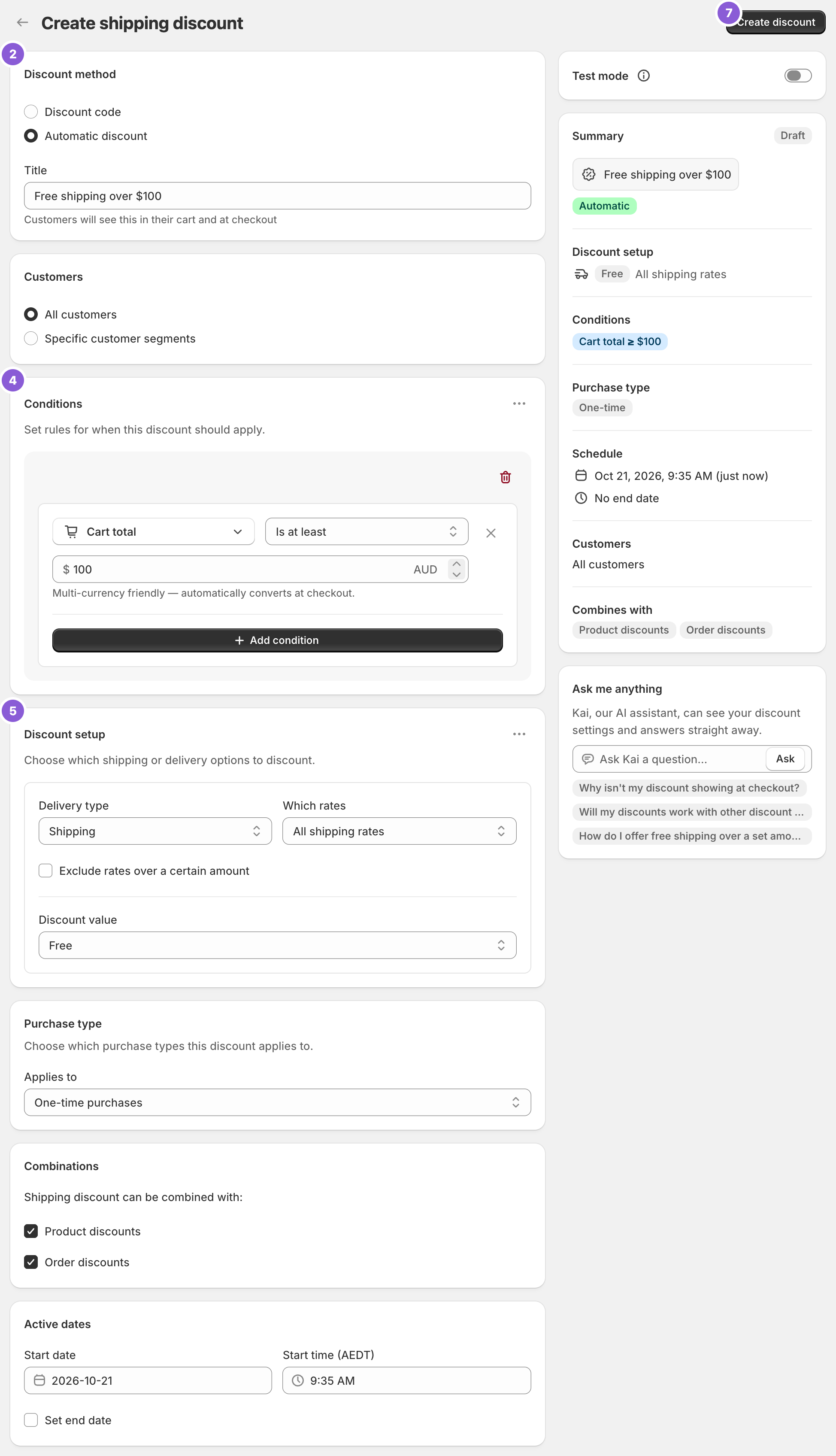
- Under Discount method, choose Automatic discount. New discounts start on Discount code, and the method can’t be changed later. Enter a Title such as “Free shipping over $100”.
- In Conditions, click Add condition. Choose Cart total, set Is at least and enter
100. - Click Add condition again. Choose Product collection, set Does not contain, and pick the Oversized collection.
- In Discount setup, set Delivery type to Shipping, Which rates to All shipping rates and Discount value to Free.
- Click Create discount.
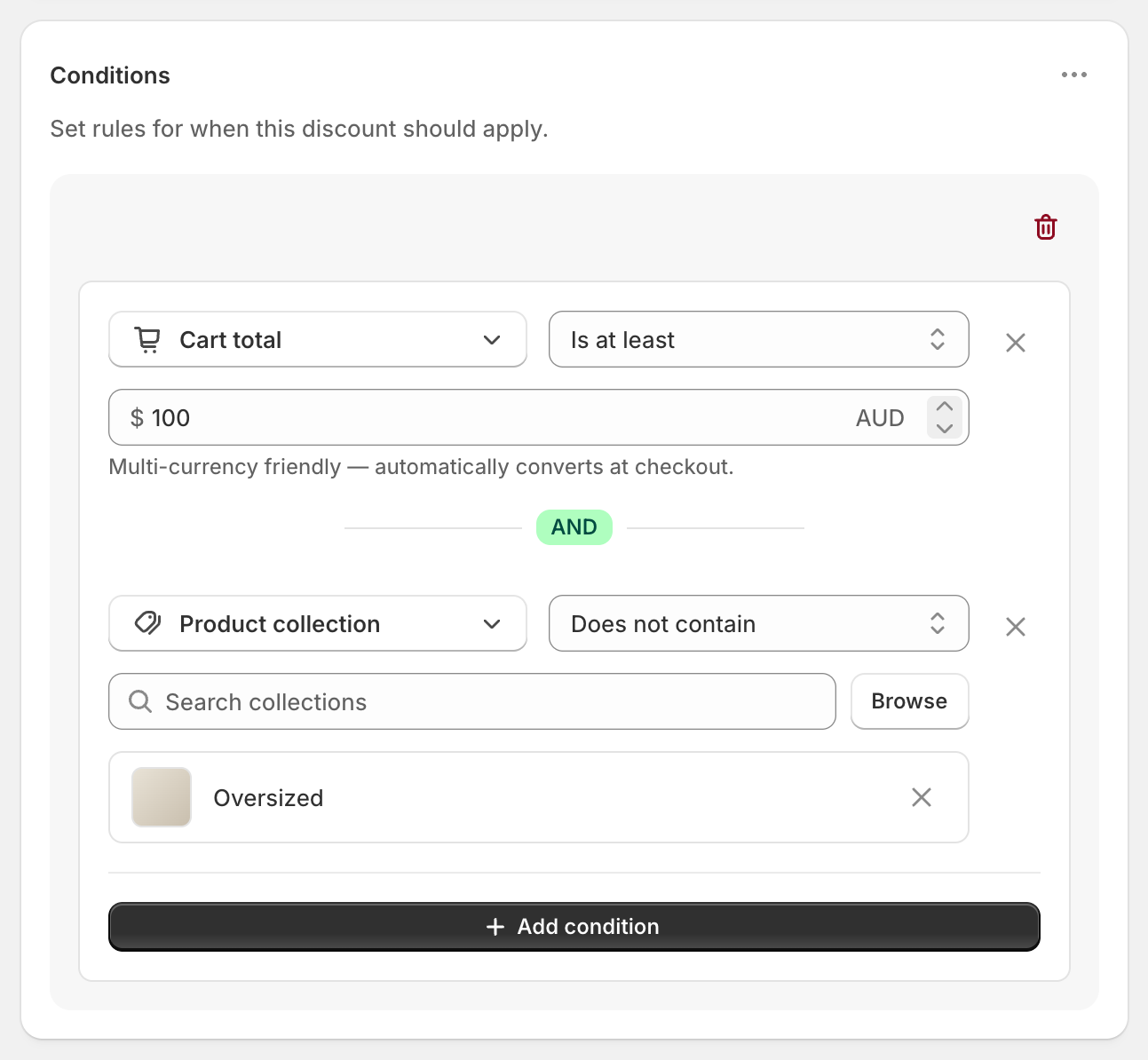
Both conditions sit in the same rule group, joined with AND, so the cart must pass both.
Variations
- Oversized items ship free only on their own: create a separate discount with Product collection Contains (only) Oversized. Every item in the cart must be from the collection.
- Oversized items don’t count toward $100, but don’t block free shipping: use Cost of items from collection (total) Is at least 100 instead, with a smart collection that excludes the oversized tag. Only the items in that collection count toward the threshold.
- A weight cap instead of a collection: use Cart total Is at least 100 AND Cart weight Is at most 20 kg. See free shipping by weight.
- Free Standard only: set Which rates to Choose specific rates and select Standard. Express stays $24.90.
- Count the $100 before discount codes: use Cart subtotal instead of Cart total.
Good to know
- To exclude products by tag, build the Oversized collection as a smart collection on that tag. The app has no product tag condition, so the collection does the job.
- To exclude more than one group, add all of them to the same Product collection condition, for example Oversized and Freight. Keep one collection condition per discount.
- To set a weight cap in kilograms, pick kg before you type the number. The unit starts on grams.
- To check it before customers see it, switch on Test mode and use
ABC123as the shipping first name. Try a cart with the bench and one without. See test a shipping discount. - Shipping is charged per rate, not per item. A discount can’t make the cushion ship free while the bench pays. It decides for the whole cart.
Related
- Free shipping on a collection
- Free shipping on specific products
- Free shipping over $100
- Conditional free shipping on Shopify
Install RM: Advanced Free Shipping from the Shopify App Store.