To give free delivery to metro postcodes, add a Postcode / ZIP condition set to Matches any of and enter the metro area as a range, such as 2000:2234 for Sydney metro or 3000:3207 for Melbourne metro. Then set the rates to Free. Shopify’s own free shipping discount can only be limited by country or market, and postcodes are only built into local delivery. RM: Advanced Free Shipping adds postcode conditions to shipping discounts, with flat rates or carrier rates. It costs $9.90 USD every 30 days, with a 7-day free trial, billed by Shopify.
What the customer gets
In this example the store sells in AUD and offers free shipping over $50 to Sydney metro, 2000:2234. Standard is $9.95 and Express is $14.95.
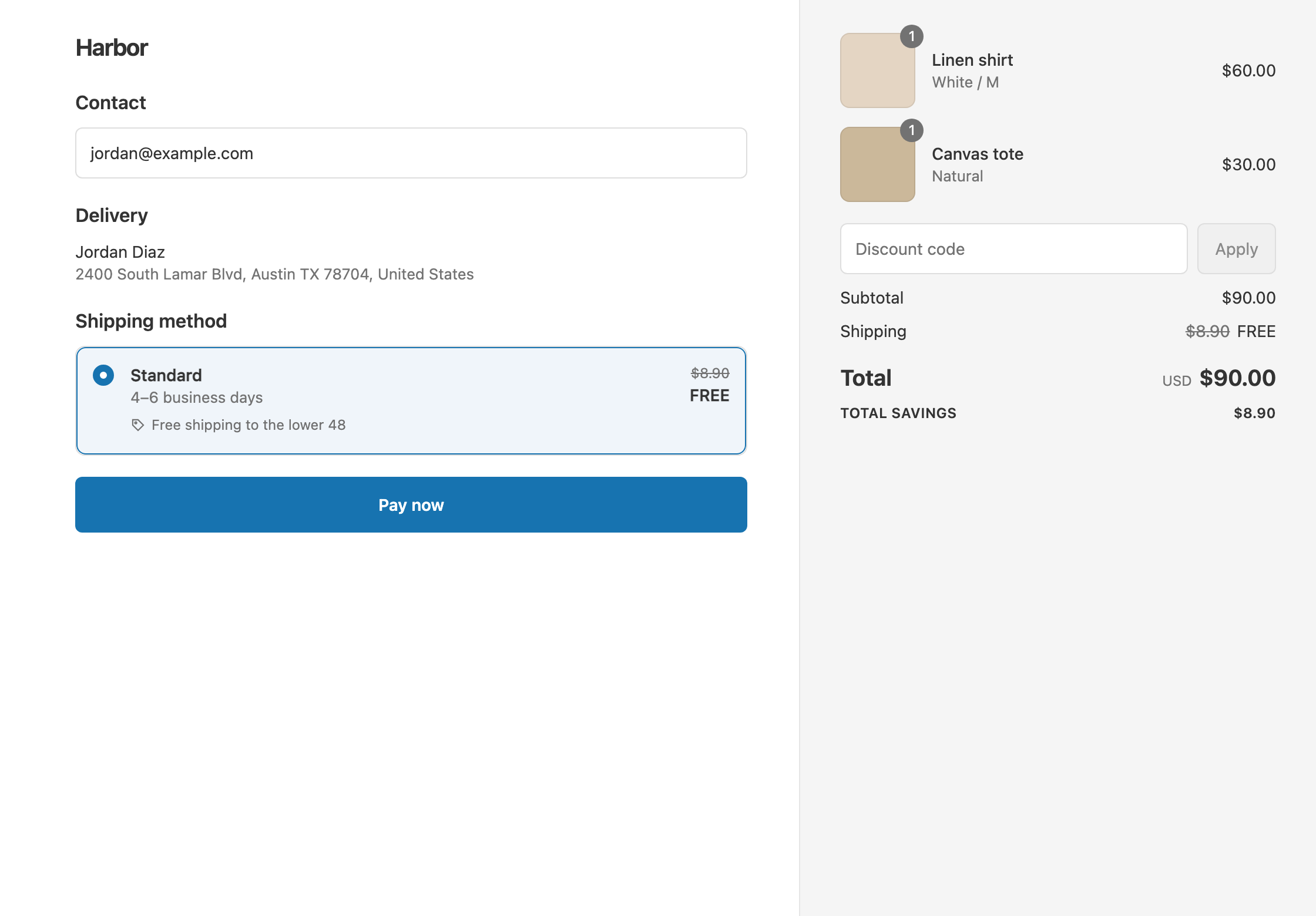
- Qualifies. A $60 cart shipping to postcode 2010. It falls inside the range, so Standard and Express are both free. The customer pays $60.
- Doesn’t qualify. The same $60 cart shipping to postcode 2250, outside the range. With Standard, the customer pays $60 + $9.95 = $69.95.
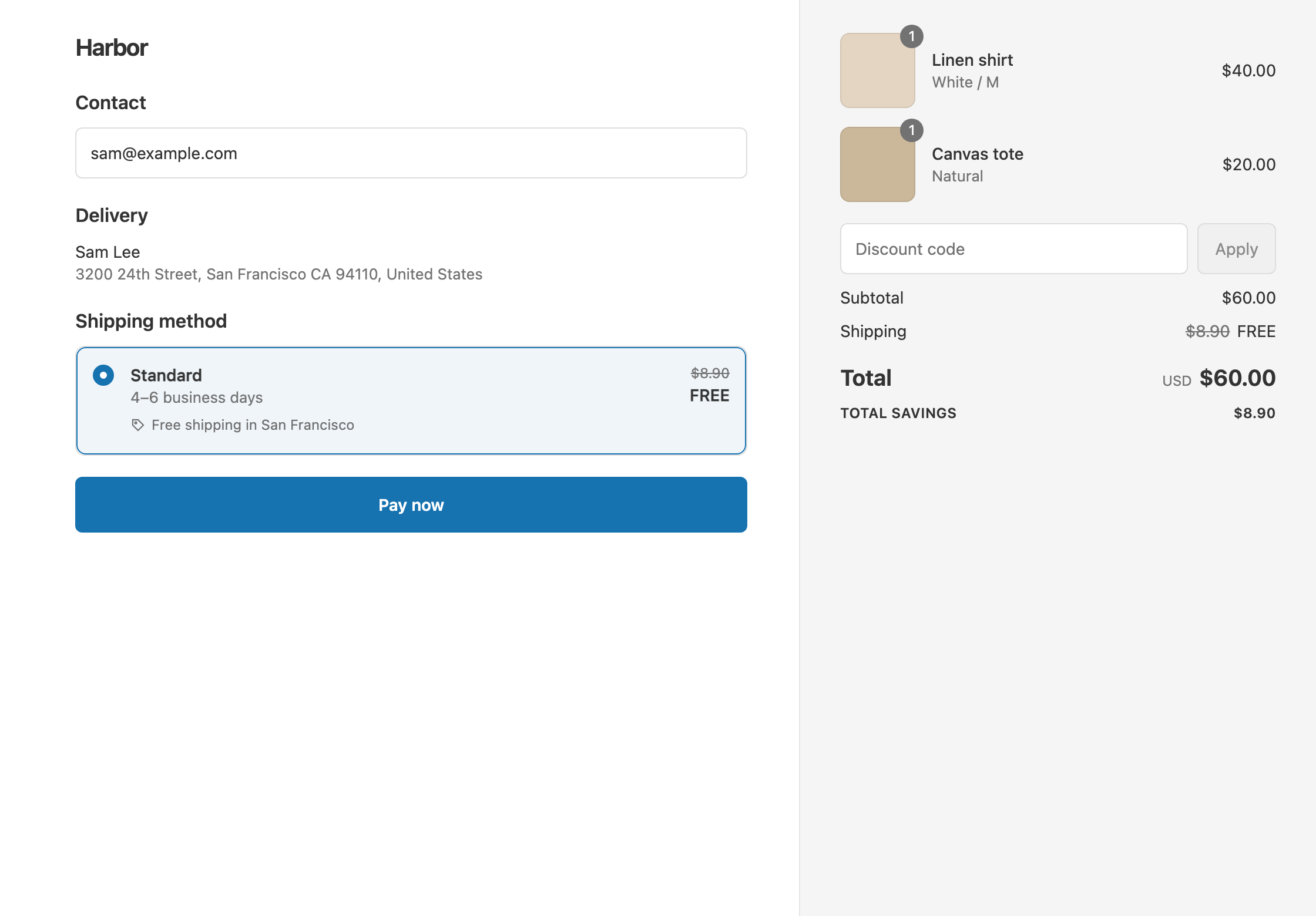
- Doesn’t qualify. A $40 cart shipping to 2010 is under $50. With Standard, the customer pays $40 + $9.95 = $49.95.
Set it up
- In the app, click Create Shipping Discount.
- Under Discount method, choose Automatic discount. New discounts start on Discount code, and the method can’t be changed later. Enter a Title such as “Free Sydney metro delivery over $50”.
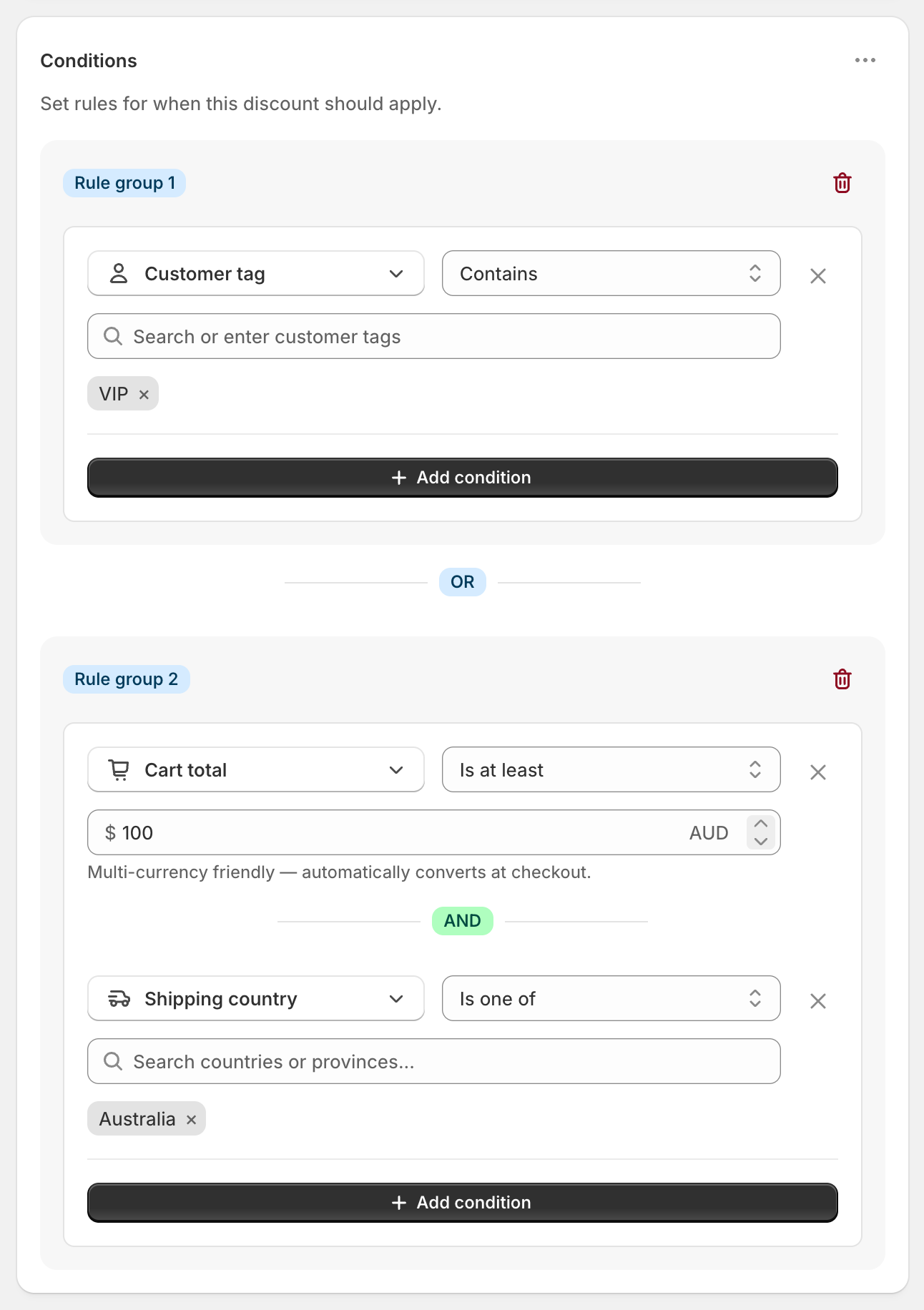
- In Conditions, click Add condition and choose Postcode / ZIP. Set Matches any of.
- Type
2000:2234and press Enter or click Add. It shows a range badge. - Click Add condition, choose Shipping country, set Is one of and select Australia.
- Click Add condition again. Choose Cart total, set Is at least and enter
50. - In Discount setup, set Delivery type to Shipping, Which rates to All shipping rates and Discount value to Free.
- Click Create discount.
All three conditions sit in the same rule group, so all must pass.
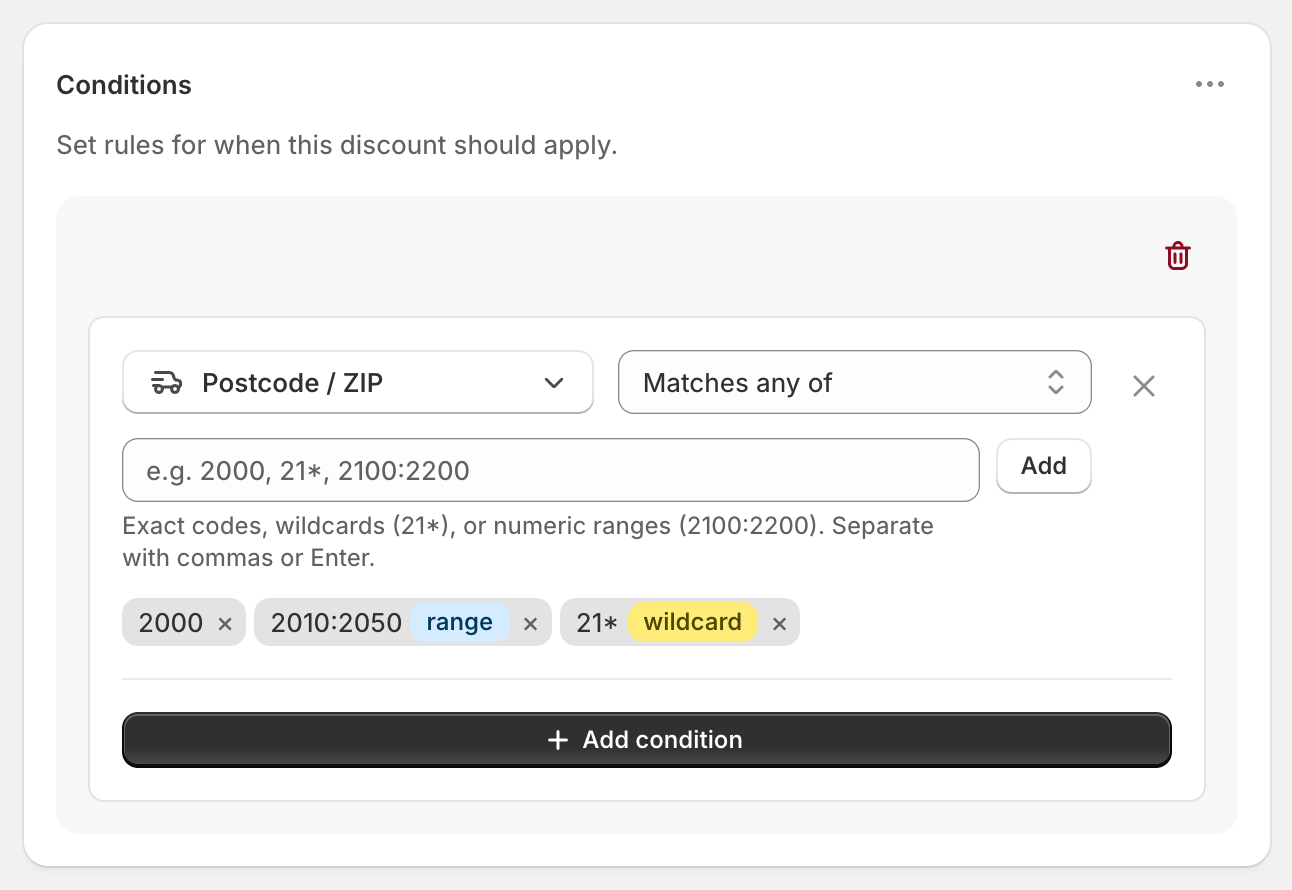
Each code shows a range or wildcard badge when the app reads it that way. No badge means an exact match.
Postcode syntax
- Exact:
2000matches only 2000. - Prefix:
20*matches every code that starts with 20, such as 2000, 2010 and 2099. The*only works at the end. - Range:
2000:2234matches every number from 2000 to 2234. Use a colon, not a hyphen.2000-2234gets no badge and won’t work as a range.
Spaces and upper or lower case are ignored, so m5v 2t6 matches M5V2T6. You can paste a list separated by commas or new lines.
Variations
- Sydney and Melbourne metro: add both ranges to the same condition:
2000:2234and3000:3207. Matches any of passes if the postcode is in either. - Free metro delivery with no minimum: leave out the Cart total condition.
- $5 metro shipping instead of free: set Discount value to Fixed Price and enter 5. Standard becomes $5.
- Everywhere except metro: use Does not match with the same ranges, for example to help regional customers.
- Free metro shipping, or any order over $150: open the ⋯ menu on Conditions, choose Add rule group, and add Cart total Is at least 150. Any group that passes triggers the discount.
- Your own local delivery: set Delivery type to Local delivery and Discount value to Free. See free local delivery.
- Outside Australia: use prefixes, such as
941*for one US ZIP area,M5V*for a Canadian area orSW1*for a UK area.
Good to know
- To check your ranges, compare them with your own delivery area before you go live. These metro ranges are a starting point.
- To stop overseas codes matching, keep the Shipping country condition. Ranges compare numbers only, and leading zeros are ignored, so a five-digit US ZIP code starting with 0 can fall inside an Australian range.
- To cover Canadian or UK postcodes, use prefixes. Ranges only work for numeric codes.
- To match US ZIP+4 codes like
94107-1234, use94107*. - To keep the discount working, use ranges and prefixes instead of long lists of single postcodes. Shopify limits how much a discount can hold.
- To see it at checkout, enter the shipping address first. Until then, Matches any of doesn’t match yet.
Related
- Free shipping by ZIP code
- Free local delivery
- Free shipping by state
- Conditional free shipping on Shopify
Install RM: Advanced Free Shipping from the Shopify App Store.