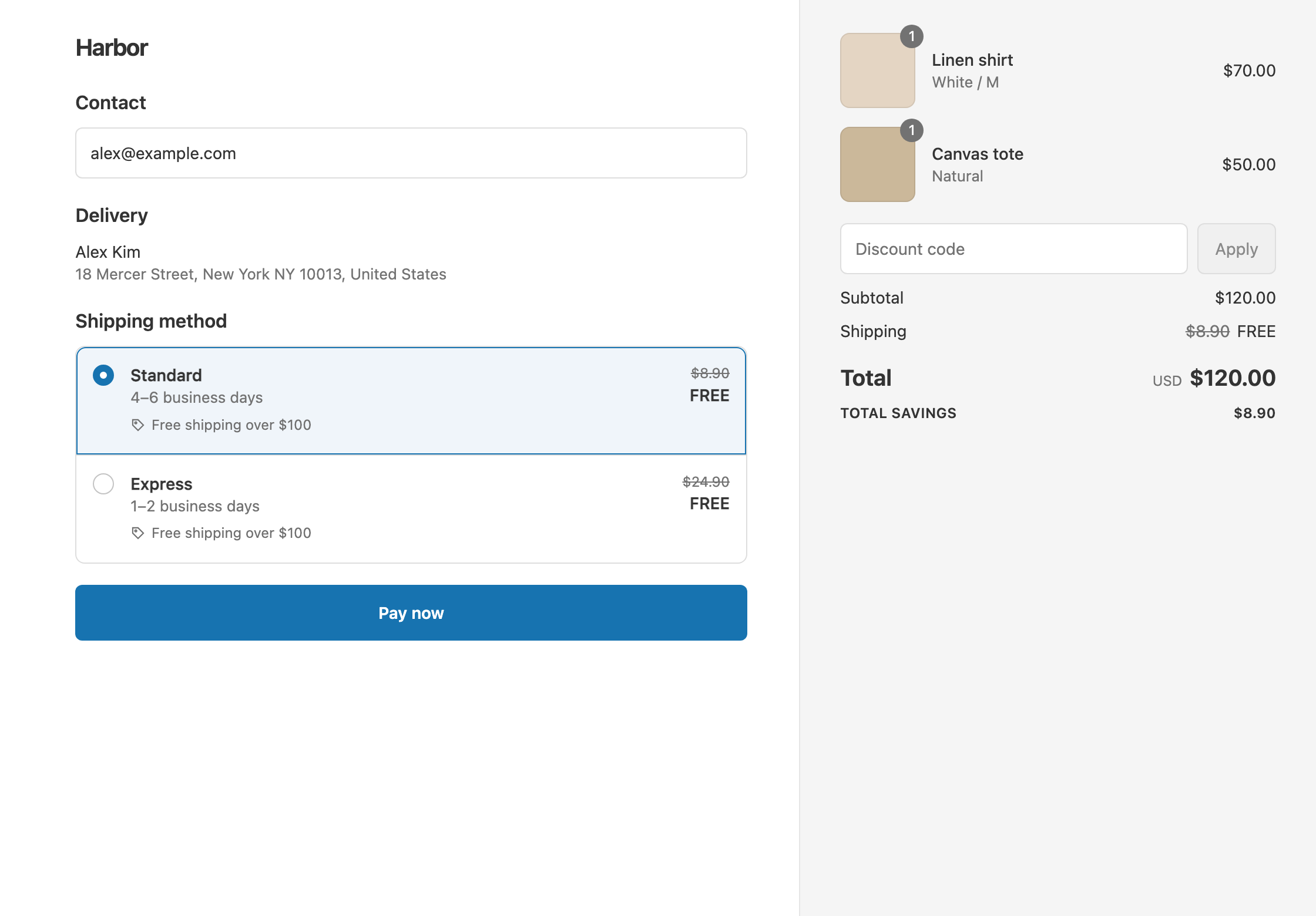
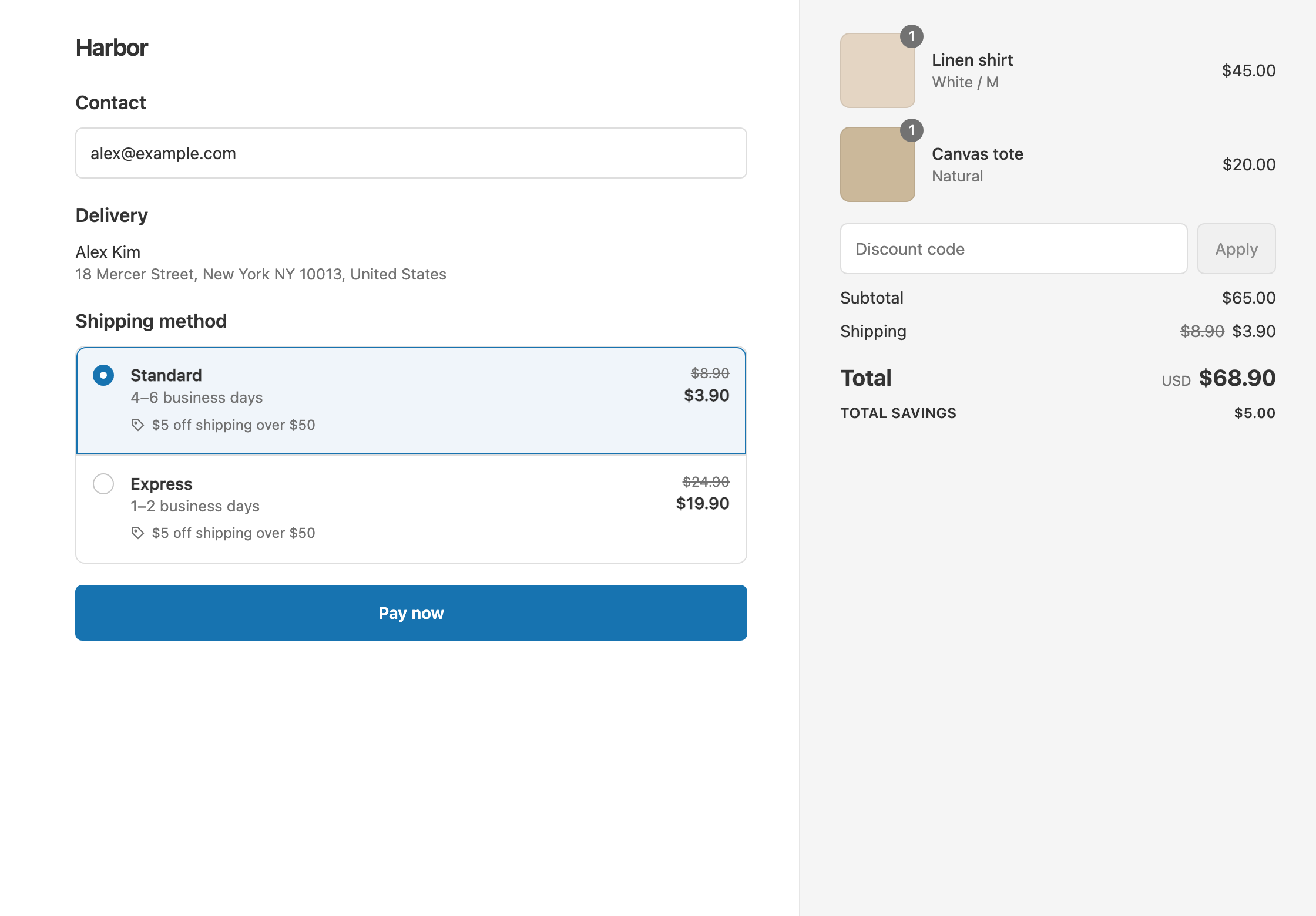
To charge less for light orders, add the condition Cart weight Is at most 500 g and set your Standard rate to Fixed Price 4. Carts of 500 g or less pay $4 for Standard, and heavier carts pay your normal rates. Shopify’s own free shipping discount has no weight condition and can only make shipping free, not set a price. RM: Advanced Free Shipping checks the cart weight in g, kg, oz or lb at checkout and discounts the rates you already have, flat or carrier-calculated. It costs $9.90 USD every 30 days, with a 7-day free trial, billed by Shopify.
What the customer gets
In this example the store sells socks at $12.50 a pair, each weighing 100 g. The rates are Standard $8.90 and Express $24.90.
- Two pairs ($25, 200 g): under 500 g, so the cart qualifies. Standard drops from $8.90 to $4. The customer pays $25 + $4 = $29. Express stays $24.90.
- Five pairs ($62.50, 500 g): exactly 500 g still qualifies, because the operator is Is at most. The customer pays $62.50 + $4 = $66.50.
- A 1.2 kg hoodie order ($60): over 500 g, so nothing changes. With Standard, the customer pays $60 + $8.90 = $68.90.
The weight is each product’s weight in Shopify, times the quantity.
Set it up
- In the app, click Create Shipping Discount.
- Under Discount method, choose Automatic discount. New discounts start on Discount code, and the method can’t be changed later. Enter a Title such as “$4 shipping on small orders”. Customers see it at checkout.
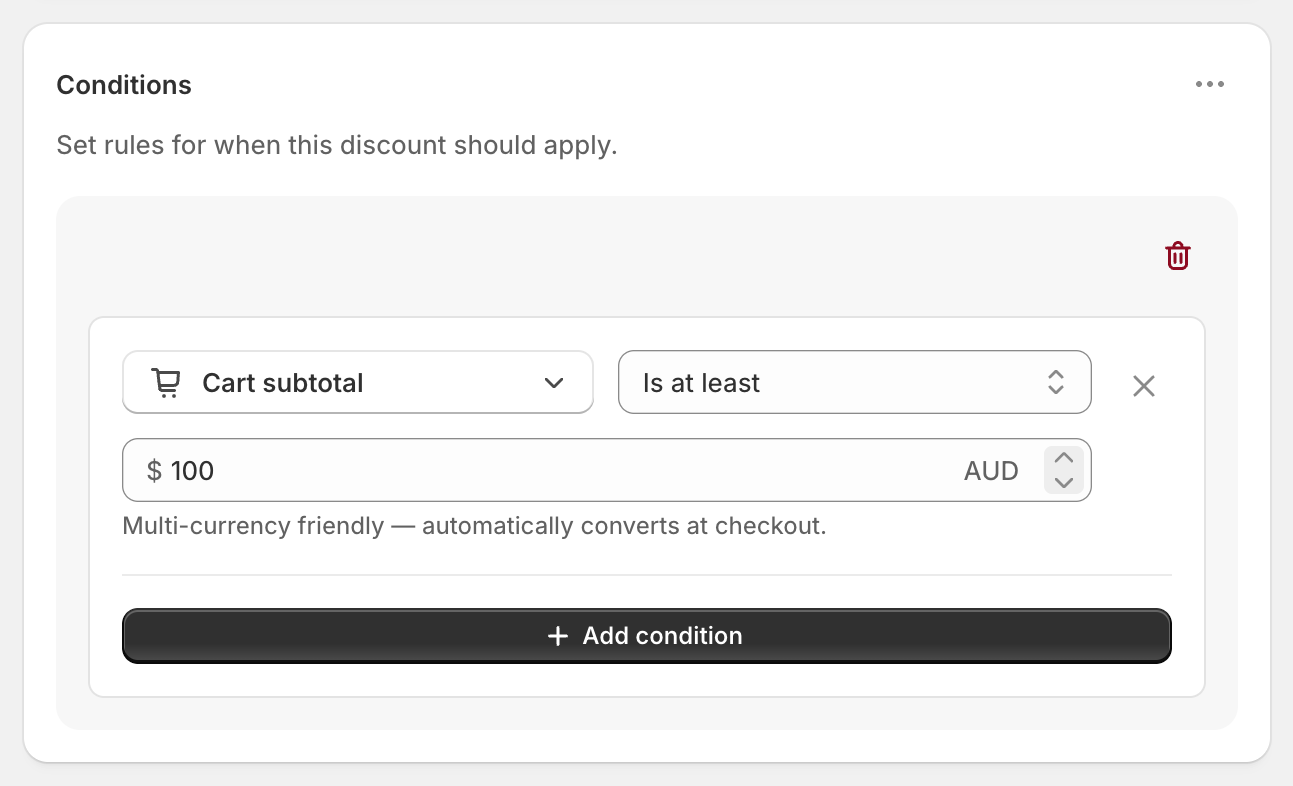
- In Conditions, click Add condition and choose Cart weight. Set the operator to Is at most.
- Leave the unit on g (grams), the default, and enter
500. - In Discount setup, set Delivery type to Shipping and Which rates to Choose specific rates. Select Standard from the list.
- Set Discount value to Fixed Price and enter
4. - Click Create discount.
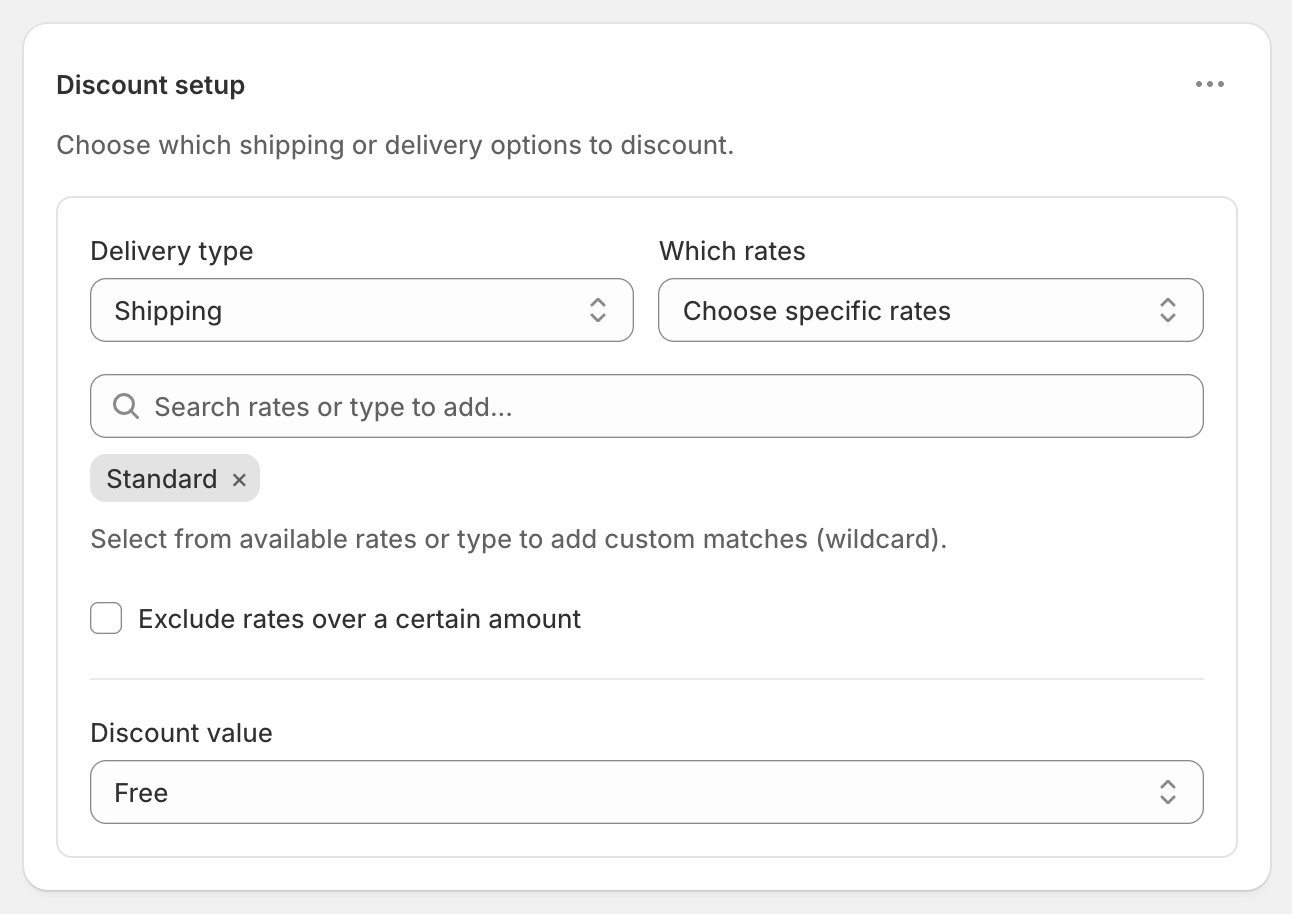
The screenshot shows Free. Choose Fixed Price in step 6 to set a price instead.
How Fixed Price works
Fixed Price sets the rate to exactly the amount you enter, and only ever lowers it. In this example:
- Standard at $8.90 becomes $4.
- A carrier rate that comes back at $3.60 for a tiny parcel stays $3.60. Fixed Price never raises a rate.
With live carrier-calculated rates, the price changes with weight and distance, so a $4 cap gives light orders a predictable price.
Variations
- Free shipping on light orders: set Discount value to Free. Two pairs of socks cost $25 in total.
- US units: choose lb and enter
1(about 454 g). Products weighed in grams or kilograms are converted to the unit you pick. - Light orders over $20 only: add Cart total Is at least 20 in the same rule group. Both must pass.
- The cheapest rate instead of Standard by name: set Which rates to Cheapest shipping rate. This works well with carrier rates whose names vary.
- Light orders, or any cart over $100 free: create a second discount with Cart total Is at least 100 and Free. If a cart qualifies for both, Shopify gives the customer the one that saves the most.
- $2 off instead of a set price: use Fixed Amount Off
2. Standard becomes $6.90.
Good to know
- To count every product, give every product a weight in Shopify. Products with no weight count as 0, so a cart of unweighed items passes “Is at most 500 g”.
- To get the unit right, pick it before you type the number. 500 g and 500 kg are very different carts.
- To keep this in one country, add Shipping country Is one of in the same rule group.
- To make the cheapest rate work, remove any $0 rate from Settings → Shipping and delivery. A $0 rate counts as the cheapest.
- To test it, turn on Test mode and check out with the shipping first name
ABC123, with a cart just under and just over 500 g.
Related
- Free shipping by weight
- Flat rate shipping over an amount
- Cap the shipping cost
- Shipping discount types
Install RM: Advanced Free Shipping from the Shopify App Store.