To switch shipping discount apps, rebuild each rule in RM: Advanced Free Shipping with Test mode on, check it on your live checkout, then turn off the old discount and turn on the new one. Test mode means customers keep getting the old app’s discount while you test. The app gives free, percentage off, money off or a fixed price on all rates, the cheapest rate or the rates you name, with cart, product, collection, location and customer conditions. It costs $9.90 USD every 30 days, with a 7-day free trial, billed by Shopify.
Step 1: Write down what each rule does
Open your current app and note, for each discount:
- Automatic or code, and the code and title customers see.
- The conditions: thresholds, products, collections, countries, states, ZIP codes, customer tags.
- Which rates it discounts, and by how much.
- Start and end dates, usage limits, and which other discounts it combines with.
Screenshots are fine. If you’d like help, send them to Brad, the developer. Free personalised setup is included.
Step 2: Rebuild each rule
Most rules map straight across:
| Old rule | In RM: Advanced Free Shipping |
|---|---|
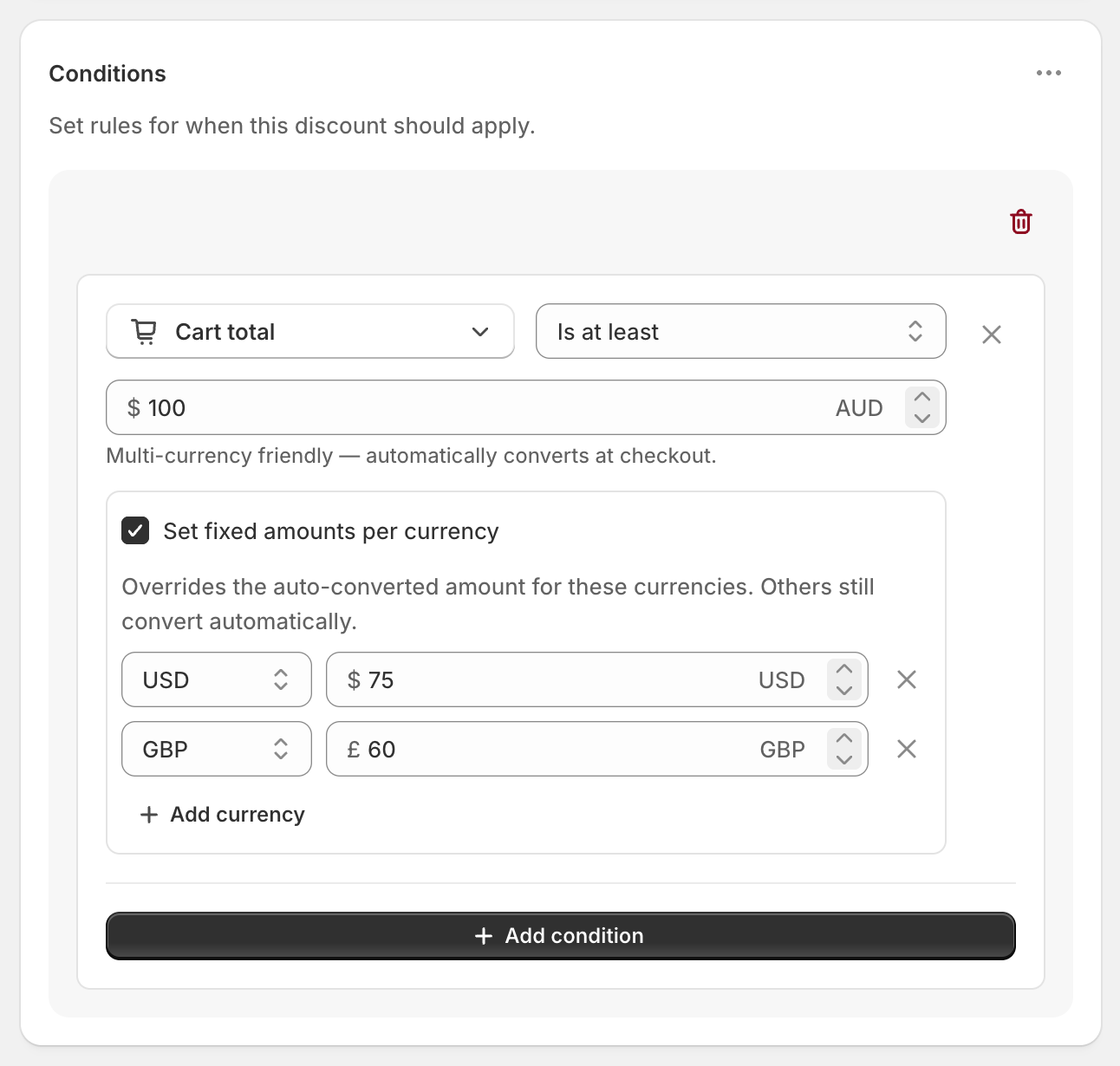
| Free shipping over $X | Cart total or Cart subtotal Is at least X |
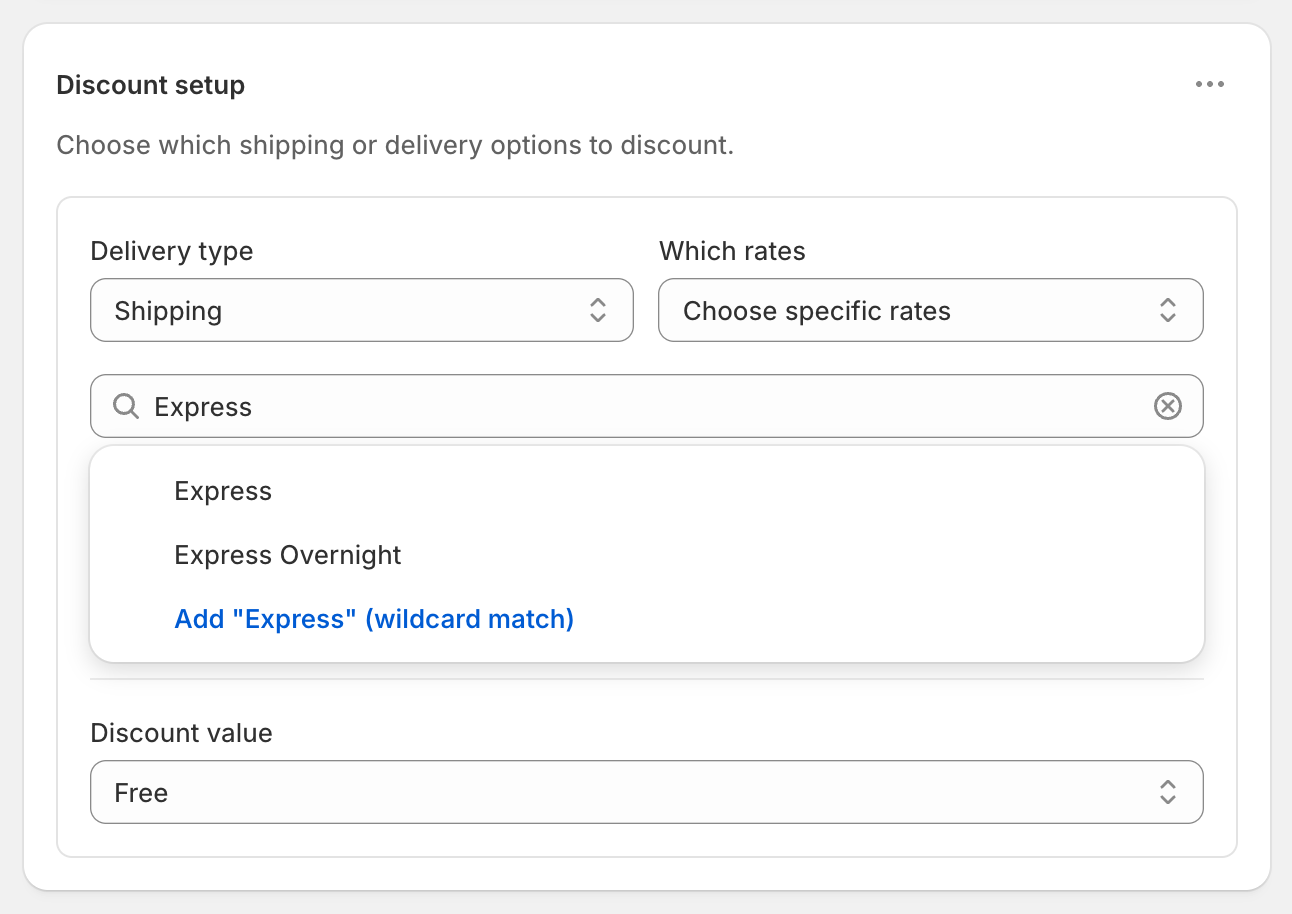
| Discount one shipping method | Choose specific rates. Pick a rate, or type a keyword and choose the wildcard match |
| Free cheapest rate | Cheapest shipping rate |
| Percentage, amount off or flat price | Percentage, Fixed Amount Off or Fixed Price |
| Customer tag or group | Customer tag, or Specific customer segments under Customers |
| Products or collections | Product in cart, Variant selector, Product collection, or item count or cost from a collection |
| Country, state, ZIP | Shipping country, Province / State, Postcode / ZIP |
| Weight or item count | Cart weight or Cart quantity |
| Several ways to qualify | Rule groups, joined with OR |
Choose Automatic discount or Discount code under Discount method before you save. New discounts start as codes, and the method can’t change later. If the old discount was a code, you can reuse the same code once the old one is deleted. Shopify won’t allow two discounts with the same code at once.
For a product tag rule, make a smart collection on the tag and use a Product collection condition.
Step 3: Test side by side
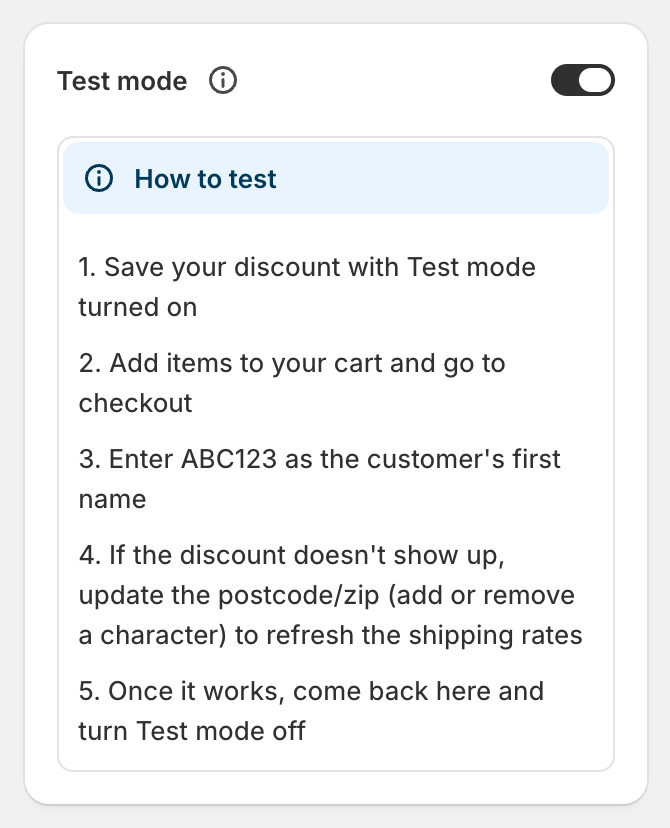
With Test mode on, the new discount only applies when the shipping first name is ABC123. Everyone else still gets the old app’s discount.
A worked check, for a rule of free Standard over $75 with Express full price. Standard is $8.95 and Express is $24.00.
- First name ABC123, $80 cart: Standard shows
$8.95Free and Express stays $24.00. The customer would pay $80.00 with Standard. - First name ABC123, $70 cart: no discount from the new rule. Standard costs $8.95, for $78.95.
If the old app’s discount also covers your test cart, Shopify shows only one discount per rate: the one that saves the customer the most. So test where the new rule should differ from the old one, or check the discount title under the rate. Code discounts still need their code during a test.
Test just below and above each threshold, each rule group, and an address inside and outside any location rule. Customer tag rules need you signed in as a test customer.
Step 4: Switch over
- Turn off or delete the old app’s discount.
- Turn off Test mode on the new one. It applies to customers straight away.
- Check a real cart.
- Uninstall the old app once nothing depends on it. Its discounts stop working when it’s uninstalled.
Shopify allows 25 active automatic discounts across all apps, including scheduled and test-mode ones. If you’re near the limit, delete old discounts as you go.
Step 5: Check combinations
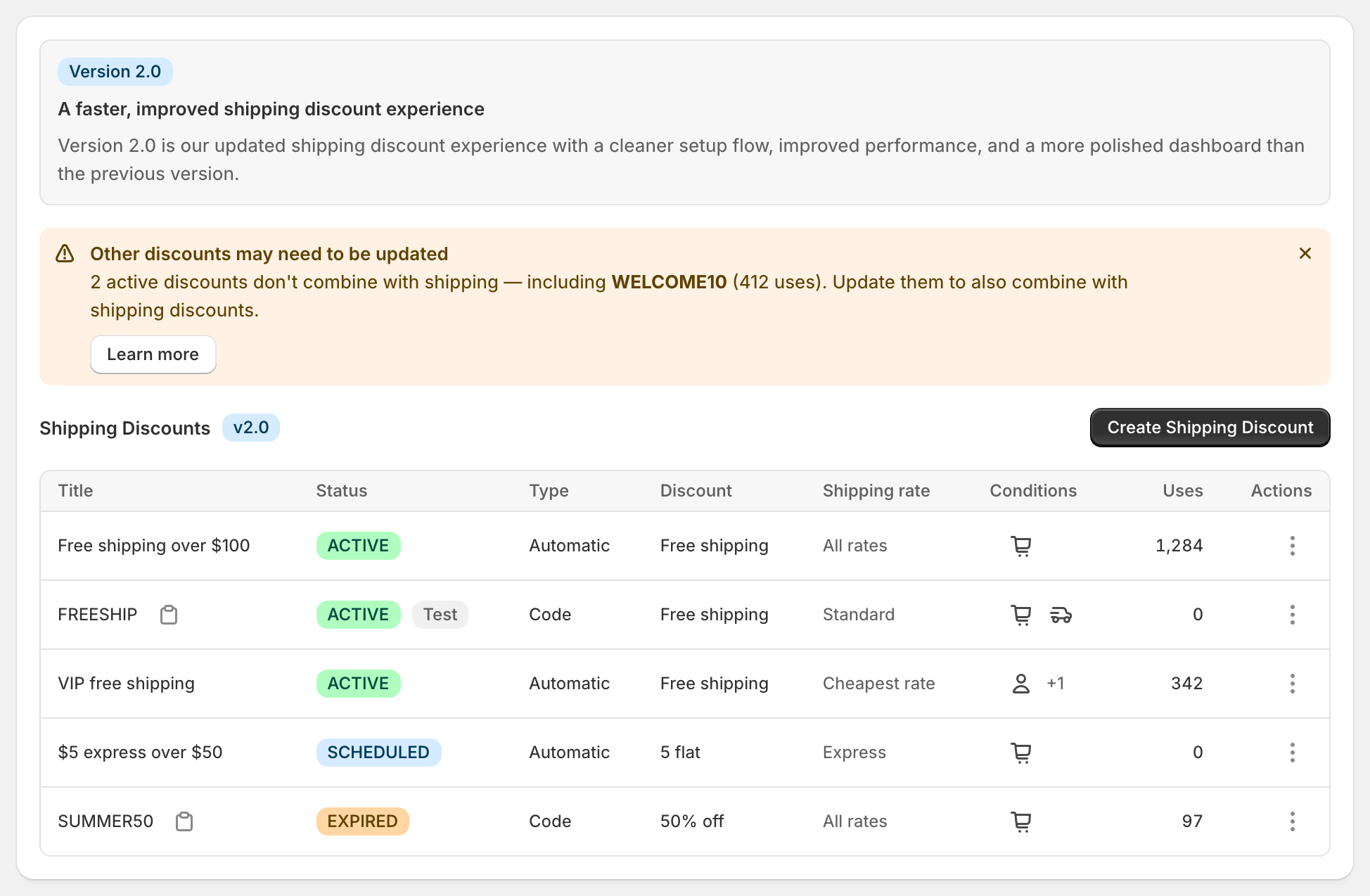
For a product or order discount to work alongside free shipping, both sides must allow it. The new app’s discounts combine with product and order discounts by default. On each other discount, tick Shipping discounts under Combinations. The dashboard warns you when an active discount doesn’t combine. See keep free shipping with discount codes.
Things that carry over
- Your shipping rates. The app discounts the rates you already have, and it doesn’t create, hide or rename them.
- Your theme. The app adds nothing to it.
- Your free shipping bar, if you use one. Set its threshold to match.
Related: test a shipping discount, free shipping code or automatic and the best conditional free shipping apps.
RM: Advanced Free Shipping is Built for Shopify, rated 5.0 on the Shopify App Store, and has support 7 days a week. It costs $9.90 USD every 30 days after a 7-day free trial, billed by Shopify. Install it from the Shopify App Store.